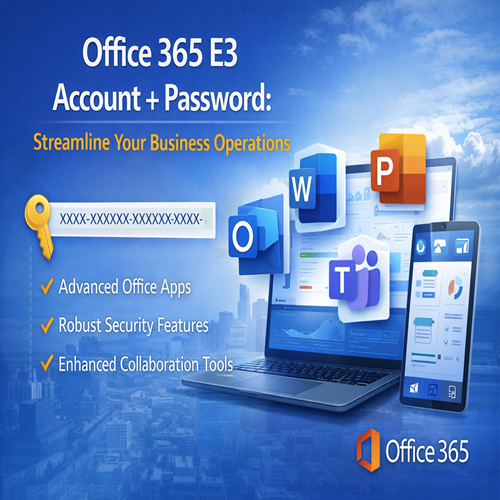
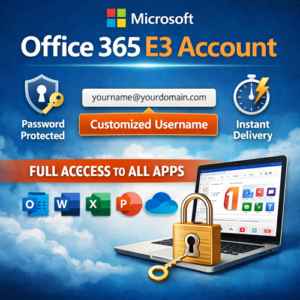
Office 365 E3 Account + Password: Streamline Your Business Operations
Rs23,284.13 Original price was: Rs23,284.13.Rs594.00Current price is: Rs594.00.
Office 365 E3 Account + Password provides seamless access to essential business tools. From advanced collaboration features to robust security settings, this account offers everything your team needs to stay productive and secure. Activate your account today for enhanced teamwork, document management, and cloud services.
Introduction
Office 365 E3 is a comprehensive solution designed for businesses seeking advanced productivity tools, robust security features, and seamless collaboration capabilities. By subscribing to Office 365 E3, users gain access to a full suite of Microsoft applications including Word, Excel, PowerPoint, Outlook, and more, all complemented by cloud storage and enhanced security features. With an Office 365 E3 account + password, businesses can ensure effective teamwork, secure data management, and smooth communication across the organization.
This article explores the key features, uses, and advantages of Office 365 E3, along with a comparison to other Office 365 plans, helping you make the best choice for your business needs.
Key Features of Office 365 E3
-
Access to Full Microsoft Office Suite
-
Includes Word, Excel, PowerPoint, Outlook, and more
-
Work seamlessly on documents, spreadsheets, presentations, and emails
-
-
Cloud Storage with OneDrive
-
1TB of cloud storage per user
-
Securely store, share, and collaborate on documents with team members
-
-
Enterprise-Level Security
-
Advanced data protection with encryption and compliance features
-
Multi-factor authentication (MFA) to ensure secure access
-
-
Collaboration with Microsoft Teams
-
Real-time communication and collaboration within your team
-
Share files, hold virtual meetings, and coordinate workflows effortlessly
-
-
SharePoint for Document Management
-
Simplify document storage and sharing across your organization
-
Easy version control and access permissions
-
-
Email and Calendars with Outlook
-
Professional-grade email hosting with business-class calendars
-
Seamless integration across all devices
-
-
Office 365 ProPlus Applications
-
Access premium applications like Access and Publisher for Windows users
-
Regular updates and feature enhancements for apps
-
-
Advanced Compliance and Legal Features
-
Enhanced tools to help manage compliance requirements
-
eDiscovery, audit logs, and legal hold capabilities
-
Uses of Office 365 E3 Account + Password
-
Business Communication and Collaboration
-
Microsoft Teams allows real-time communication, file sharing, and video conferencing, all in one place. Teams also integrates with other Office apps, enhancing collaboration across projects.
-
-
Document Creation and Editing
-
With access to Microsoft Word, Excel, and PowerPoint, users can create, edit, and collaborate on documents, spreadsheets, and presentations from anywhere.
-
-
Secure Cloud Storage
-
OneDrive provides businesses with secure, scalable cloud storage that can be accessed anytime, anywhere. Employees can store and share files with ease while ensuring compliance with data privacy standards.
-
-
Email Management
-
Outlook and Exchange offer professional-grade email services, with an easy-to-use interface and integrated calendar system for scheduling meetings and appointments.
-
-
Enterprise Security
-
Office 365 E3 provides powerful security features such as data loss prevention (DLP), advanced threat protection (ATP), and mobile device management (MDM) to safeguard your data.
-
-
Compliance and Legal Control
-
With tools like eDiscovery and legal hold, Office 365 E3 is ideal for businesses in regulated industries that need to ensure compliance and secure legal data.
-
Comparison Table: Office 365 E3 vs. Other Office 365 Plans
| Feature | Office 365 Business Basic | Office 365 Business Standard | Office 365 E3 | Office 365 E5 |
|---|---|---|---|---|
| Office Apps (Word, Excel, etc.) | Web versions only | Full desktop and web versions | Full desktop and web versions | Full desktop and web versions |
| Cloud Storage (OneDrive) | 1TB (shared) | 1TB (per user) | 1TB (per user) | 1TB (per user) |
| Teams Collaboration | Basic Teams features | Full Teams features | Full Teams features | Full Teams features + advanced analytics |
| Email Hosting (Outlook) | No | Yes (Business Email) | Yes (Business Email + archiving) | Yes (Business Email + archiving + advanced compliance) |
| Compliance Tools | No | No | Yes | Yes |
| Security Features | Basic security | Advanced security | Advanced security + compliance tools | Advanced security + DLP + Threat Protection |
| Price | $5/user/month | $12.50/user/month | $20/user/month | $35/user/month |
Conclusion
Office 365 E3 offers a comprehensive set of tools and features designed to improve productivity, enhance collaboration, and ensure data security for businesses of all sizes. With access to the full Microsoft Office suite, cloud storage, advanced compliance tools, and enterprise-grade security, Office 365 E3 is a powerful solution for teams that need secure, collaborative workspaces.
When compared to other Office 365 plans, the E3 plan stands out for its additional security and compliance features, making it ideal for businesses that deal with sensitive data or require robust management and protection tools.
Whether you’re looking to improve communication, streamline document management, or enhance collaboration, Office 365 E3 provides everything you need to boost productivity and ensure your team stays connected and secure.

For best deal kindly contact us - info@esoftwarestore.com or WhatsApp +16315053545
Digital Download – No Physical Shipment
This is a digital-only product. After purchase, the download link and activation key will be sent via email. No CD, DVD, or USB will be shipped.
• License valid for 1 PC only
• Microsoft 2024 Professional Plus for Windows
• it is a LTSC version ,supports both 32-bit and 64-bit Windows systems
Related products
Microsoft Powerpoint 2024 | Lifetime Activation Code
Microsoft PowerPoint has long been a vital tool in the world of presentations. Whether you’re preparing a business pitch, delivering an academic lecture, or crafting a personal slideshow, PowerPoint provides everything you need to create engaging and professional presentations. With the release of Microsoft PowerPoint 2024, the software continues to evolve, introducing new features and enhancements that make it easier, more powerful, and more collaborative than ever before.
For those who prefer a one-time payment without the need for recurring subscription fees, Microsoft PowerPoint 2024 Lifetime Activation Code offers the perfect solution. This guide will walk you through the key features, uses, and benefits of PowerPoint 2024, show you how it compares to previous versions, and explain why choosing the lifetime activation option might be the best decision for you.
Microsoft Project 2024 | Lifetime | Activation Code
Project management has always been an essential element of success in both business and personal endeavors. With the constant need to meet deadlines, manage resources, and ensure smooth operations, using the right project management software can make a significant difference in efficiency and results. Microsoft Project 2024 is the latest version of the industry-leading project management software, providing a comprehensive suite of tools designed to help you plan, execute, and track projects of all sizes.
The Lifetime Activation Code for Microsoft Project 2024 offers an excellent alternative to subscription-based models like Microsoft 365, providing you with a one-time payment for perpetual access to all the features of Project 2024. Whether you’re managing a small team, large organization, or a personal project, this version of Microsoft Project is designed to meet your needs and help you stay organized and on track.
Microsoft Word 2024 | Lifetime Activation Code
Microsoft Word is one of the most widely used word-processing software applications in the world. Trusted by professionals, students, educators, and writers alike, Microsoft Word is an essential tool for document creation, editing, and collaboration. The launch of Microsoft Word 2024 brings exciting new features, enhancements, and capabilities that make it even more indispensable for modern-day work environments. This article explores everything you need to know about Microsoft Word 2024, including its features, uses, comparison to previous versions, and why a lifetime activation code might be the best choice for you.
SQL Server 2025 Standard | Secure Licensed Database Edition
Experience secure, scalable, and AI-ready database management with the SQL Server 2019 Standard Retail Key. Designed for businesses and developers, it provides high-performance data processing, advanced analytics, and robust security. Activate your official retail key instantly and streamline your database operations with confidence.
Windows 10 Pro OEM Key | The Affordable Solution for Full Windows Activation
Secure and activate your Windows 10 Pro with an OEM key, designed for first-time PC setups or upgrades. By using this product key, you can access enterprise-level security features, remote desktop capabilities, and system optimization tools. The Windows 10 OEM Key is an economical choice for activating Windows on your new or upgraded device, giving you access to everything Windows 10 has to offer.
Windows 11 Education | Empowering Learning with the Latest OS
Windows 11 Education is designed to enhance the learning experience for students, teachers, and educational institutions. Packed with productivity tools, collaboration features, and enhanced security, it provides a powerful platform for modern classrooms. With seamless integration of Microsoft 365, virtual learning support, and user-friendly features, Windows 11 Education helps educators and students stay productive and secure, whether in the classroom or at home. This guide explores its features, uses, and benefits in an educational environment.
Windows 11 Home | Modernize Your Devices with the Latest OS
Windows 11 Home is the latest consumer-focused operating system from Microsoft, designed for personal use. It offers a sleek, modern interface that brings ease of use, performance enhancements, and security features tailored for everyday users, home offices, and casual gaming. With Windows 11 Home, Microsoft has focused on enhancing the overall user experience with a fresh design and a more intuitive workflow, all while maintaining compatibility with a wide range of apps and hardware.
Windows 11 Pro MAK | Efficient Activation for Multiple Devices
Windows 11 Pro MAK offers a reliable and cost-effective activation method for organizations with multiple devices. Instead of managing individual licenses for every system, MAK lets administrators use a single product key to activate up to a specified number of devices. This approach simplifies the licensing process, making it more efficient for IT departments. With features like offline activation, easy transferability, and centralized license management, Windows 11 Pro MAK is perfect for businesses and educational institutions that need flexibility and ease in managing their software deployments.
For businesses or organizations with many devices, Windows 11 Pro MAK offers a simple and effective solution for software activation. This volume licensing method allows administrators to activate multiple devices using a single activation key, making the process fast and efficient. Ideal for companies and institutions looking to manage and deploy Windows 11 Pro across many systems, MAK ensures compliance while providing flexibility. Whether you're handling small or large-scale deployments, Windows 11 Pro MAK makes the activation process seamless and cost-effective.

Reviews
There are no reviews yet.