Introduction
In today’s fast-paced business environment, having reliable, scalable, and secure office software is essential for seamless collaboration, communication, and productivity. Microsoft Office 365 E3 is one of the leading productivity solutions, providing businesses with a complete suite of tools for managing documents, emails, and data. With Office 365 E3, users gain access to powerful apps like Microsoft Word, Excel, PowerPoint, Teams, and more, all integrated into a cloud-based ecosystem.
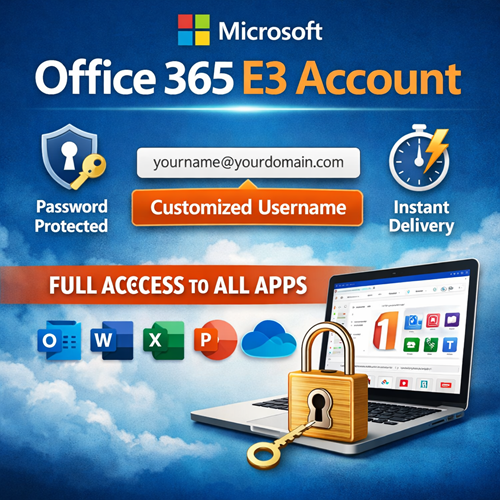
Microsoft Office 365 E3 Account with Password – Customized Username offers a personalized experience by allowing users to create a unique username and secure their account with a password. With instant delivery, users can begin using their Office 365 E3 features immediately after purchase. This article will discuss the key features of Microsoft Office 365 E3, the benefits of a customized username, and how to make the most of your Office 365 E3 account.
Key Features of Microsoft Office 365 E3
Microsoft Office 365 E3 offers a comprehensive package for both individuals and businesses. Let’s look at the key features:
-
Full Access to Office Apps: Get access to the entire suite of Office apps like Word, Excel, PowerPoint, Outlook, and OneNote on both desktop and mobile platforms.
-
Cloud Storage with OneDrive: Each user gets 1 TB of cloud storage on OneDrive for Business, allowing for easy file sharing, collaboration, and access from anywhere.
-
Exchange Online: Manage your email securely with a 50 GB mailbox, custom email domains, and advanced spam filtering.
-
Advanced Security: Built-in security features like data loss prevention, encryption, and multi-factor authentication ensure your data is always safe.
-
Collaboration with Teams: Microsoft Teams is integrated into the Office 365 E3 plan, enabling instant messaging, video conferencing, and file-sharing for better team collaboration.
-
SharePoint Online: Streamline document management and team collaboration with SharePoint, allowing for version control, secure sharing, and document management.
-
Compliance Tools: Office 365 E3 comes with enterprise-grade compliance tools such as legal hold, eDiscovery, and retention policies for managing business records.
Customized Username & Instant Delivery: What You Get
When you purchase Microsoft Office 365 E3 Account with Password – Customized Username, you gain more flexibility and a personalized experience. Instead of using a generic username, you can create a unique, professional username that reflects your business or personal identity. This is especially useful for businesses that want to provide branded email addresses to employees.
Instant Delivery: Once you purchase the account, you get immediate access to your Office 365 E3 subscription. You won’t need to wait for days to start using the service, making it ideal for businesses that need immediate access to productivity tools.
Customized Username: With the option to create your username, you ensure that all communications (email, documents, etc.) are consistent with your brand or personal preference. This customized approach is particularly useful for businesses that need a professional, unified email domain like “you@yourcompany.com.”
Comparison Table: Office 365 E3 vs. Other Plans
| Feature |
Office 365 E3 |
Office 365 Business Premium |
Office 365 Business Essentials |
| Office Desktop Apps |
Full Access |
Full Access |
Web and Mobile Only |
| Cloud Storage |
1 TB OneDrive |
1 TB OneDrive |
1 TB OneDrive |
| Email Management |
Exchange Online (50GB) |
Exchange Online (50GB) |
Exchange Online (50GB) |
| Teams |
Full Access |
Full Access |
No Teams |
| Security & Compliance |
Advanced Protection |
Standard Protection |
Basic Protection |
| Customization (Username/Email) |
Full Customization |
Limited Customization |
Limited Customization |
| Enterprise Features |
Yes |
No |
No |
| Support |
24/7 Support |
24/7 Support |
24/7 Support |
| Instant Delivery |
Yes |
Yes |
Yes |
| Price |
Higher |
Medium |
Lower |
As shown in the table above, Office 365 E3 offers more advanced features than the Business Premium or Essentials plans. If you need enterprise-level security, full access to Office apps, and a high level of customization, Office 365 E3 is the best choice for you.
How to Activate Microsoft Office 365 E3 Account with Password
Activating your Microsoft Office 365 E3 Account with a password and customized username is easy. Follow these simple steps:
-
Purchase Your Subscription: Choose Office 365 E3 from a trusted reseller or Microsoft directly.
-
Create Your Customized Username: During the purchase process, you will be asked to create a username for your account. Choose a professional username or a branded one for your business.
-
Set Your Password: Set a strong password for your account, ensuring it meets the security requirements (minimum of 8 characters with numbers and symbols).
-
Instant Access: Once the purchase is complete, your account is instantly activated, and you can start using the suite of Office apps and services.
-
Sign In to Your Account: Go to the Microsoft Office Portal and sign in with your username and password.
After logging in, you can start exploring the features of Office 365 E3, including Teams, OneDrive, and Exchange Online.
Benefits of Microsoft Office 365 E3 Account
-
Professional Collaboration: Use Microsoft Teams for seamless communication across teams. Share files, have video calls, and stay connected from anywhere.
-
Advanced Security: Office 365 E3 comes with robust security features, including encryption, data loss prevention, and identity protection.
-
Anytime, Anywhere Access: Store documents on OneDrive and access them from any device. With cloud integration, you can collaborate with your team from anywhere in the world.
-
Increased Productivity: Access the full suite of Office apps and keep working even when you’re offline. Once you’re back online, your changes will sync automatically to the cloud.
-
Custom Branding: Use a customized username and email to promote your brand identity.
Conclusion
Microsoft Office 365 E3 is a powerful tool for individuals and businesses looking to improve collaboration, productivity, and security. With full access to Office apps, 1 TB of cloud storage, email management, advanced security features, and enterprise-level compliance tools, Office 365 E3 offers an ideal solution for organizations of any size.
Opting for a customized username and instant delivery further enhances the experience, making it easier to start using the tools immediately with a personalized touch. Whether you are an individual or a business, Office 365 E3 ensures that you have all the tools you need to stay connected, collaborate effectively, and maintain security.
If you’re looking for a comprehensive office suite that offers flexibility, enterprise-level features, and instant access, Microsoft Office 365 E3 is the solution you need.






Reviews
There are no reviews yet.