Introduction
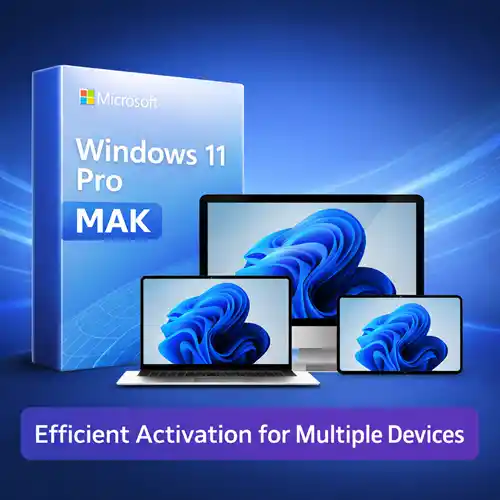
Windows 11 Pro MAK (Multiple Activation Key) is a licensing option designed to simplify and streamline the activation process for businesses, educational institutions, and large organizations. With the increasing number of devices in use, organizations need an efficient way to manage software activation for multiple systems. Windows 11 Pro MAK provides just that—offering the flexibility to activate multiple devices with a single key, making it an ideal solution for organizations that require cost-effective licensing for several devices.
In this article, we will dive into the features and advantages of Windows 11 Pro MAK, explore its uses in various environments, compare it with other activation methods, and offer a comprehensive understanding of how this licensing option can improve productivity and management in large-scale deployments. By the end of this guide, you will be able to determine whether Windows 11 Pro MAK is the right solution for your needs.
Key Features of Windows 11 Pro MAK
Windows 11 Pro MAK offers a variety of features aimed at enhancing deployment and management efficiency in an organizational context. Here are the key features:
1. Multiple Device Activation
One of the standout features of Windows 11 Pro MAK is the ability to activate multiple devices using a single product key. This is particularly beneficial for businesses, educational institutions, and organizations with several devices, as it reduces the need to manage individual product keys for each system.
-
Efficient Management: IT administrators can activate up to a predefined number of devices using one key. This reduces the administrative overhead associated with managing individual licenses for each machine.
-
Time-Saving: Instead of having to enter unique product keys for each device, MAK enables administrators to perform bulk activations for all machines at once, simplifying large-scale deployments.
2. Volume Licensing for Businesses and Institutions
Windows 11 Pro MAK is part of Microsoft’s volume licensing program, which allows businesses and organizations to purchase a license for multiple devices in one transaction.
-
Cost Efficiency: By purchasing MAK licenses, organizations can save on the cost of individual product licenses and streamline their software procurement process.
-
Licensing Flexibility: MAK licenses are particularly useful for organizations with a large number of devices that need to run Windows 11 Pro but don’t require the complexity of an enterprise-level activation solution.
3. Centralized Activation Management
With Windows 11 Pro MAK, organizations gain the benefit of centralized license management. This means that IT departments can track, assign, and activate multiple devices from a single point of control.
-
Activation via Key Management Service (KMS): While MAK offers flexibility for bulk activation, it also allows integration with Microsoft’s KMS system for activation management. This ensures that all activated devices remain compliant with Microsoft’s licensing terms.
-
Ease of Use: Admins can track all activations centrally through the Microsoft Volume Licensing Service Center (VLSC), providing an easy-to-use interface for managing device activations across the network.
4. No Internet Connectivity Required for Activation
For organizations with limited or no internet connectivity, MAK offers the convenience of offline activation.
-
Offline Activation: MAK does not require the device to be online to activate Windows 11 Pro. Instead, once the system is installed, administrators can activate it offline using the MAK key.
-
Flexibility in Deployment: This makes it ideal for organizations with remote offices, secure environments, or systems that are not connected to the internet.
5. Security and Compliance
Windows 11 Pro MAK is a fully compliant licensing solution, meeting all of Microsoft’s legal and security standards.
-
Validated Licenses: With MAK, organizations are ensured that they are fully compliant with Microsoft’s licensing policies, which helps prevent any potential legal issues due to improper license management.
-
Support for Updates: Organizations that use MAK licenses will continue to receive regular security updates and patches for their Windows 11 Pro devices, ensuring the security of the entire system.
Uses of Windows 11 Pro MAK
Windows 11 Pro MAK is particularly useful in various environments, such as:
1. Corporate Environments
For large businesses that have a fleet of devices running Windows 11 Pro, MAK provides an easy-to-manage solution that ensures every machine in the organization is activated and running legally.
-
IT Admin Control: IT administrators can activate hundreds or even thousands of devices with minimal manual input.
-
Cost Savings: MAK licenses provide businesses with a cost-effective way to equip their employees with the necessary software without breaking the bank.
2. Educational Institutions
Educational institutions that use multiple computers in classrooms, labs, or offices benefit from the flexibility and efficiency of MAK licensing.
-
Classroom Deployment: Schools and universities can ensure that all student and faculty devices are activated quickly and easily.
-
Simplified Management: Educational institutions can leverage MAK to keep track of all their devices centrally, ensuring that the software is up-to-date and compliant.
3. Government and Non-Profit Organizations
Government agencies and non-profit organizations that operate on tight budgets but need to deploy multiple devices across their network can take advantage of MAK’s affordability and scalability.
-
Large-Scale Deployment: MAK’s ability to activate large volumes of devices ensures that government agencies or non-profits can efficiently deploy Windows 11 Pro across their systems without any hassle.
-
Centralized Management: The centralized management system provides an organized and compliant solution to manage software across several departments or offices.
4. Small and Medium-Sized Enterprises (SMEs)
Small businesses that require a limited number of devices to be activated can benefit from the straightforward and flexible Windows 11 Pro MAK solution. It provides all the features of volume licensing at an affordable cost.
-
Scalable Solution: SMEs can easily scale their Windows 11 deployment as they grow by purchasing additional MAK licenses, avoiding the complexity of larger enterprise systems.
-
Easy to Manage: The simplicity of MAK allows smaller organizations to maintain control over their device activations without needing specialized IT staff.
Comparison: Windows 11 Pro MAK vs. Other Activation Methods
| Feature |
Windows 11 Pro MAK |
Windows 11 Pro Retail |
Windows 11 Pro Volume Licensing |
| Activation Method |
MAK Key |
Single-Use Product Key |
Key Management Service (KMS) |
| Number of Devices |
Multiple Devices |
1 Device |
Multiple Devices (KMS) |
| Internet Requirement |
No |
Yes |
No (if KMS is available) |
| License Type |
Volume License |
Individual License |
Volume License |
| License Transferability |
Limited |
No |
Yes (with KMS) |
| Support for Large Organizations |
Yes |
No |
Yes |
| Cost |
Cost-effective |
Expensive |
High Cost for Large Scale |
Key Differences:
-
Retail Licenses: Retail licenses are best for individuals or home users, as they are more expensive and are tied to a single device.
-
Volume Licensing: Volume Licensing (KMS) is ideal for large organizations that need to manage and activate Windows 11 Pro across many devices and are equipped to handle the infrastructure required for KMS management.
Conclusion
Windows 11 Pro MAK offers an efficient and cost-effective activation solution for businesses, educational institutions, government organizations, and small businesses that require multiple devices to be activated. By allowing organizations to use a single product key to activate multiple devices, MAK licensing streamlines deployment and reduces administrative overhead, making it a valuable option for IT administrators.
The ability to perform offline activation and manage licenses centrally ensures that organizations can maintain compliance while ensuring their systems are secure and up-to-date. Whether you’re managing a small business or a large enterprise, Windows 11 Pro MAK is an excellent option to efficiently handle software activation for multiple devices.




Kyla (verified owner) –
I think this is amazing. Lots of features and customizable from every point of view. The few times I asked for help in support they were competent, fast and above all very patient. Really recommend
Johnathon (verified owner) –
Think everyone should know about this, it’s just beyond my expectations
Waylon (verified owner) –
I’m caught 🙂 Find my love and will never buy in any other shop.
Isabelle (verified owner) –
This is the coolest thing I’ve found on here! Will keep using your products in the future!
Jamir (verified owner) –
Just love the design and the customer support is the nicest.