Introduction
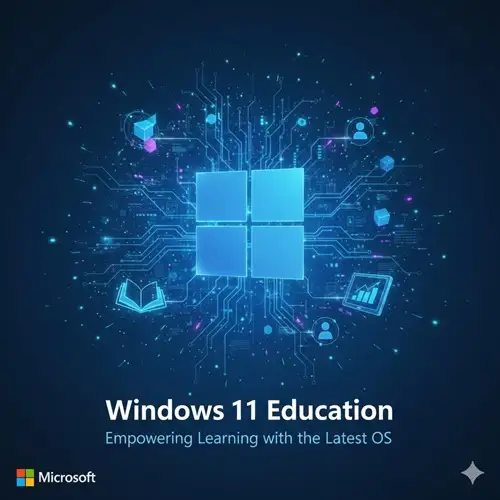
The evolution of technology in education has paved the way for powerful tools that enhance learning, foster creativity, and streamline administrative tasks. Windows 11 Education is one such tool that brings the power of Microsoft’s latest operating system to the educational world, offering a robust set of features tailored for students, teachers, and educational institutions. With its unique blend of productivity, security, and collaboration features, Windows 11 Education provides an ideal environment for learning in modern classrooms.
Whether it’s for virtual learning, classroom management, or personal productivity, Windows 11 Education is designed to empower students and teachers alike. With seamless integrations for apps and services that cater to educational needs, this version of Windows 11 is a game-changer in how technology is used in education. This article will explore the features, uses, and benefits of Windows 11 Education, provide a comparison with other versions of Windows 11, and conclude with insights on how this OS can elevate the educational experience.
Key Features of Windows 11 Education
Windows 11 Education brings the latest features and enhancements, designed to cater specifically to the needs of educational institutions. Let’s take a look at the key features that make this version ideal for schools, universities, and other learning environments.
1. Enhanced Security Features
Security is a paramount concern for educational institutions, and Windows 11 Education takes it seriously. With built-in features that protect student data, staff information, and school networks, it provides peace of mind for administrators.
-
BitLocker Encryption: Protect sensitive data with full disk encryption. BitLocker ensures that all student and staff data remains safe, even if a device is lost or stolen.
-
Windows Hello for Education: Biometric authentication for fast and secure login without passwords. This feature uses facial recognition or fingerprint scanning, making logging in safer and quicker.
-
Secure Boot: Prevents malware from loading during startup, ensuring that only trusted software runs on the device.
2. Simplified Deployment and Management
Windows 11 Education comes with powerful tools that make deploying and managing devices across a school or district easier for IT departments.
-
Windows Autopilot: This cloud-based deployment tool allows administrators to set up and configure Windows devices remotely. Devices can be configured to meet the institution’s needs before they even reach the user.
-
Intune for Education: Microsoft Intune allows IT teams to manage apps, devices, and users from a central location, giving administrators more control over the devices used in the classroom.
3. Collaboration and Productivity Tools
Windows 11 Education is built for collaboration, ensuring that students and teachers can easily work together, regardless of where they are.
-
Microsoft Teams Integration: Teams is integrated directly into Windows 11 Education, allowing educators to host classes, video calls, and discussions easily. It also supports file sharing, messaging, and meeting scheduling, making it easier for remote or hybrid learning environments.
-
OneDrive for Education: Cloud storage is crucial for educational institutions. OneDrive lets students and teachers store, access, and share files from anywhere, ensuring continuous access to learning resources.
-
Virtual Desktops: Teachers and students can set up customized workspaces to organize tasks. Virtual desktops allow users to keep personal, school, and project-related activities separate, boosting productivity and focus.
4. Enhanced Learning Features
Windows 11 Education comes with features designed to improve the learning experience for students and teachers.
-
Snap Layouts and Snap Groups: These features enhance multitasking by letting users organize multiple open windows with ease. Students can work on several assignments, research papers, or projects simultaneously without losing track.
-
DirectStorage: This feature speeds up load times for games and apps, making it a great tool for schools that use gaming or interactive learning applications.
-
Accessibility Improvements: With features like Live Captions, Narrator, and Magnifier, Windows 11 Education offers enhanced accessibility for students with disabilities, ensuring everyone has the tools to succeed.
-
Focus Sessions: A built-in tool that helps students concentrate by blocking distracting notifications and guiding them through study sessions.
5. Seamless Integration with Microsoft 365 and Learning Apps
Windows 11 Education is designed to integrate seamlessly with the entire Microsoft ecosystem, including Microsoft 365 and Learning Tools.
-
Office Apps: Students and educators can use Microsoft Word, Excel, PowerPoint, and OneNote, all of which come pre-installed. These apps support collaborative editing and cloud storage integration.
-
Learning Tools: Microsoft Edge comes with built-in Learning Tools such as a reader mode, text-to-speech capabilities, and a highlighter function, helping students focus and engage with educational content better.
6. Virtual Learning and Hybrid Classrooms
With the growing trend of remote and hybrid learning, Windows 11 Education offers enhanced support for virtual classrooms and learning environments.
-
Microsoft Teams for Education: Built specifically for educational use, Microsoft Teams allows teachers to create virtual classrooms, hold live lessons, and manage assignments. It integrates with other apps like OneNote and Class Notebook.
-
Support for Online Testing: Windows 11 Education comes with built-in tools that make online testing easier. These tools allow secure testing environments with browser lockdowns, preventing cheating and improving exam integrity.
Uses of Windows 11 Education
Windows 11 Education is a versatile operating system that can be used across various educational environments. Here are some common use cases:
1. K-12 Schools
For K-12 schools, Windows 11 Education offers a secure and scalable solution that helps teachers manage classrooms and students more efficiently.
-
Classroom Management: Teachers can set up and manage digital classrooms, assign and grade work, and collaborate with students easily through Microsoft Teams and other apps.
-
Interactive Learning: Windows 11 Education supports educational apps, videos, and games that enhance student engagement and make learning fun.
2. Universities and Colleges
Higher education institutions benefit from the collaboration and productivity tools that come with Windows 11 Education.
-
Collaborative Projects: Students working on group projects can use Microsoft Teams and OneDrive to share files, communicate, and work together on documents in real-time.
-
Remote Learning: With integrated tools for remote learning, professors can host virtual lectures, while students can attend classes from anywhere.
3. Vocational and Trade Schools
Vocational and trade schools can leverage Windows 11 Education to support practical learning environments that simulate real-world scenarios.
-
Simulation Software: With enhanced graphics and processing power, Windows 11 Education is well-suited for running industry-standard simulation software in fields such as engineering, design, and healthcare.
-
Hands-On Learning: Students can use Windows 11 Education to run specialized applications for their respective trades, enhancing their skills in a controlled, technology-rich environment.
4. Home and Hybrid Learning Environments
For students learning from home or in hybrid environments, Windows 11 Education offers tools that ensure productivity and organization.
-
Task Management: Students can organize their assignments, collaborate on group projects, and use the virtual desktop feature to separate their schoolwork from personal activities.
-
Cloud Integration: With OneDrive, students can access their files from any device, whether at home, school, or on the go, ensuring seamless learning.
Comparison: Windows 11 Education vs. Other Versions
| Feature |
Windows 11 Education |
Windows 11 Home |
Windows 11 Pro |
| Target Users |
Students, Teachers, Educational Institutions |
Home Users |
Professionals, Businesses |
| Pre-Installed Education Apps |
Yes |
No |
No |
| Microsoft 365 Integration |
Yes |
Yes |
Yes |
| Security Features |
BitLocker, Windows Defender, Secure Boot |
Windows Defender |
BitLocker, Windows Defender |
| Device Management |
Yes (Intune) |
No |
Yes |
| Support for Virtual Learning |
Yes |
No |
No |
| Focus Features |
Yes (Focus Sessions) |
No |
Yes |
| Price |
Discounted for Educational Use |
Affordable |
Higher Pricing for Business |
Conclusion
Windows 11 Education is an incredibly powerful and versatile operating system tailored to the unique needs of the education sector. With its advanced security features, productivity tools, collaboration options, and support for hybrid learning environments, Windows 11 Education empowers both students and teachers to engage in a dynamic, connected, and secure learning experience.
Whether used in K-12 schools, universities, or vocational training programs, Windows 11 Education offers a wide range of benefits that help educators and students thrive in an ever-evolving digital landscape. The seamless integration with Microsoft 365, along with specialized educational features, makes it an indispensable tool for fostering learning and collaboration in today’s modern classrooms.
Windows 11 Education is the ideal solution for educational institutions that want to provide their students and educators with the tools they need to succeed. By upgrading to Windows 11 Education, schools can unlock the full potential of technology, equipping students with the skills they need for success in the future.



Elvera (verified owner) –
I rarely leave a comment, but this item is beyond worth it! Gotta let you guys know!
Forrest (verified owner) –
The item and the design are very cool. Also the support is amazing, they always help you with any detail that you have.
Jarrod (verified owner) –
It’s far better than those similar products, while the price is still acceptable.
Kyra (verified owner) –
This is the best support for a product I had so far, they reply quickly and solve themselves the problems most of the time. Kudos guyz
Nia (verified owner) –
Just love the design and the customer support is the nicest.