Introduction
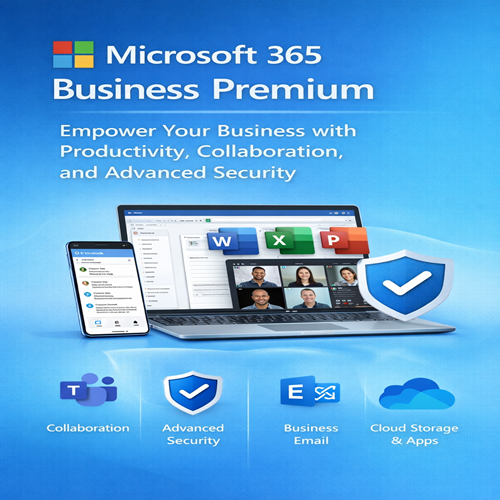
In today’s fast-paced business environment, companies need powerful tools that enhance productivity, ensure data security, and foster collaboration. Microsoft 365 Business Premium is a comprehensive solution designed specifically for small to medium-sized businesses (SMBs). This cloud-based subscription plan includes all the productivity tools that businesses need to succeed, from Office apps like Word, Excel, and PowerPoint to advanced security features and cloud-based services. Whether you’re a startup or an established company, Microsoft 365 Business Premium offers the flexibility, scalability, and robust features to streamline your operations and safeguard your data.
This guide will explore the features, uses, and benefits of Microsoft 365 Business Premium, and we’ll also compare it with other Microsoft 365 plans to help you decide if it’s the right fit for your business.
What is Microsoft 365 Business Premium?
Microsoft 365 Business Premium is a subscription-based service designed to meet the needs of businesses looking for a suite of productivity tools combined with enterprise-level security features. It is one of the most comprehensive packages offered by Microsoft, providing everything from Microsoft Office apps to cloud storage, team collaboration tools, email management, and robust security measures.
The plan is tailored to businesses with fewer than 300 employees and provides them with the tools they need to stay productive while keeping their business secure in an increasingly digital world.
Key Features of Microsoft 365 Business Premium
1. Productivity Tools
Microsoft 365 Business Premium includes the full suite of Microsoft Office applications, which are essential for daily business operations. These include:
-
Microsoft Word: A word-processing tool used for creating documents, reports, and other text-based content.
-
Microsoft Excel: A powerful spreadsheet application for managing data, performing calculations, and analyzing business performance.
-
Microsoft PowerPoint: A presentation software that allows users to create professional presentations for meetings, webinars, and pitches.
-
Microsoft Outlook: A business-class email platform with an integrated calendar, contacts, and task management features.
-
Microsoft OneNote: A note-taking app for organizing meeting notes, ideas, and business plans.
-
Microsoft Access: A database management system for storing, organizing, and retrieving business data.
These apps are available both online and offline, ensuring businesses can work seamlessly from any location.
2. Cloud Storage and File Sharing
With Microsoft 365 Business Premium, each user receives 1 TB of OneDrive for Business cloud storage, allowing employees to access their files from anywhere, on any device. This feature makes file-sharing easy, secure, and efficient. OneDrive also includes advanced collaboration features, allowing multiple users to edit the same document in real-time.
3. Microsoft Teams
Microsoft Teams is the hub for teamwork, providing chat, video conferencing, file sharing, and collaboration tools in one platform. Teams helps improve internal communication and project management. Whether you are holding a meeting, sharing documents, or collaborating on a project, Teams streamlines the process. Features like integration with SharePoint and OneDrive make it easy to work with files and data in real-time.
4. Exchange Online and Business-Class Email
Microsoft 365 Business Premium includes Exchange Online, providing professional email services with your own custom domain. This feature ensures secure and organized email communication, with enhanced features like automatic calendar management, email archiving, and spam filtering.
5. Security Features
Security is one of the main selling points of Microsoft 365 Business Premium. The plan includes advanced security features designed to protect businesses from modern threats:
-
Enterprise-Level Threat Protection: Includes advanced threat protection (ATP) for emails, which scans for malicious attachments and links, preventing phishing attacks and other malicious activities.
-
Data Loss Prevention (DLP): Helps prevent the accidental sharing of sensitive information by detecting and protecting against potential data breaches.
-
Mobile Device Management (MDM): With Microsoft Intune, businesses can remotely manage and secure mobile devices and computers. This feature ensures that company data remains secure, even if a device is lost or stolen.
-
Multi-Factor Authentication (MFA): Adds an additional layer of security by requiring users to provide more than just a password when logging into their accounts.
-
Conditional Access: This feature helps businesses control who can access company data based on factors like location, device compliance, and user role.
6. Windows Virtual Desktop (Optional Add-on)
For businesses that need to provide employees with access to virtual desktops, Microsoft 365 Business Premium integrates with Windows Virtual Desktop, offering a complete desktop experience that can be accessed remotely. This feature is particularly useful for businesses with remote teams or those that require flexibility in how their employees work.
7. Security and Compliance Tools
Microsoft 365 Business Premium comes with tools that help businesses meet industry regulations and maintain compliance with data protection laws, including:
-
Compliance Manager: Helps businesses assess their compliance with various regulations, such as GDPR, HIPAA, and more.
-
Information Protection: Encrypts documents and emails to ensure sensitive data is protected.
-
Audit Log Search: Allows businesses to track user activities and maintain an audit trail for compliance purposes.
Uses of Microsoft 365 Business Premium
1. Enhancing Collaboration and Communication
One of the key benefits of Microsoft 365 Business Premium is its ability to enhance team collaboration. Tools like Microsoft Teams, OneDrive, and SharePoint allow employees to work together seamlessly, whether they are in the office or working remotely. Teams offers integrated chat and video conferencing, while SharePoint makes it easy to manage documents and projects.
2. Improving Data Security and Protection
With built-in security features like advanced threat protection, data loss prevention, and mobile device management, businesses can protect their sensitive data from cyberattacks, breaches, and loss. Microsoft 365 Business Premium gives business owners peace of mind knowing that their data is secured.
3. Streamlining Operations with Cloud Services
The cloud-based nature of Microsoft 365 ensures that businesses can access their files, applications, and emails from anywhere. This flexibility is especially useful for businesses with remote teams or those looking to streamline operations by moving their IT infrastructure to the cloud.
4. Automating Routine Tasks
With tools like Power Automate, businesses can automate repetitive tasks, such as data entry, approval workflows, and reporting. This automation saves time and helps employees focus on more strategic tasks that drive business growth.
Comparison of Microsoft 365 Business Premium Plans
Here’s a comparison table of Microsoft 365 Business Premium with other Microsoft 365 plans:
| Feature |
Microsoft 365 Business Basic |
Microsoft 365 Business Standard |
Microsoft 365 Business Premium |
| Office Apps |
Web Apps Only |
Desktop and Web Apps |
Desktop and Web Apps |
| Cloud Storage |
1 TB per user (OneDrive) |
1 TB per user (OneDrive) |
1 TB per user (OneDrive) |
| Microsoft Teams |
Yes |
Yes |
Yes |
| Business Email (Exchange) |
Yes |
Yes |
Yes |
| Security & Compliance |
Basic |
Standard |
Advanced (includes Intune) |
| Mobile Device Management |
No |
No |
Yes |
| Advanced Threat Protection |
No |
No |
Yes |
| Windows Virtual Desktop |
No |
No |
Yes (optional) |
| Price |
$5 per user/month |
$12.50 per user/month |
$20 per user/month |
Conclusion
Microsoft 365 Business Premium is a robust solution for small and medium-sized businesses looking to improve productivity, collaboration, and security. It offers an all-in-one package with essential Office apps, cloud storage, business email, and enterprise-grade security tools. This plan is ideal for businesses that want to stay productive on the go while ensuring that their data is secure.
When comparing Microsoft 365 Business Premium with other Microsoft 365 plans, the Premium plan stands out due to its advanced security features, mobile device management, and additional tools like Windows Virtual Desktop. While it may be more expensive than the basic and standard plans, the added benefits make it a worthwhile investment for businesses that prioritize security and productivity.









Reviews
There are no reviews yet.