

Blog
How to Activate Microsoft Office 2016 Home & Business (Mac Bind Account) | Step by Step Guide

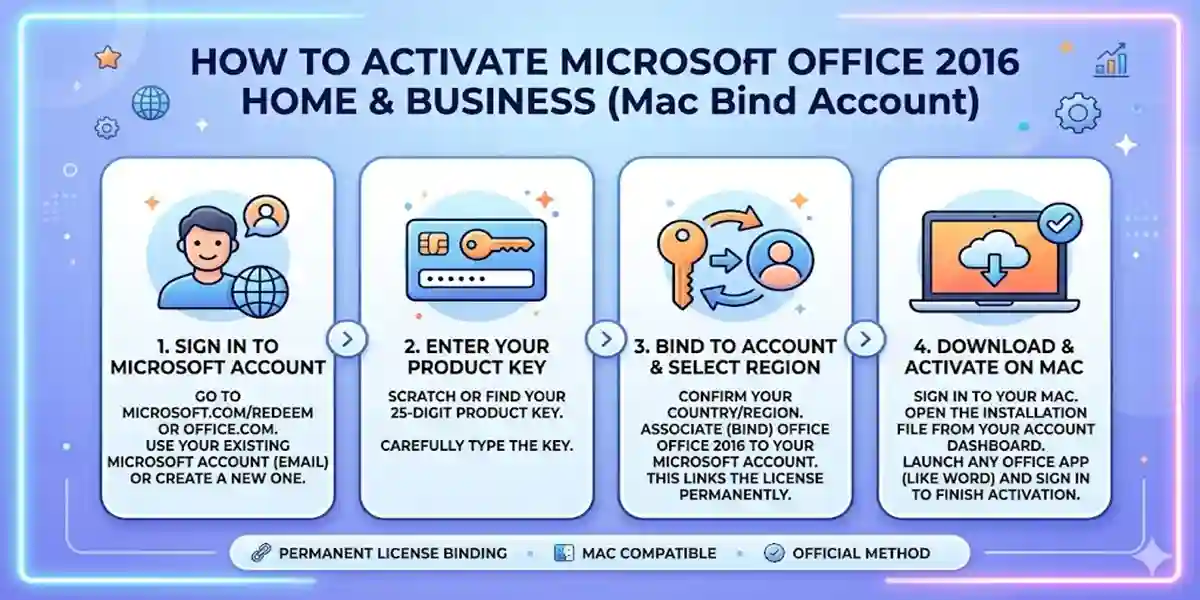
Introduction
Microsoft Office 2016 Home & Business is a powerful productivity suite that includes Word, Excel, PowerPoint, and Outlook. For Mac users, activating Office with a Bind Account ensures lifetime access to all features. Whether you are a student, professional, or business user, proper activation is essential to unlock full functionality and updates. In this guide, we will walk you through the steps to activate Office 2016 on Mac, cover common errors and fixes, explain licensing options, and provide FAQs for a smooth setup.
Key Features of Microsoft Office 2016 Home & Business (Mac)
- Full Productivity Suite: Includes Word, Excel, PowerPoint, Outlook for seamless workflow.
- Mac Bind Account Activation: One-time activation ensures the license is tied to your Mac.
- Lifetime Access: No recurring subscriptions required.
- Improved Collaboration: Share files via OneDrive or Outlook easily.
- Enhanced Security: Microsoft security updates keep your data protected.
Common Errors and Fixes
- Activation Error 0x80070005 – Usually a permission issue; fix by running Office as an administrator.
- License Not Found – Ensure you are signed in with the correct Microsoft account.
- Mac Compatibility Issue – Update macOS to the latest supported version.
- Corrupt Installation Files – Reinstall Office using the official Microsoft installer.
Methods to Activate Office 2016 Home & Business (Mac Bind Account)
Method 1: Using Product Key
- Open any Office application.
- Go to Help > Activate Product.
- Enter the 25-character product key provided with your purchase.
- Sign in with your Microsoft account to bind the license to your Mac.
Method 2: Sign in with Microsoft Account
- Open Office application.
- Select Sign In.
- Use your Microsoft account credentials linked to your Office purchase.
- The software will automatically verify and activate the license.
Licenses Overview
- Single Mac License: Works on one Mac device permanently.
- Office Bind Account: Ties the license to a Microsoft account and a single Mac.
- Multi-Device License: Some licenses allow multiple Mac devices depending on your subscription plan.
Conclusion
Activating Microsoft Office 2016 Home & Business on Mac using a Bind Account is simple and ensures permanent access to all features. Following the step-by-step guide and troubleshooting common errors guarantees a smooth experience. Always use genuine keys to avoid issues and unlock full productivity tools.
FAQs
Q1: Can I transfer my license to another Mac?
A: Bind Account licenses are tied to one Mac; you may need to deactivate before transferring.
Q2: What if activation fails?
A: Check your internet connection, ensure you are signed into the correct Microsoft account, or reinstall Office.
Q3: Is this compatible with macOS Monterey or later?
A: Yes, Office 2016 works with most recent macOS versions, though updates are recommended.
Q4: Can I use multiple Microsoft accounts?
A: Only one account can bind the license at a time.
Q5: How do I get updates after activation?
A: Updates are automatic when connected to the internet via Microsoft AutoUpdate.