

Blog
How to Activate Microsoft Office 2016 Professional Plus Key for 5 Devices | Step by Step

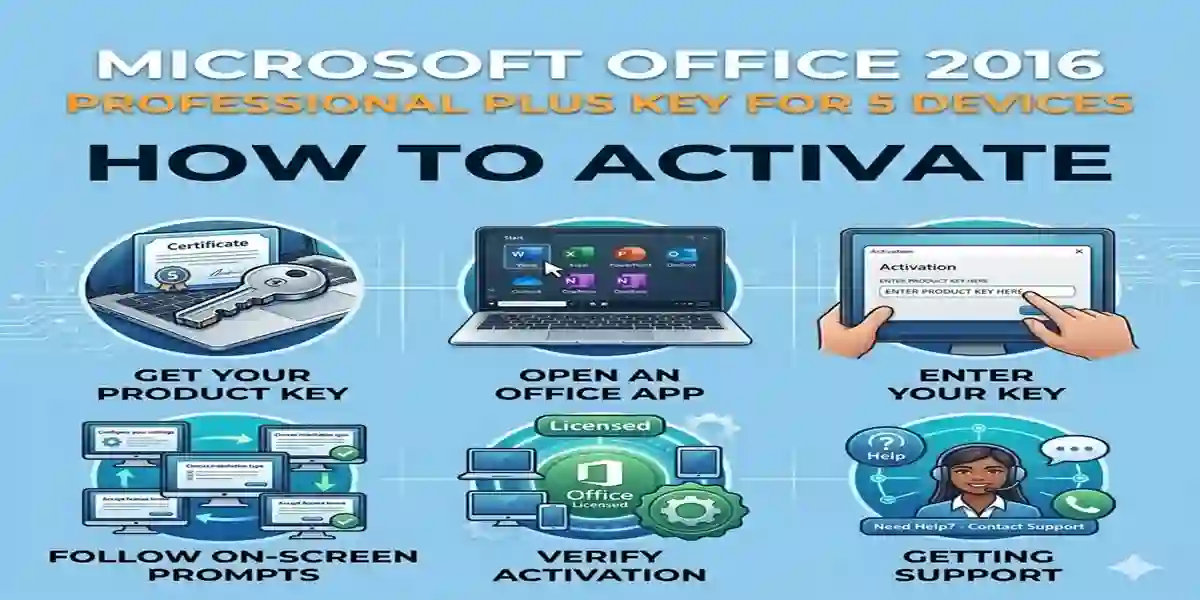
Introduction
Microsoft Office 2016 Professional Plus is one of the most powerful productivity suites, designed for home, business, and educational use. With a 5-device license key, you can install and activate Office 2016 on multiple PCs, making it perfect for families, small teams, and businesses. The suite includes Word, Excel, PowerPoint, Outlook, Access, Publisher, and OneNote, providing tools to manage documents, emails, presentations, and databases efficiently.
Activating Office 2016 Professional Plus ensures you unlock all premium features, receive official updates, and maintain genuine licensing. Without activation, some features remain limited, and persistent reminders may appear. This guide will provide step-by-step instructions, troubleshoot common errors, and explain all activation methods for a smooth setup.
Key Features of Microsoft Office 2016 Professional Plus (5 Devices)
Activating Office 2016 Professional Plus unlocks the full potential of its applications. Key features include:
- Multi-Device Support – Install on 5 PCs using a single license key.
- Word 2016 – Create professional documents, reports, and resumes.
- Excel 2016 – Analyze data with advanced formulas, pivot tables, and charts.
- PowerPoint 2016 – Design presentations with animations, templates, and transitions.
- Outlook 2016 – Manage emails, contacts, and calendars efficiently.
- Access 2016 – Organize and analyze databases for business insights.
- Publisher 2016 – Create brochures, newsletters, and marketing materials.
- OneNote 2016 – Organize notes and collaborate with teams.
- Cloud Integration – Sync files with OneDrive and SharePoint for collaboration.
- Regular Updates – Receive official Microsoft updates for security and performance.
- User-Friendly Interface – Easy-to-use apps for beginners and professionals.
- Enhanced Collaboration Tools – Co-author documents in real-time.
With these features, a 5-device license ensures that all team members or family PCs have access to the full suite without limitations.
Common Activation Errors and How to Fix Them
Even with a valid key, activation may fail due to network, system, or licensing issues. Here are the most common errors and solutions:
| Error Code | Cause | Solution |
|---|---|---|
| 0xC004F074 | KMS server not found | Check your internet connection and ensure the correct KMS server is used. |
| 0x8007007B | Invalid path | Run Command Prompt as Admin and enter correct activation commands. |
| 0xC004C003 | Product key blocked or already used | Verify the key is valid or contact Microsoft support. |
| 0xC004F012 | Corrupt license files | Uninstall previous Office versions, then reinstall Office 2016. |
| 0xC004C020 | Key already in use on maximum devices | Deactivate on unused devices or upgrade license if needed. |
Tips to avoid activation issues:
- Make sure your system date and time are correct.
- Use official Microsoft installation files.
- Temporarily disable firewalls if activation fails online.
- Ensure all previous Office installations are removed before activating the new one.
Methods to Activate Office 2016 Professional Plus (5 Devices)
Method 1: Activation Using Product Key
- Open any Office app (Word, Excel, PowerPoint).
- Go to File > Account > Change Product Key.
- Enter your 25-character license key.
- Click Activate and follow on-screen instructions.
- Once activated, Office confirms full functionality.
Method 2: Online Activation
- Visit Microsoft Activation Page.
- Sign in using your Microsoft account.
- Enter your 25-character product key.
- Follow the on-screen instructions to complete activation.
- Your Office 2016 suite is now fully activated and ready to use.
Method 3: Command Prompt Activation (KMS Activation)
- Open Command Prompt as Administrator.
- Enter the following command to set your KMS key:
- Activate Office using:
- Wait for the success confirmation.
Note: KMS activation is recommended for organizations with volume licensing.
Licensing Options for Office 2016 Professional Plus (5 Devices)
Office 2016 Professional Plus offers flexible licensing options depending on your requirements:
- Retail License:
- Single purchase, can transfer between devices.
- Supports up to 5 PCs.
- Ideal for families or small teams.
- Volume License (KMS):
- Used by organizations and businesses.
- Multi-device activation with centralized management.
- Requires KMS server configuration.
- OEM License:
- Pre-installed on new PCs.
- Not transferable.
- Best for individual device use.
Choosing the right license:
- For personal or family use, the retail 5-device license is most cost-effective.
- For businesses, KMS activation ensures multiple PCs can be activated efficiently.
Conclusion
Activating Microsoft Office 2016 Professional Plus for 5 Devices unlocks the full potential of Microsoft’s productivity suite. With Word, Excel, PowerPoint, Outlook, Access, Publisher, and OneNote, you can manage documents, data, presentations, and emails seamlessly across multiple PCs. Using the product key, online activation, or KMS activation ensures genuine licensing and access to official updates. A 5-device license is ideal for families, small teams, and businesses, providing a cost-effective, secure, and reliable solution for multi-device productivity.
Frequently Asked Questions (FAQ)
Q1: Can I use Office 2016 without activation?
Yes, but some features will be limited, and reminders will appear. Activation is recommended for full functionality.
Q2: How can I check if Office 2016 is activated?
Open any Office app, go to File > Account, and look for the activation status.
Q3: Can I transfer a 5-device license to another PC?
Retail licenses can be transferred. OEM licenses are tied to the original device.
Q4: What if my product key doesn’t work?
Ensure it is valid, not blocked, and correctly entered. Contact Microsoft support if necessary.
Q5: Is online activation safe?
Yes, official Microsoft online activation is secure and recommended.