

Blog
How to Activate Microsoft Office 2016 Professional Plus License Key for 1PC | Step by Step

Introduction
Microsoft Office 2016 Professional Plus is an upgraded version of Microsoft’s productivity suite that combines powerful tools for creating documents, analyzing data, managing emails, and enhancing presentations. While the software can be installed without activation, certain features remain locked until the product key is activated. Activation confirms the software is genuine, ensuring you receive official updates, security patches, and full functionality.
Why Activation is Important:
- Unlock full features of Office apps.
- Receive timely security updates.
- Avoid activation reminders and interruptions.
- Ensure your copy is genuine and legally licensed.
Pro Tip: Always use official Microsoft or authorized reseller sources for your product key to prevent software piracy and potential security issues.
Key Features of Microsoft Office 2016 Professional Plus
Activating Office 2016 Professional Plus unlocks all its robust features:
- Microsoft Word 2016 – Advanced document editing, collaboration, and cloud integration.
- Microsoft Excel 2016 – Powerful spreadsheet tools with functions, pivot tables, and charts.
- Microsoft PowerPoint 2016 – Professional presentations with animations, transitions, and templates.
- Microsoft Outlook 2016 – Email, calendar, and task management all in one app.
- Microsoft Access 2016 – Database management system for organizing and analyzing data.
- Microsoft Publisher 2016 – Create brochures, newsletters, and marketing materials.
- Enhanced Collaboration – Real-time collaboration via OneDrive and SharePoint.
- Smart Tools – Insights, Tell Me feature, and templates for productivity improvement.
- Regular Updates – Access to security and feature updates from Microsoft.
- Professional Use – Suitable for business, educational, and personal productivity.
Activating your Office ensures all these features are unlocked and fully functional.
Common Activation Errors and How to Fix Them
Even after entering a product key, some users may face activation issues. Below are common errors and their solutions:
Error 0xC004F074
- Cause: Key Management Service (KMS) server not found.
- Fix: Check your internet connection and use the correct KMS server address.
Error 0x8007007B
- Cause: Invalid path in the activation command.
- Fix: Run the Command Prompt as Administrator and enter the correct activation command.
Error 0xC004C003
- Cause: Product key blocked or already used.
- Fix: Contact Microsoft support or use a different valid product key.
Error 0xC004F012
- Cause: Corrupted license files.
- Fix: Uninstall previous Office versions and reinstall Office 2016.
Tips to Avoid Activation Issues
- Ensure your system date and time are correct.
- Disable firewall temporarily if activation fails online.
- Use official Microsoft installation files.
Methods to Activate Microsoft Office 2016 Professional Plus
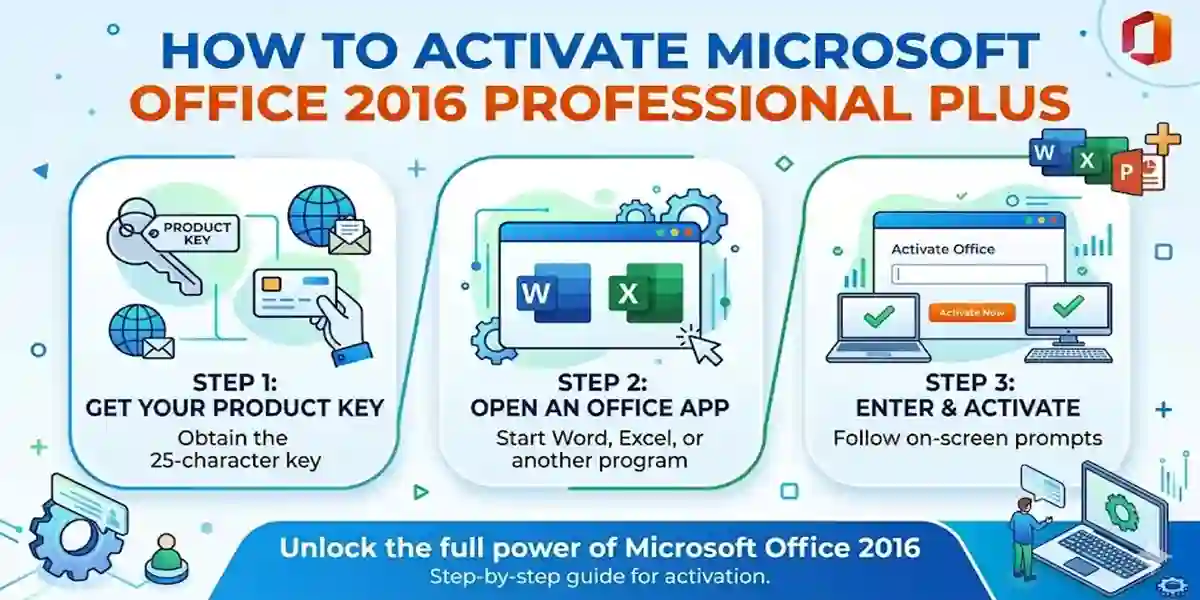
Method 1: Activation via Product Key
- Open any Office 2016 application (e.g., Word).
- Go to File > Account > Change Product Key.
- Enter your 25-character license key.
- Click Activate and follow the on-screen instructions.
- Once successful, Office will confirm activation.
Method 2: Activation via Command Prompt (KMS)
- Open Command Prompt as Administrator.
-
Enter the following command to set your KMS key:
cscript “C:\Program Files\Microsoft Office\Office16\OSPP.VBS” /inpkey:XXXXX-XXXXX-XXXXX-XXXXX-XXXXX -
Activate Office using:
cscript “C:\Program Files\Microsoft Office\Office16\OSPP.VBS” /act - Wait for the success message.
Method 3: Online Activation
- Go to Microsoft Activation Page.
- Sign in with your Microsoft account.
- Enter your product key.
- Follow the on-screen instructions to complete activation.
Note: Online activation requires a stable internet connection.
Conclusion
Activating Microsoft Office 2016 Professional Plus for 1PC is essential to unlock the full suite of features and maintain software authenticity. Whether you choose Product Key activation, Command Prompt KMS activation, or Online activation, this guide ensures a smooth setup process. By addressing common errors and using genuine keys, users can enjoy a secure, fully functional Office experience.
Frequently Asked Questions (FAQ)
Q1: Can I use Office 2016 without activation?
Yes, but certain features will be restricted, and you will receive activation reminders.
Q2: How do I check if my Office 2016 is activated?
Open any Office app, go to File > Account, and check the activation status.
Q3: Can I transfer my license to another PC?
Yes, if you have a retail license. OEM licenses are tied to the original PC.
Q4: What if my product key doesn’t work?
Ensure it’s valid, not blocked, and entered correctly. Contact Microsoft support if needed.
Q5: Is it safe to use third-party activation tools?
No, they may contain malware. Always use official Microsoft methods.