

Blog
How to Activate SQL Server 2019 Standard Retail Key – Easy Step-by-Step Guide

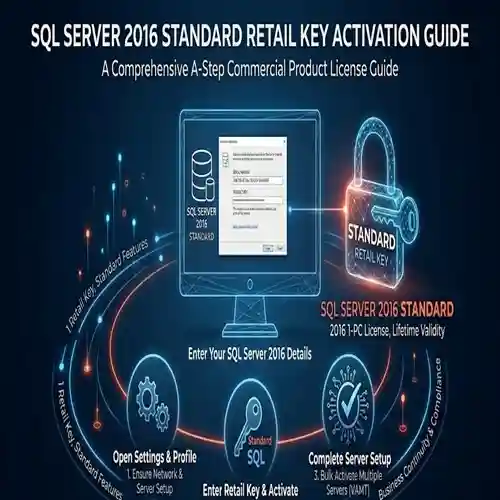
Introduction:
SQL Server 2019 is an advanced database management system that offers powerful features such as real-time analytics, high availability, in-memory processing, and enhanced security features. To unlock the full capabilities of SQL Server, it’s important to correctly activate your SQL Server 2019 Standard Retail Key.
The activation process can sometimes be tricky, especially for new users. However, with this step-by-step guide, you’ll learn how to activate SQL Server 2019 Standard without encountering common errors. We’ll also explain the different methods for activation, including online activation, offline activation, and manual key entry, so you can quickly set up and start using SQL Server.
Key Features of SQL Server 2019 Standard:
-
High Performance and Scalability:
-
SQL Server 2019 is optimized for performance, featuring in-memory processing and real-time data analytics to handle large-scale database operations efficiently.
-
-
Advanced Security:
-
Features such as Always Encrypted, Dynamic Data Masking, and Transparent Data Encryption ensure that your sensitive data is always protected.
-
-
Big Data and Data Virtualization:
-
SQL Server 2019 integrates Big Data Clusters and offers PolyBase for querying data from a variety of sources, including Hadoop and Azure.
-
-
Real-Time Analytics:
-
Perform real-time analytics on live data, making it easier to derive insights from your business-critical information.
-
-
AlwaysOn Availability Groups:
-
Ensure high availability and disaster recovery with AlwaysOn Availability Groups, which provide fault tolerance for your critical applications.
-
-
Built-In AI Insights:
-
Leverage AI-powered insights to help you uncover new business opportunities and optimize your database operations.
-
-
Comprehensive Reporting and Integration:
-
SQL Server 2019 provides Reporting Services (SSRS), Integration Services (SSIS), and Analysis Services (SSAS) for deep data analysis and reporting.
-
Common Errors and Fixes
-
Error: “Invalid Product Key”
-
Cause: The entered key is incorrect, expired, or doesn’t match the version.
-
Fix: Double-check the product key for accuracy and ensure it’s the correct one for SQL Server 2019 Standard. If the key is expired, contact the vendor for a valid key.
-
-
Error: “Unable to Connect to Activation Server”
-
Cause: Connectivity issues with Microsoft’s activation servers.
-
Fix: Ensure your device is connected to the internet and that your firewall settings allow outbound connections to the activation servers. Restart the system and try again.
-
-
Error: “Key Limit Reached”
-
Cause: The key has been used on too many devices.
-
Fix: Contact Microsoft Support to reset your activation count or request a new key if necessary.
-
-
Error: “Activation Failed – Product Key Already Used”
-
Cause: The product key has already been used on another device or installation.
-
Fix: Verify that you’re using the key on the correct system. If you need to transfer the license, deactivate it from the previous device first.
-
Methods to Activate SQL Server 2019 Standard:
-
Online Activation (Recommended Method):
-
Open SQL Server Setup and choose Activate.
-
Enter your 25-character product key when prompted.
-
The activation process will automatically complete once your product key is validated by Microsoft’s activation servers.
-
-
Offline Activation (For Systems Without Internet Access):
-
During setup, choose the Activate by Phone option.
-
You will receive an Installation ID.
-
Call Microsoft support for an activation code and provide the Installation ID.
-
Once received, enter the Confirmation ID into the activation screen to complete the process.
-
-
Activate via Command Prompt (Advanced Method):
-
Open Command Prompt as an administrator.
-
Navigate to the directory where SQL Server is installed and type the following command:
cd C:\Program Files\Microsoft SQL Server\130\Setup Bootstrap\SQLServer2019
Setup.exe /quiet /ACTION=Install /IACCEPTSQLSERVERLICENSETERMS -
Enter the product key when prompted to complete the activation.
-
Conclusion:
Activating SQL Server 2019 Standard Retail Key is a crucial step to fully unlocking the powerful features of SQL Server, including advanced security, high availability, and real-time analytics. With the methods and fixes provided in this guide, you should be able to activate your SQL Server smoothly without running into common issues.
Choosing the correct activation method and troubleshooting any errors will help ensure your SQL Server 2019 Standard edition is set up properly, enabling your business to take full advantage of this high-performance, scalable database management system.
FAQ:
-
How do I activate SQL Server 2019 Standard?
-
You can activate SQL Server 2019 Standard through online activation, phone activation, or using the command prompt for manual activation.
-
-
What should I do if my SQL Server 2019 product key is invalid?
-
Double-check the key for accuracy. If the issue persists, verify that you are using the correct version of SQL Server or contact Microsoft support.
-
-
Can I activate SQL Server 2019 without internet access?
-
Yes, you can use phone activation to activate SQL Server 2019 without an internet connection.
-
-
What if I get an “Activation Failed” error?
-
Ensure that the product key is entered correctly and that your system is properly connected to the activation servers. For further assistance, contact Microsoft support.
-
-
Can I use the same SQL Server 2019 retail key on multiple computers?
-
No, each SQL Server 2019 retail key is typically limited to a specific number of activations. For multiple installations, you may need to purchase additional keys or consider Volume Licensing.
-