

Blog
How to Activate Office 2024 Professional Plus MAK 1000PC | Step-by-Step Guide for Windows & Mac

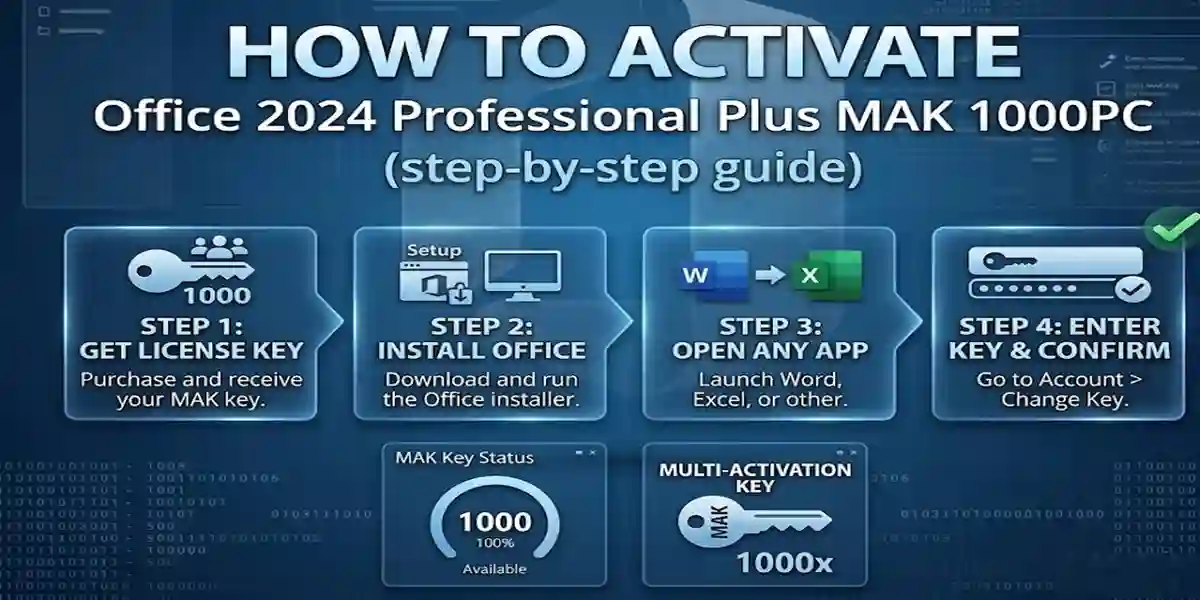
Introduction
Microsoft Office remains the industry standard for productivity software, and the 2024 Professional Plus MAK 1000PC edition is designed for enterprise-scale deployment. This volume license enables activation across up to 1000 PCs or Macs, making it ideal for large organizations, schools, or corporate environments.
The MAK (Multiple Activation Key) ensures centralized license management, secure activation, and compliance with Microsoft’s licensing policies. Office 2024 includes essential applications like Word, Excel, PowerPoint, Outlook, and OneNote, and with proper activation, your organization can unlock enhanced productivity tools, cloud integration, and collaboration features.
Key Features of Office 2024 Professional Plus MAK 1000PC
- Bulk Deployment: Activate up to 1000 devices using a single MAK license key.
- Enterprise-Ready Applications: Full suite including Word, Excel, PowerPoint, Outlook, OneNote, Publisher, and Access.
- Cross-Platform Compatibility: Works seamlessly on Windows and Mac devices.
- Centralized License Management: IT admins can track and manage activations across the organization.
- Enhanced Collaboration Tools: Real-time co-authoring and cloud integration with OneDrive.
- Security & Updates: Enterprise-grade security and regular patches to protect sensitive data.
- Cost-Effective Enterprise Solution: Ideal for organizations deploying Office at scale.
- Professional Productivity Tools: AI-assisted features, advanced templates, and analytics for business and data management.
Methods to Activate Office 2024 Professional Plus MAK 1000PC
1. Online Activation via MAK Key
- Open any Office 2024 app (Word, Excel, etc.).
- Click Activate or navigate to File → Account → Activate Product.
- Enter your 25-character MAK product key.
- Sign in with your Microsoft account (if required).
- Office validates the key and activates all licensed PCs in the organization.
2. Manual Activation via Microsoft Setup Page
- Visit Microsoft Office Setup.
- Enter the MAK product key.
- Sign in with your Microsoft account.
- Follow on-screen instructions to complete activation.
3. Phone Activation (Offline Option)
- Open an Office app → Activate Office.
- Select Phone Activation.
- Call the automated Microsoft number provided.
- Enter the installation ID.
- Receive a confirmation ID and enter it in Office to activate.
4. Volume Licensing via KMS (Key Management Service)
- IT administrators can use KMS activation for centralized enterprise deployment.
- Allows automated activation without entering individual MAK keys.
- Ideal for large organizations with hundreds of devices.
Licensing Information
- MAK License: Allows a set number of activations (1000 PCs).
- Microsoft Account Required: Optional but recommended for tracking and future activations.
- Enterprise Advantages: Centralized deployment, simplified updates, and compliance.
- Comparison with Retail License: Unlike Home & Business, MAK is for bulk enterprise deployment.
- Cloud & Collaboration: OneDrive integration ensures secure storage and co-authoring features.
Office 2024 Professional Plus MAK 1000PC is the ultimate solution for enterprises needing to deploy Office at scale. With MAK licensing, IT admins can activate up to 1000 PCs efficiently, ensuring compliance, security, and centralized management. Compared to Home & Business editions, this volume license provides cost-effectiveness, scalability, and enterprise-grade deployment features. Organizations gain access to the full Office suite, advanced tools, and cloud collaboration, making Office 2024 PP MAK ideal for professional environments where productivity and reliability are critical.
FAQ
Q1: Can I activate Office 2024 PP MAK on both Windows and Mac?
A: Yes, the MAK license supports both platforms, but each activation counts toward your total 1000 PCs.
Q2: What if a MAK key stops working?
A: Check remaining activations in your Microsoft Volume Licensing account or contact Microsoft support.
Q3: Can I transfer a MAK license to another PC?
A: Yes, deactivate the old device and use the key on the new one.
Q4: Is internet required for activation?
A: Online activation is recommended, but phone activation works offline.
Q5: How do I manage multiple activations?
A: Use Microsoft Volume Licensing Service Center (VLSC) or KMS for centralized administration.