Introduction
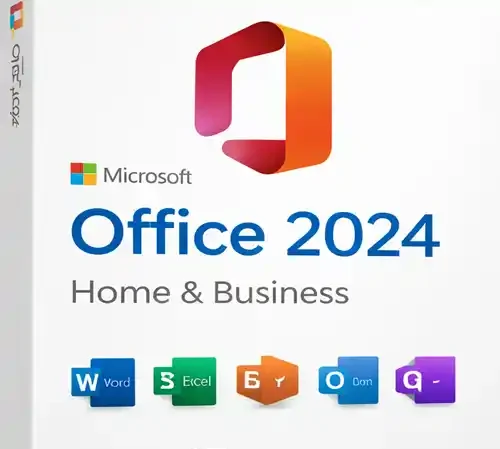
In today’s fast-paced world, productivity tools play a pivotal role in our daily lives. Whether you’re working from home, running a small business, or managing professional tasks, having the right software is crucial for efficiency. Microsoft Office 2024 Home & Business for Mac is the latest version of Microsoft’s popular suite of productivity tools, designed to help individuals and businesses stay organized, create high-quality content, and collaborate seamlessly.
Microsoft Office has been the industry standard for office software for decades. The Home & Business edition is a perfect choice for entrepreneurs, freelancers, and anyone who needs the full suite of tools for everyday tasks such as creating documents, analyzing data, managing emails, and presenting ideas. This article will explore the features, uses, and benefits of Microsoft Office 2024 Home & Business for PC/Mac, provide a comparison table, and conclude with why this edition is ideal for professionals.
Features of Microsoft Office 2024 Home & Business for Mac
1. Comprehensive Suite of Applications
Microsoft Office 2024 Home & Business for Mac includes all the key applications needed for both personal and business use. These applications are:
-
Microsoft Word: The industry-standard word processor, used for creating documents, reports, resumes, and more. The new 2024 version includes advanced editing tools, real-time collaboration, and enhanced support for multimedia content.
-
Microsoft Excel: This spreadsheet software helps users with data analysis, budgeting, and creating complex models. Excel 2024 introduces new data visualization tools, improved AI-powered features for predictive analysis, and enhanced charting capabilities.
-
Microsoft PowerPoint: For creating dynamic presentations, PowerPoint remains a vital tool. The 2024 edition offers a refreshed design interface, more templates, and advanced presentation features like AI-driven design suggestions and improved multimedia support.
-
Microsoft Outlook: The go-to email and calendar management tool, Outlook 2024 provides an organized and efficient way to manage your inbox and schedule. It has improved integration with Teams, new search capabilities, and enhanced security features.
-
OneNote: OneNote continues to be a versatile note-taking app, allowing users to organize ideas, research, and to-do lists. The 2024 update provides better synchronization across devices and enhanced drawing tools.
-
Microsoft Teams: Although Teams is usually part of Office 365, the 2024 Home & Business version integrates Teams for seamless collaboration, particularly useful for remote work and virtual meetings.
2. Cross-Platform Compatibility
One of the standout features of Microsoft Office 2024 Home & Business for Mac is its cross-platform compatibility, the suite works seamlessly across platforms. This ensures that users can work without any compatibility issues and switch between devices effortlessly.
3. Cloud Integration with OneDrive
Microsoft Office 2024 fully integrates with OneDrive, Microsoft’s cloud storage service. This allows users to store their files securely in the cloud and access them from any device with internet access. The cloud integration makes it easy to collaborate on documents in real-time, ensuring that everyone is on the same page.
4. Improved Collaboration and Real-Time Editing
With Microsoft Office 2024, collaboration is easier than ever. Multiple people can work on the same document, spreadsheet, or presentation simultaneously. The new version has improved real-time editing and enhanced comment and tracking tools, making it ideal for team projects and client presentations.
5. Enhanced Security Features
Security is a top priority with Microsoft Office 2024 Home & Business. The suite features advanced security protocols to protect your data and information. From improved encryption to multi-factor authentication (MFA) for added protection, Microsoft ensures that your documents and communications are safe from potential threats.
6. AI-Powered Features
Office 2024 introduces several AI-powered features that help users work more efficiently. These include:
-
Editor: A new writing assistant that suggests grammar, style, and clarity improvements.
-
Excel’s Insights: AI features that analyze data and generate insights automatically.
-
PowerPoint Designer: AI-driven design suggestions to make your presentations more visually appealing.
Uses of Microsoft Office 2024 Home & Business for Mac
1. Document Creation and Editing
Microsoft Word remains the cornerstone of document creation for professionals and students alike. Whether it’s creating simple reports, business proposals, or more complex documentation, Word 2024 offers a wide array of tools to enhance productivity. The cloud integration ensures that users can access documents anytime, anywhere, and collaborate with others on the same document in real time.
2. Data Management and Analysis
Microsoft Excel continues to be the go-to tool for managing data. Whether you’re tracking finances, creating databases, or performing advanced data analysis, Excel 2024 provides an abundance of tools and templates to make these tasks easier. The new AI features enable automated analysis, and the upgraded Power Query tool makes importing and transforming data more intuitive.
3. Professional Presentations
PowerPoint has long been a leader in the presentation space. Microsoft Office 2024 further strengthens its position with new features such as AI-powered design suggestions and a wide variety of fresh templates. Whether you’re presenting to a client, a team, or an audience of thousands, PowerPoint ensures that your message is communicated effectively and with style.
4. Email and Calendar Management
Microsoft Outlook offers a suite of tools to manage your email, calendar, and tasks in one place. With features like Focused Inbox, search improvements, and AI-based meeting suggestions, it has never been easier to keep track of communications and deadlines.
5. Note-Taking and Organizing Ideas
Microsoft OneNote continues to be an excellent tool for taking notes, organizing research, and brainstorming ideas. OneNote allows users to organize information in customizable notebooks and share them easily with collaborators.
6. Seamless Collaboration
Microsoft Office 2024 Home & Business for Mac includes full integration with Microsoft Teams, which is crucial for collaboration. Users can share documents, host video conferences, chat, and collaborate on files in real-time, ensuring that teams can work together even if they’re in different locations.
Comparison Table: Microsoft Office 2024 Home & Business vs. Microsoft 365
| Feature |
Microsoft Office 2024 Home & Business |
Microsoft 365 (Subscription) |
| Word, Excel, PowerPoint, Outlook, OneNote |
Yes |
Yes |
| Teams Integration |
Yes |
Yes |
| OneDrive Cloud Storage |
Yes |
Yes |
| Updates |
One-time purchase (no updates) |
Ongoing updates |
| Collaborative Features |
Limited |
Full integration with cloud and real-time co-authoring |
| Price |
One-time payment |
Monthly/Annual Subscription |
| AI Features |
Basic |
Advanced AI tools and services |
| Security Features |
Basic (2FA available) |
Enhanced (Business Security Features) |
| Support |
Standard Support |
Premium Support |
Key Differences:
-
Microsoft Office 2024 Home & Business is a one-time purchase with the standard suite of applications, whereas Microsoft 365 offers continuous updates and additional cloud-based services.
-
Microsoft 365 provides advanced AI tools and enhanced security features, making it ideal for businesses requiring premium support and services.
-
Office 2024 Home & Business includes limited cloud storage and collaborative tools compared to the subscription-based version, which offers more comprehensive cloud integration and collaboration options.
Conclusion
Microsoft Office 2024 Home & Business for Mac is an exceptional choice for individuals, freelancers, and small business owners who need a comprehensive productivity suite without the hassle of ongoing subscriptions. This version provides all the core applications—Word, Excel, PowerPoint, Outlook, OneNote, and Teams—plus enhanced features like AI-powered tools and improved collaboration.
For those who need a reliable, easy-to-use suite of tools to manage documents, spreadsheets, presentations, and emails, Office 2024 offers exceptional value with its one-time purchase model. Whether you’re a professional seeking productivity improvements or a small business owner looking for a solution that supports seamless work across devices, Microsoft Office 2024 Home & Business for Mac is an investment that will pay off for years to come.











Malika (verified owner) –
Quite easy to use, nice design, surely will buy again
Kristin (verified owner) –
Good response from the support.
Rico (verified owner) –
I received a personalized and attentive treatment. Thanks to this deal, I was able to find a solution to my problem in a short time. 🙂
Ari (verified owner) –
Just love the design and the customer support is the nicest.
Otho (verified owner) –
This is the coolest thing I’ve found on here! Will keep using your products in the future!
Makenna (verified owner) –
This is the best support for a product I had so far, they reply quickly and solve themselves the problems most of the time. Kudos guyz