

Blog
How to Activate Visual Studio Professional 2022 | Complete Guide

Introduction
Visual Studio Professional 2022 is a powerful integrated development environment (IDE) that is essential for developers working on a variety of software projects. Packed with advanced features, it allows for greater productivity, smoother coding experiences, and faster project delivery. From the initial setup to advanced debugging and collaboration features, Visual Studio 2022 is designed to help developers create high-quality applications more efficiently.
Before you can take full advantage of everything that Visual Studio Professional 2022 has to offer, it must be activated on your system. Activation ensures that you have a legitimate copy of the software, with access to the latest updates and features. In this guide, we’ll walk you through the activation process step by step, and also address some of the most common activation issues and troubleshooting methods. Whether you’re new to Visual Studio or facing issues with activation, this guide will help you get started smoothly.
Key Features:
Visual Studio Professional 2022 is packed with innovative features that make it a standout tool for developers. Below are some of its key features that can help you boost productivity, debug efficiently, and collaborate seamlessly.
AI-Powered Code Assistance:
IntelliCode is an AI-powered code completion feature built into Visual Studio. It analyzes your code and suggests contextually relevant code snippets and completions. Over time, IntelliCode learns from your coding style, enabling it to provide smarter suggestions based on your patterns. This feature improves your coding speed and accuracy, reducing the need to search for syntax or patterns manually.
Advanced Debugging Tools:
Debugging is one of the core strengths of Visual Studio. The advanced debugging tools in Visual Studio Professional 2022 allow you to quickly identify and fix bugs in your code. With powerful capabilities like Live Share, IntelliTrace, and Memory Analysis, you can find issues, test solutions, and improve code quality all within the IDE.
Cross-Platform Development:
Visual Studio Professional 2022 supports cross-platform development, enabling you to develop software for Windows, Linux, macOS, and mobile platforms like iOS and Android. This makes it ideal for developers who need to build applications that work seamlessly across different operating systems and devices.
Git Integration:
One of the standout features of Visual Studio is its built-in support for version control systems, particularly Git. You can easily manage your code repositories, track changes, create branches, and merge conflicts all from within the Visual Studio IDE. Git integration helps teams collaborate more efficiently and maintain a clean codebase.
Cloud Collaboration:
Visual Studio 2022 includes powerful cloud-based collaboration tools, allowing teams to work together in real-time, share code, and provide feedback instantly. Cloud-powered features ensure that you’re never working in isolation and make collaboration between team members more efficient.
Performance Optimizations:
Visual Studio Professional 2022 is optimized for speed and performance. This means that even larger projects can be handled more efficiently without sacrificing performance. Whether you’re working with massive codebases or complex applications, Visual Studio ensures that your workflow remains smooth and uninterrupted.
Extensive Extensions:
Visual Studio’s support for extensions allows developers to customize the IDE to meet their unique needs. Whether you’re looking to add support for new languages, integrate third-party tools, or enhance the IDE’s user interface, Visual Studio offers a vast library of extensions to choose from. You can personalize your development environment to increase productivity.
Common Activation Errors and Fixes:
Activating Visual Studio Professional 2022 is usually a straightforward process, but there are times when you might encounter errors. Here are some of the most common activation issues and ways to resolve them.
Error: “Product Key Invalid”
Cause: This error typically occurs when the product key has been entered incorrectly, or it’s expired or invalid.
Fix: Double-check the product key you’ve entered. Ensure that all characters are typed correctly and verify the key against the email or vendor receipt where you purchased it. If the key was purchased online, make sure the vendor’s site is legitimate, and contact them if the key doesn’t work.
Error: “Activation Server Unavailable”
Cause: This error appears when Visual Studio cannot connect to the activation servers due to an internet connection problem or firewall restriction.
Fix: First, check your internet connection. Ensure that your firewall or network settings are not blocking Visual Studio from reaching the activation servers. You might need to temporarily disable firewall or proxy settings to complete the activation.
Error: “Visual Studio Can’t Connect to the Server”
Cause: Visual Studio can’t connect to its activation server due to connection issues or restrictions from antivirus programs.
Fix: Try running Visual Studio as an administrator (right-click the application and select “Run as Administrator”). Additionally, try temporarily disabling any antivirus or security software that might be blocking the connection.
Error: “Activation Failed“
Cause: This is a generic error message that can appear if the activation process was interrupted or encountered a problem.
Fix: Restart your computer to clear any system processes that may be interfering with activation. After rebooting, try the activation process again. If the error persists, you can try activating Visual Studio offline by contacting Microsoft Support for help.
Method to Activate Visual Studio Professional 2022:
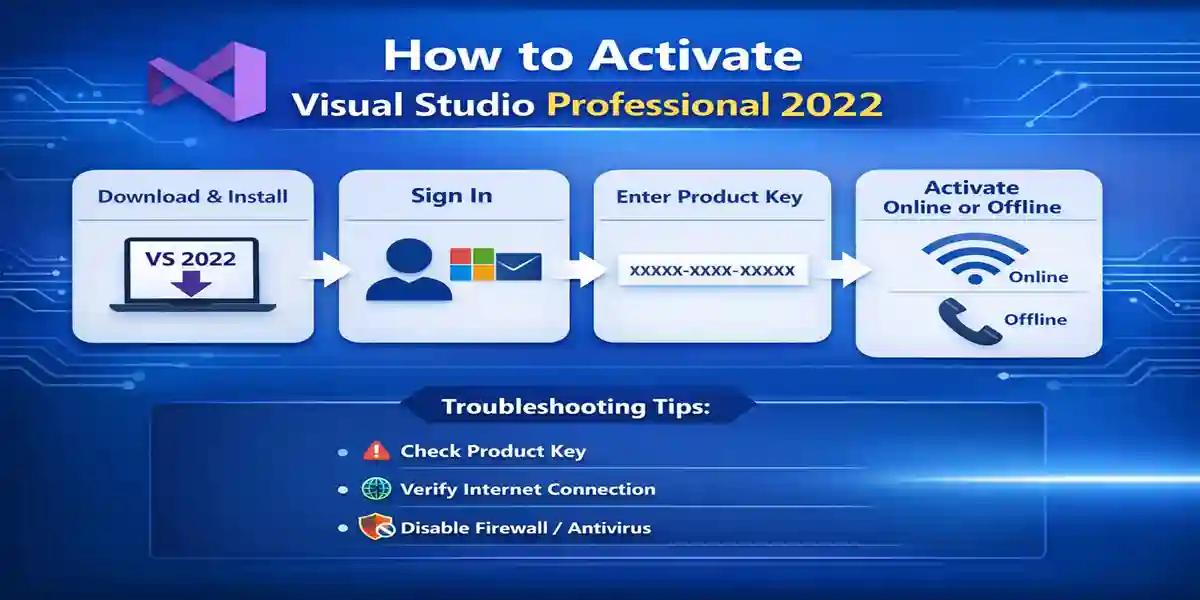
Activating Visual Studio Professional 2022 is easy, and you can do it either online or offline. Here’s a step-by-step guide to help you activate the product and get started:
1. Download and Install:
-
Visit the official Visual Studio website to download the Visual Studio installer.
-
Choose the version of Visual Studio Professional 2022 that suits your needs and follow the installation prompts.
2. Sign In:
-
Open the Visual Studio installer and sign in using your Microsoft account. This step is essential as it links your license to your Microsoft account.
3. Enter Your Product Key:
-
Once the installation is complete, open Visual Studio. You will be prompted to enter the product key.
-
Alternatively, if you’ve linked your Microsoft account to your license, the activation can be done automatically.
4. Activate via Online or Offline Method:
-
Online Activation: Ensure that your internet connection is stable and fast. Visual Studio will automatically activate if you’ve entered a valid product key.
-
Offline Activation: If you can’t connect to the internet, you can use the offline activation method. This will prompt you to call Microsoft Support and provide a phone number to complete the activation process over the phone.
Licensing:
Visual Studio Professional 2022 is offered under a subscription-based licensing model, which grants access to all updates and support during the subscription period. The subscription model ensures you are always using the latest version of Visual Studio with the most up-to-date features and security patches.
When activating, make sure you are using the correct license type—whether purchased directly from Microsoft or through an authorized reseller. Visual Studio Professional can be tied to your Microsoft account, making it easier to manage licenses, track renewal dates, and get future updates.
Conclusion:
Activating Visual Studio Professional 2022 is a simple and quick process, but problems can occasionally arise. Following the steps outlined in this guide will help you resolve most activation issues. If you’re still facing difficulties, don’t hesitate to contact Microsoft Support for assistance.
Once you have successfully activated Visual Studio Professional 2022, you can unlock a range of powerful features designed to enhance your development process. With its AI-powered tools, advanced debugging, and cloud collaboration features, Visual Studio 2022 will undoubtedly become an invaluable part of your development workflow.
FAQ:
Q1: Do I need a product key to activate Visual Studio Professional 2022?
Yes, a product key is required unless you are using a subscription model linked to your Microsoft account.
Q2: What if my activation fails?
If activation fails, ensure your internet connection is stable and check for any error codes. Follow the troubleshooting steps or consider offline activation.
Q3: How do I renew my Visual Studio Professional 2022 subscription?
Renew your subscription through the Microsoft Store or your reseller account. You will receive renewal instructions via email.
Q4: Can I use Visual Studio Professional 2022 without a license?
You can use Visual Studio in an “unlicensed” mode for a limited period, but some features will be restricted until you activate the product.
Q5: What should I do if my product key is invalid?
Ensure the key is entered correctly, and verify that it is valid and not expired. Contact your reseller or Microsoft support if necessary.