

Blog
How to Activate SQL Server 2017 Standard Retail Key Guide & Setup

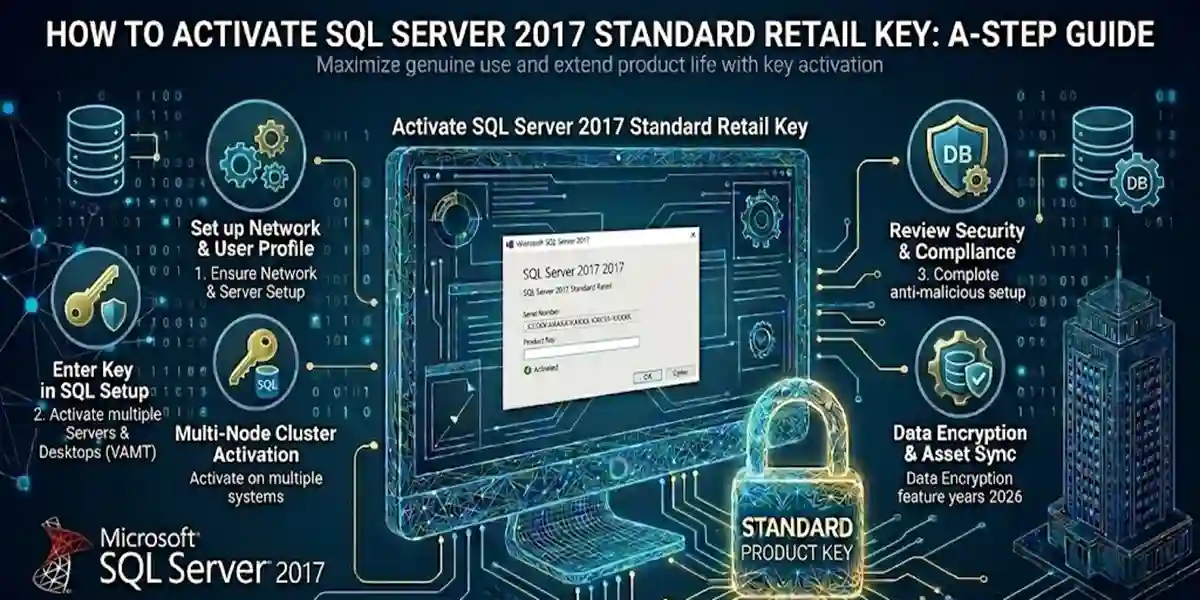
Introduction
Microsoft SQL Server 2017 Standard is a robust relational database management system (RDBMS) used worldwide by businesses, developers, and IT professionals. With the increasing need for high-performance, secure, and scalable database solutions, activating SQL Server 2017 Standard correctly is critical to unlock all its features. Proper activation ensures compliance, seamless performance, and access to advanced tools like In-Memory OLTP, Reporting Services (SSRS), Integration Services (SSIS), and analytics integration with R/Python.
This guide provides a complete step-by-step tutorial on activating SQL Server 2017 Standard, explains different methods, highlights common errors and fixes, and clarifies licensing rules and formulas. Additionally, we include internal resources from esoftwarestore and external references from Microsoft for further reading.
Key Features of SQL Server 2017 Standard
SQL Server 2017 Standard introduced multiple enhancements over previous versions, providing improved performance, security, and analytics capabilities. Key features include:
1. Cross-Platform Support
- Runs on Windows, Linux, and Docker containers, making it flexible for modern IT environments.
2. In-Memory OLTP
- Accelerates transaction processing by keeping frequently accessed tables in memory.
- Improves query performance and reduces disk I/O
3. Advanced Security
- Always Encrypted, Transparent Data Encryption (TDE), and auditing provide enterprise-level security
4. Integration Services (SSIS)
- ETL capabilities allow efficient extraction, transformation, and loading of data
5. Reporting Services (SSRS)
- Create interactive, mobile-friendly, and paginated reports
6. Analytics Integration
- Supports R and Python scripts for predictive and statistical analytics
7. High Availability
- AlwaysOn Availability Groups support failover, disaster recovery, and data replication.
8. PolyBase
- Query relational and Hadoop/Big Data sources using standard T-SQL commands.
External Reference: https://learn.microsoft.com/sql/polybase/
9. Cloud Integration
- Hybrid cloud support allows backup, monitoring, and scaling using Microsoft Azure services.
10. Scalability
- Efficiently handles databases ranging from small applications to enterprise workloads.
SQL Server 2017 Versions & Licensing
Before activating SQL Server 2017 Standard, it’s important to understand the different editions and licensing models.
Editions
| Edition | Best For | Licensing |
|---|---|---|
| Express | Entry-level databases | Free, no retail key needed |
| Standard | Small to medium businesses | Retail or Volume key |
| Developer | Development & testing | Free (non-production) |
| Enterprise | Large enterprises | Volume licensing, high availability |
Licensing Models
- Core-Based Licensing
- License based on the number of physical or virtual cores.
- Ideal for servers with high workloads.
- Server + CAL (Client Access License)
- Purchase server license plus CALs for each user or device.
- Retail License
- Single-user license key, suitable for small deployments.
- Can be purchased from trusted vendors like esoftwarestore SQL Server 2017 Retail Key.
- Volume License
- Suitable for enterprises with multiple servers or users.
Step-by-Step Methods to Activate SQL Server 2017 Standard
Method 1: Activate During Installation
- Insert SQL Server 2017 media or mount ISO.
- Run
setup.exeas Administrator. - Choose New SQL Server stand-alone installation.
- Enter your retail key when prompted.
- Accept license terms.
- Complete installation – SQL Server activates automatically.
Method 2: Activate After Installation
- Open SQL Server Installation Center.
- Select Maintenance → Edition Upgrade.
- Enter the retail product key.
- Follow on-screen instructions to complete activation.
Method 3: Command-Line Activation (Advanced)
- For automation or multiple servers, use:
Replace XXXXX-XXXXX-XXXXX-XXXXX-XXXXX with your retail key.
Common Activation Errors & Fixes
1. Invalid Product Key
- Cause: Typo or mismatched edition.
- Fix: Verify edition and key. Contact esoftwarestore Support.
2. Setup Unable to Validate Product Key
- Cause: Firewall or internet block.
- Fix: Temporarily disable firewall or ensure internet connection.
3. Licensing Service Not Available
- Cause: SQL Server services stopped.
- Fix: Start services via
Services.msc.
4. Edition Mismatch
- Cause: Key for different edition used.
- Fix: Match the key to the installed edition.
5. Offline Activation Issue
- Cause: No internet.
- Fix: Use phone activation or contact Microsoft.
Formulas / Tips for Activation
- Ensure retail key matches edition:
EditionKeyValid = RetailKey + EditionCheck - Always use Administrator privileges for installation:
AdminRightsRequired = True - Verify system requirements before activation:
ActivationSuccess = OSVersion + DiskSpace + RAM + RetailKeyValid
SQL Server 2017 Comparison Table
| Feature / Edition | SQL Server 2016 Standard | SQL Server 2017 Standard | SQL Server 2019 Standard | SQL Server 2017 Enterprise |
|---|---|---|---|---|
| OS Support | Windows | Windows & Linux | Windows & Linux | Windows & Linux |
| In-Memory OLTP | Yes | Enhanced | Enhanced | Advanced |
| Security | TDE, Auditing | Always Encrypted + TDE | Advanced | Enterprise-level |
| Reporting Services | Enhanced | Improved | Advanced | Enterprise |
| Integration Services | Yes | Yes | Yes | Full Enterprise |
| PolyBase | Limited | Yes | Advanced | Advanced |
| Analytics | R | R & Python | R & Python | Enterprise Analytics |
| High Availability | AlwaysOn | AlwaysOn | AlwaysOn | Advanced AlwaysOn |
| Cloud Integration | Limited | Hybrid Ready | Full Azure | Enterprise Cloud |
| Activation Method | Retail/Volume | Retail/Volume | Retail/Volume | Volume |
Conclusion
Activating SQL Server 2017 Standard with a retail key ensures full access to features, compliance, and smooth operation. The step-by-step methods, troubleshooting tips, and licensing knowledge provided here make activation simple and reliable. SQL Server 2017 Standard is an excellent choice for businesses, developers, and IT teams seeking performance, security, analytics, and hybrid cloud integration.
Frequently Asked Questions (FAQs)
Q1: Do I need internet for activation?
A1: Yes, for online activation. Offline methods exist via phone.
Q2: Can I transfer the retail key to another server?
A2: Yes, but check Microsoft licensing rules.
Q3: What’s the difference between Standard and Enterprise?
A3: Enterprise has more advanced analytics, HA, and scaling.
Q4: How to verify activation?
A4: Open SSMS → Help → About.
Q5: Where can I buy genuine retail keys?
A5: esoftwarestore SQL Server Keys
Q6: What if activation fails due to firewall?
A6: Temporarily disable firewall or allow SQL Server through exceptions.