

Blog
How to Activate SQL Server 2012 | Step-by-Step Guide for Professionals

Introduction
SQL Server 2012 is a relational database system designed for enterprise data management, reporting, and analytics. It builds on the features of SQL Server 2008 and 2010, adding enhanced business intelligence tools, cloud integration support, and advanced security features.
Key benefits include:
- High-performance querying and indexing
- Support for large datasets and concurrent users
- Advanced reporting with SQL Server Reporting Services (SSRS)
- Business intelligence analytics with SQL Server Analysis Services (SSAS)
- Seamless integration with Microsoft tools like Excel, Power BI, and SharePoint
Activating SQL Server 2012 ensures access to all these premium features and prevents limitations often found in trial versions or unlicensed editions.
Key Features of SQL Server 2012
SQL Server 2012 is packed with features that make it an enterprise-ready RDBMS:
- High-Performance Database Management
- Optimized for indexing, query execution, and multi-user concurrency
- Handles large datasets and enterprise-level workloads
- Business Intelligence Tools
- Built-in SSRS and SSAS for dashboards, KPIs, and reporting
- Allows real-time data visualization for decision-making
- Advanced Security Features
- Role-based access, encryption, and auditing
- Compliance with GDPR, HIPAA, and other regulations
- High Availability & Scalability
- Supports clustering, mirroring, and replication
- Ensures minimal downtime and reliable database access
- Integration with Microsoft Ecosystem
- Works seamlessly with Visual Studio, Excel, SharePoint, and Power BI
- Supports automation and reporting across platforms
- Automation & Maintenance Tools
- Automated backups, maintenance plans, and system monitoring
- Reduces administrative overhead
- Developer-Friendly Features
- SQL Server Management Studio (SSMS) for easy administration
- T-SQL support, stored procedures, triggers, and complex queries
- Reporting & Data Visualization
- Export reports in Excel, PDF, and HTML
- Create dashboards for quick business insights
Common Activation Errors and Fixes
Even with a genuine key, users may encounter activation issues. Here are the most common problems and solutions:
| Error | Cause | Fix |
|---|---|---|
| Invalid Product Key | Entered key is incorrect or not genuine | Verify key, check for typos, and ensure it matches your SQL Server edition |
| Activation Limit Reached | Product key has exceeded allowed installations | Deactivate on old machines or contact Microsoft Support |
| Network Connection Issues | Internet required for online activation | Check network, disable VPN/firewall temporarily |
| Microsoft Account Mismatch | Activation linked to a different account | Sign in with the correct Microsoft account |
| Activation Server Unavailable | Microsoft server issues | Retry later or use phone activation |
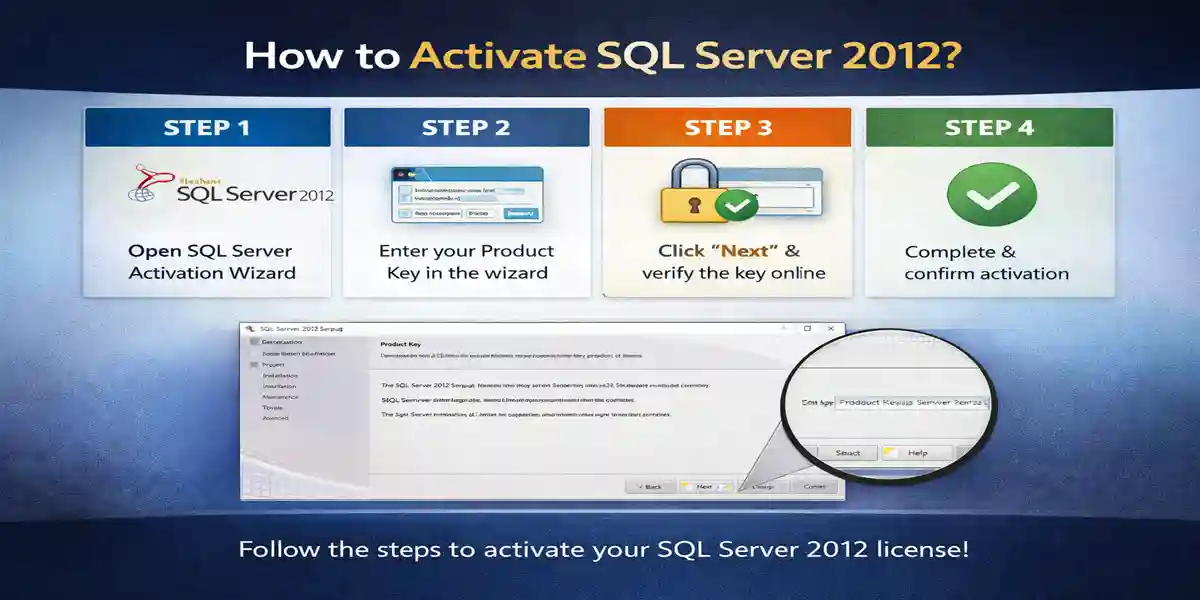
There are several methods to activate SQL Server 2012:
1. Online Activation via Product Key
- Open SQL Server 2012 Installation Center
- Click Maintenance → Edition Upgrade / Activate
- Enter your 25-character product key
- Sign in with your Microsoft account
- Follow prompts to complete activation
2. Phone Activation
- Open SQL Server 2012 Installation Center → Maintenance → Activate by Phone
- Select your region and call the number provided
- Provide the Installation ID
- Receive Confirmation ID from Microsoft
- Enter it in the activation wizard to complete activation
3. Volume Licensing for Businesses
- Use Volume Licensing Keys (VLK) for multiple devices
- Deploy via Volume Activation Management Tool (VAMT)
- Useful for enterprises managing multiple SQL Server instances
SQL Server 2012 Useful Formulas and Commands
SQL Server uses T-SQL (Transact-SQL) for data manipulation and querying. Key commands include:
- SELECT →
SELECT * FROM Employees; - INSERT →
INSERT INTO Employees(Name, Age) VALUES('John', 30); - UPDATE →
UPDATE Employees SET Age=31 WHERE Name='John'; - DELETE →
DELETE FROM Employees WHERE Name='John'; - JOIN →
SELECT e.Name, d.DepartmentName FROM Employees e INNER JOIN Departments d ON e.DeptID=d.DeptID; - SUM/AVG →
SELECT SUM(Salary) FROM Employees; - COUNT →
SELECT COUNT(*) FROM Employees; - CREATE DATABASE →
CREATE DATABASE CompanyDB; - BACKUP DATABASE →
BACKUP DATABASE CompanyDB TO DISK='C:\Backup\CompanyDB.bak';
Licensing Types for SQL Server 2012
SQL Server 2012 offers multiple licensing options:
| License Type | Description | Ideal For |
|---|---|---|
| Retail / OEM | Single device activation | Small businesses or individual use |
| Volume License | Multiple activations for organizations | Enterprises with multiple servers |
| Enterprise / Datacenter | Advanced features like clustering and high availability | Large organizations and mission-critical databases |
| Developer Edition | Full feature set for development/testing | Developers and testers |
| Express Edition | Free, limited features | Small apps, learning, and testing |
Conclusion
Activating SQL Server 2012 is essential to unlock all enterprise features, including reporting, analytics, and developer tools. Proper activation ensures secure and high-performance database management, improved business intelligence, and uninterrupted operations.
Following the above methods and troubleshooting steps, organizations and professionals can activate SQL Server 2012 safely and efficiently, whether using a retail key, volume license, or developer edition.
Internal Link Example: Purchase your genuine SQL Server 2012 Key at codesforever.
Frequently Asked Questions (FAQ)
Q1: Can I use the same SQL Server 2012 key on multiple machines?
- Only with Volume Licensing; retail keys are limited to one installation.
Q2: My product key is invalid. What should I do?
- Verify your key and edition; contact esoftwarestore support if needed.
Q3: Do I need internet for activation?
- Online activation requires internet; phone activation works offline.
Q4: Can I switch accounts after activation?
- No, activation is tied to the Microsoft account used.
Q5: How long does activation take?
- Online activation is usually instant; phone activation takes 5–10 minutes.
Q6: Can I reinstall after activation?
- Yes, on the same licensed device.