

Blog
How to Activate Microsoft Office 2016 Home & Student Key (PC Bind Account)

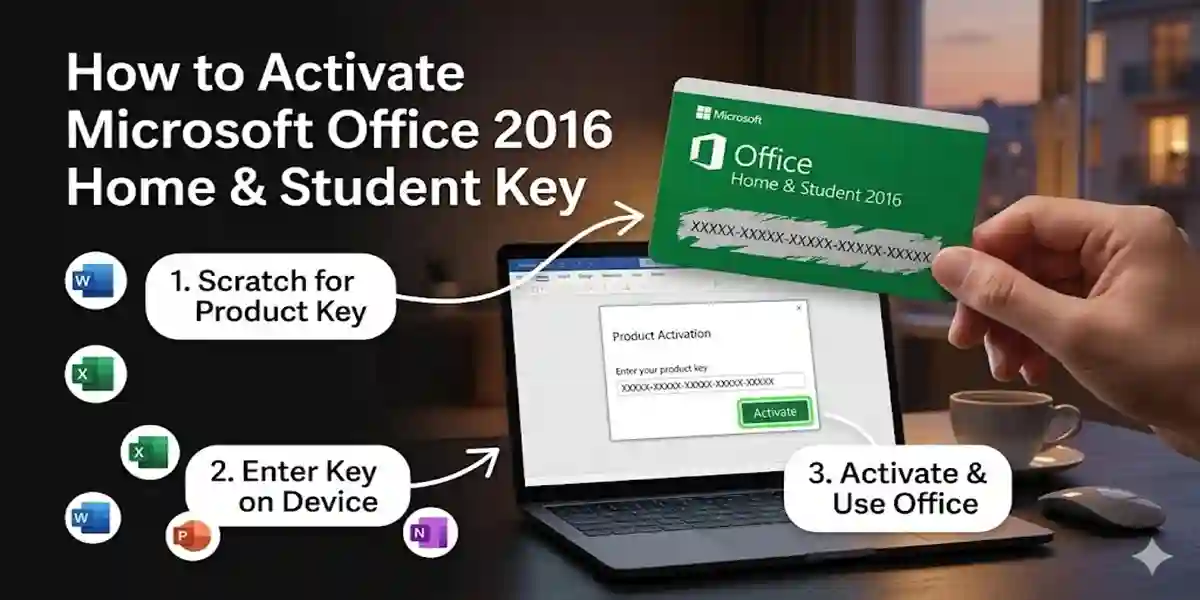
Introduction
Microsoft Office 2016 Home & Student is widely used worldwide by students, teachers, and home users. This edition of Office comes with essential apps like:
- Word – for creating and editing documents
- Excel – for spreadsheets and data analysis
- PowerPoint – for presentations
The PC Bind Account activation ties your Office license to your Microsoft account, ensuring you can use the software securely without worrying about losing your product key. Activating your Office correctly prevents software malfunctions and provides access to updates and cloud storage features.
Key Features of Microsoft Office 2016 Home & Student
Microsoft Office Home & Student is packed with essential tools for productivity. Some key features include:
- One-Time Purchase
Unlike subscription-based Office 365, Office Home & Student is a one-time purchase. You don’t need to pay monthly fees. - PC Bind Account Activation
Activation is linked to your Microsoft account. This ensures the license is secure and can be transferred if needed. - Access to Core Apps
Includes Microsoft Word, Excel, and PowerPoint, all optimized for productivity and performance. - Regular Updates
Microsoft provides security and feature updates to maintain software performance and reliability. - Cloud Integration
Seamlessly integrates with OneDrive to save files to the cloud and access them from anywhere. - Enhanced Security
Activation prevents unauthorized use of your Office key and ensures software authenticity. - Offline and Online Access
Use Office apps offline without internet, while still enjoying cloud syncing capabilities.
Common Errors During Activation and Fixes
While activating Office, you might encounter several common errors. Here’s how to resolve them:
- Error 0xC004F074 – Activation Server Not Available
- Fix: Ensure you are connected to the internet and logged into the correct Microsoft account.
- Reboot your PC and retry activation.
- Error 0x80070005 – Permission Denied
- Fix: Run Office as administrator. Right-click on the Office app and select Run as Administrator.
- Error 0xC004F210 – Invalid Product Key
- Fix: Verify that you have entered the correct Office Home & Student key for PC Bind Account.
- Office Not Recognizing Product Key
- Fix: Go to your Microsoft account online and ensure the key is correctly registered under your account.
- License Already in Use
- Fix: Sign out from all devices and activate the license again on your PC.
Methods to Activate Microsoft Office 2016 Home & Student Key
There are multiple ways to activate your Office Home & Student key. Follow these step-by-step methods:
Method 1: Activation via Microsoft Account
- Open any Office app (Word, Excel, or PowerPoint).
- Click File → Account → Activate Product.
- Sign in with your Microsoft account.
- Enter your Office Home & Student key.
- Click Next to activate.
Method 2: Activation via Office.com
- Go to office.com/setup.
- Sign in with your Microsoft account.
- Enter the 25-character product key.
- Click Next and follow instructions to activate.
Method 3: Using the Office Activation Wizard
- Open any Office application.
- If the Activation Wizard appears, click Activate.
- Choose Sign in with a Microsoft Account.
- Enter your credentials and activate.
Method 4: Telephone Activation (Offline)
- Open Office Activation Wizard.
- Select I want to activate by phone.
- Call the provided Microsoft support number.
- Follow instructions to complete activation.
Tips for Smooth Activation:
- Always use a genuine Microsoft Office key.
- Keep your Microsoft account credentials handy.
- Ensure the internet connection is stable during online activation.
- Disable any VPNs temporarily if activation fails.
Conclusion
Activating Microsoft Office 2016 Home & Student Key (PC Bind Account) is straightforward when you follow the correct steps. Using a genuine key ensures full access to Word, Excel, and PowerPoint, along with regular updates and cloud integration. Troubleshooting common errors becomes easier once you understand the methods and Microsoft’s activation system.
By properly activating Office, you secure your license and enhance productivity for academic and personal use.
Frequently Asked Questions (FAQ)
Q1: Can I transfer Office Home & Student license to another PC?
A: Yes, but only if the license is uninstalled from the first PC.
Q2: How many devices can I use with a PC Bind Account?
A: This edition is licensed for 1 PC only.
Q3: What if my product key is not working?
A: Check the key for typos, ensure it matches the version of Office, and verify it hasn’t been used on another device.
Q4: Do I need an internet connection to use Office?
A: You need the internet only for activation. After that, Office works offline.
Q5: How do I check if Office is activated?
A: Open any Office app → File → Account → Product Information → Product Activated.
Q6: Can I use Office Home & Student with Mac?
A: No, this key is for PC only. For Mac, purchase the Office Home & Student for Mac edition.