

Blog
How to Activate Microsoft Office 2013 Professional Plus Key Easily

Introduction
Microsoft Office 2013 Professional Plus is a comprehensive productivity suite that offers advanced tools for document creation, data management, presentations, email, and collaboration. Unlike basic Office editions, Professional Plus includes enterprise-level features like Outlook, Access, Publisher, and advanced Excel functionalities, making it ideal for businesses and professional users.
Activation is essential because an unactivated Office suite will restrict some features and display frequent notifications, affecting workflow. By using a genuine Office 2013 Professional Plus Key, you can link your license to a Microsoft account and secure your installation on your PC.
Proper activation also ensures:
- Full access to all Office apps
- Security and feature updates
- Compliance with Microsoft licensing
- Smooth integration with OneDrive and SharePoint
Key Features of Microsoft Office 2013 Professional Plus
Microsoft Office 2013 Professional Plus offers several features designed to enhance productivity and collaboration:
- Complete Office Suite
- Includes Word, Excel, PowerPoint, Outlook, OneNote, Access, and Publisher.
- Advanced Data Management
- Excel 2013 offers improved formulas, Power Pivot, and enhanced data visualization.
- Professional Presentations
- PowerPoint includes new design tools, transitions, and multimedia support.
- Email and Collaboration
- Outlook 2013 provides robust email, calendar, and contact management features.
- Cloud Integration
- OneDrive integration allows you to save and access documents from anywhere.
- Security Features
- Protect sensitive data with advanced encryption, password-protected files, and secure email.
- Customizable Templates
- Access to a wide range of professional templates for documents, spreadsheets, and presentations.
- Cross-Platform Support
- Works seamlessly on Windows PCs and supports integration with SharePoint and Exchange servers.
- Regular Updates
- Microsoft provides critical updates and patches for security and performance.
- Genuine Product Activation
- Ensures your software is authentic, eligible for updates, and fully functional.
Common Errors During Activation and Their Fixes
Activating Office 2013 Professional Plus may sometimes fail due to common errors. Here’s how to identify and fix them:
1. Error 0xC004F074 – Activation Server Not Available
- Cause: Office cannot connect to Microsoft activation servers.
- Fix:
- Ensure a stable internet connection.
- Sign in to the correct Microsoft account.
- Retry activation after restarting the PC.
2. Error 0xC004F210 – Invalid Product Key
- Cause: Entered key does not match Office edition.
- Fix:
- Verify the key matches Office 2013 Professional Plus.
- Ensure the key hasn’t been used on another PC.
- Retry activation with the correct key.
3. Error 0x80070005 – Permission Denied
- Cause: Insufficient permissions to activate Office.
- Fix:
- Run Office as Administrator.
- Disable antivirus/firewall temporarily and retry.
4. License Already in Use
- Cause: Key is active on another PC.
- Fix:
- Sign out from all devices.
- Uninstall Office from the old PC if possible.
- Activate on the new PC.
5. Office Not Recognizing Product Key
- Cause: Key not registered under your Microsoft account.
- Fix:
- Go to your Microsoft account online.
- Add the key manually.
- Retry activation.
Methods to Activate Microsoft Office 2013 Professional Plus
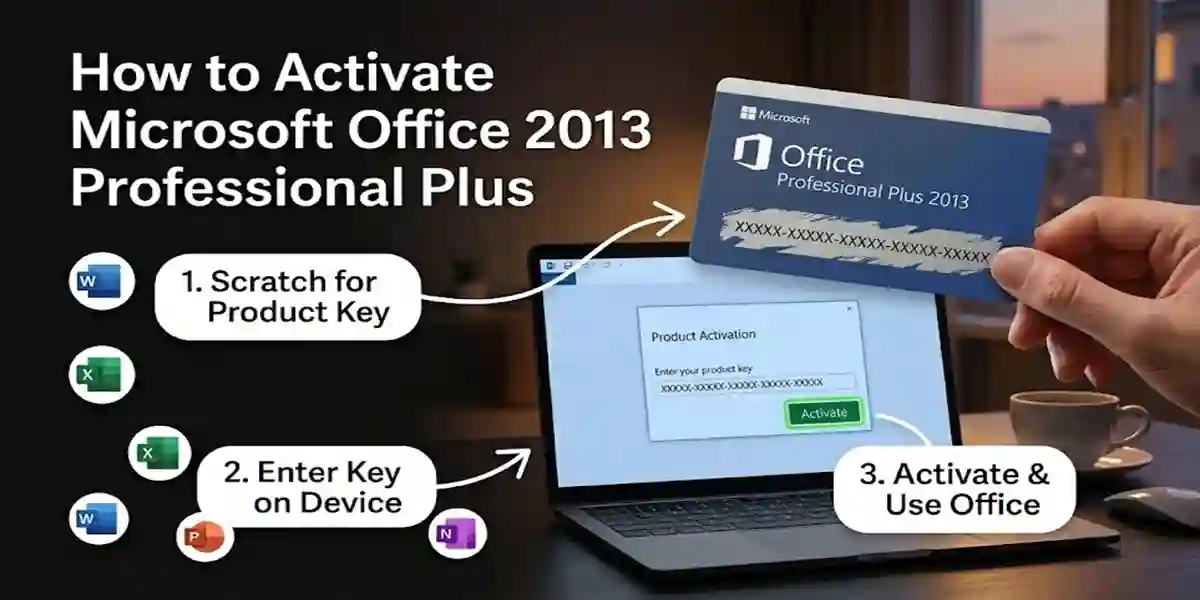
Activating Office 2013 Professional Plus can be done using multiple methods depending on your preference:
Method 1: Activate via Microsoft Account
- Open any Office app (Word, Excel, PowerPoint).
- Click File → Account → Activate Product.
- Sign in with your Microsoft account.
- Enter the 25-character product key.
- Click Next to activate.
Method 2: Activate via Office.com
- Go to office.com/setup.
- Sign in with your Microsoft account.
- Enter the 25-character key.
- Follow instructions for activation.
Method 3: Office Activation Wizard
- Launch any Office application.
- When the Activation Wizard appears, click Activate.
- Choose Sign in with a Microsoft Account.
- Enter credentials and complete activation.
Method 4: Telephone Activation (Offline)
- Open Office Activation Wizard.
- Select Activate by Phone.
- Call the provided Microsoft support number.
- Follow instructions to complete activation.
Tips for Successful Activation:
- Always use a genuine key.
- Keep Microsoft account credentials handy.
- Disable VPNs temporarily if activation fails.
- Make sure your PC date and time settings are correct.
Conclusion
Activating Microsoft Office 2013 Professional Plus Key ensures full access to Word, Excel, PowerPoint, Outlook, Access, and Publisher. Using a genuine key guarantees security, updates, and seamless functionality. Following the methods outlined above ensures hassle-free activation, while troubleshooting common errors prevents delays.
With proper activation, businesses, students, and professionals can unlock the full potential of Office 2013 Professional Plus, enhancing productivity, collaboration, and document management.
Frequently Asked Questions (FAQ)
Q1: Can I transfer my Office 2013 Professional Plus license to another PC?
A: Yes, but the license must be uninstalled from the previous PC before activation on a new one.
Q2: How many devices can use one Office 2013 Professional Plus key?
A: One key is valid for a single PC.
Q3: What if my product key is not working?
A: Ensure the key matches your Office edition and has not been used elsewhere.
Q4: Do I need an internet connection to use Office?
A: Internet is only required for activation. After activation, Office works offline.
Q5: How can I check if Office is activated?
A: Open any Office app → File → Account → Product Information → Product Activated.
Q6: Can I use Office 2013 Professional Plus on Mac?
A: No, it is designed for Windows PCs. Mac users need the Office for Mac edition.