

Blog
Windows Server 2022 vs Linux: Which Server OS is Best for Your Business in 2026?

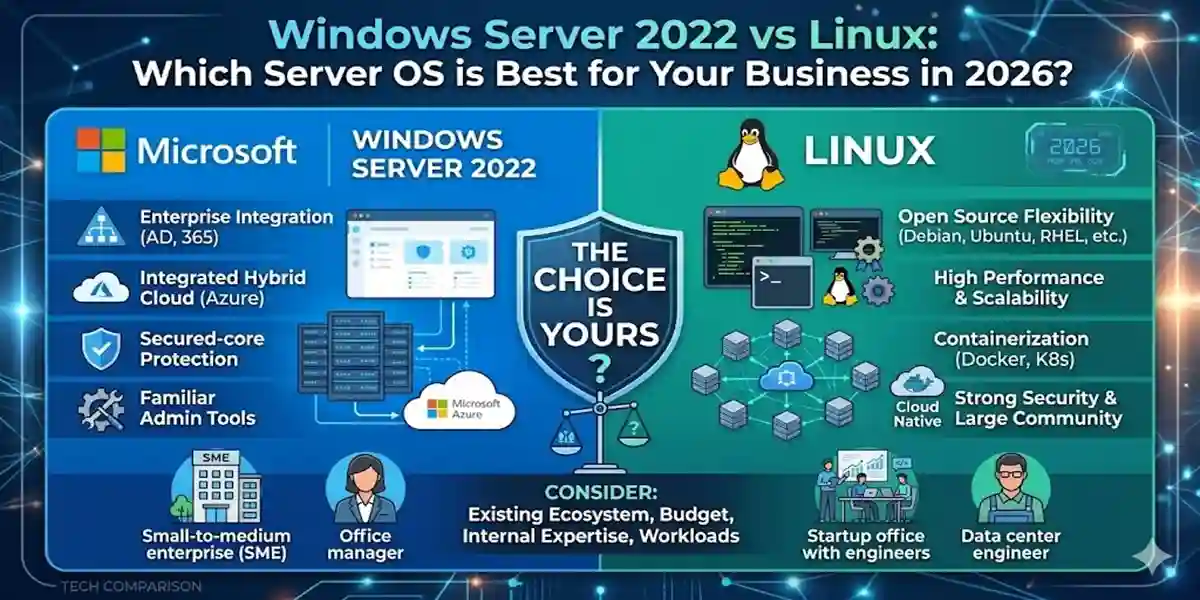
Introduction to Server Operating Systems (OS)
Server operating systems are at the core of every modern business technology stack. Whether you’re running web servers, managing corporate databases, handling cloud workloads, or powering enterprise applications, the server OS you choose can directly impact performance, scalability, security, cost, and operational efficiency.
In 2026, businesses are exploring flexible, secure, and cost‑effective solutions — and two names consistently top the charts: Windows Server 2022 and Linux. This comparison guide will help you understand both platforms in detail and make an informed choice.
Current Trends Influencing Server OS Choices
Today’s IT landscape is shaped by hybrid infrastructure models, aggressive cloud adoption, and the continued rise of edge computing. Key decision drivers include:
- Cloud‑first strategies: Many enterprises now adopt hybrid or multi‑cloud models.
- Open‑source momentum: Organizations embrace open platforms for flexibility and cost savings.
- Security needs: With rising cyber‑threats, hardened OS security is no longer optional.
- Performance and uptime: Higher expectations for reliability and resource optimization.
Understanding these trends will help you match your business with the server OS that fits best.
Unveiling Windows Server 2022
Windows Server 2022 is Microsoft’s flagship server platform, designed to support hybrid cloud environments, advanced security, and enterprise performance.
Key Features and Advancements
- Multi‑layered Security: Hardware root‑of‑trust, Secure Boot, and Trusted Platform Module (TPM) integration help protect from complex cyberattacks.
- Azure Integration: Seamless connection with Azure Arc management tools allows unified control over on‑premises, cloud, and edge infrastructure.
- Enhanced Performance: Optimized for large‑scale container workloads, fast network throughput and low latency.
- Nested Virtualization Support: Improved efficiency for virtualization on AMD and Intel platforms.
- Hotpatching Capabilities: Apply critical updates without disrupting uptime.
System Requirements and Licensing
| Requirement | Minimum Specification |
|---|---|
| Processor | 1.4 GHz 64‑bit CPU |
| RAM | 512 MB (2 GB with GUI) |
| Storage | 32 GB |
| Network | 1 Gbps NIC |
Licensing Options:
- Standard Edition: Best for lightly virtualized servers.
- Datacenter Edition: Designed for full virtualization and container workloads.
- Essentials Edition: Ideal for smaller businesses with limited users.
Exploring Linux Server Solutions
Linux refers to a family of open‑source operating systems with varying distributions (distros), each tailored to different workloads and preferences.
Linux Distributions: Variety and Flexibility
Linux offers a spectrum of distros — from very user‑friendly to highly customizable:
- Ubuntu Server: Great for beginners and cloud environments.
- CentOS / AlmaLinux: Known for enterprise‑level stability and security.
- Debian: Highly reliable with extensive package libraries.
- Red Hat Enterprise Linux (RHEL): Premium enterprise support and certifications.
Open‑Source Advantage and Community Support
Linux’s global developer community drives rapid improvements, frequent security updates, and open documentation. Support forums, repositories, and community tools are often free — ideal for businesses focused on innovation and cost efficiency.
Performance Comparison: Windows Server 2022 vs Linux
Performance is one of the most critical factors when choosing a server OS.
Speed and Resource Efficiency
- Windows Server 2022: Optimized for heavy enterprise workloads and compatible application stacks from Microsoft (like SQL Server and Active Directory).
- Linux: Lightweight by design, offering high performance with lower hardware overhead.
Scalability and Virtualization
- Windows Server 2022: Includes Hyper‑V virtualization and seamless Azure integration.
- Linux: Offers KVM, LXC, Docker, and Kubernetes support for advanced scaling and container management.
Security Features: Windows Server 2022 vs Linux
Security is absolutely paramount for any server deployment.
Windows Server 2022
- Secure Core Server technology
- Strong ransomware and threat protection
- Tight integration with Microsoft 365 Defender
Linux
- Transparent open‑source security
- SELinux and AppArmor for granular access control
- Rapid updates via community patches.
Ease of Use and Administration
User Interface
- Windows Server 2022: GUI‑based management via Windows Admin Center and Server Manager.
- Linux: Command‑line focused — ideal for advanced administrators, with optional GUI front‑ends like Webmin.
Management Tools
Windows Admin Center simplifies centralized server management, while Linux admins often use scripting tools, SSH access, and open‑source dashboards like Cockpit.
Compatibility and Ecosystem Support
Application Support
- Windows Server excels with Microsoft ecosystem applications — Exchange Server, SharePoint, SQL Server, PowerShell workflows.
- Linux supports a vast array of open‑source software — Apache, NGINX, Python environments, and custom enterprise stacks.
Hardware Compatibility
Linux typically works more broadly across legacy systems, whereas Windows Server 2022 focuses on modern infrastructure.
Business Use Cases: When to Choose Which
Pick Windows Server 2022 If:
- Your environment relies on Microsoft tools (Active Directory, Exchange).
- You prioritize GUI ease‑of‑management.
- Hybrid cloud via Azure is a core strategy.
Pick Linux If:
- Cost reduction and open‑source flexibility matter most.
- You have strong command‑line administration skills.
- Your architecture includes containers or microservices.
Conclusion: Choosing the Right Server OS for Your Business
Selecting between Windows Server 2022 and Linux ultimately depends on your organization’s specific needs, existing infrastructure, and long-term IT strategy.
- Windows Server 2022 is ideal for businesses heavily invested in the Microsoft ecosystem, requiring GUI-based administration, seamless Azure integration, and enterprise-grade support. Its advanced security features, virtualization capabilities, and hybrid-cloud readiness make it a reliable choice for large-scale operations.
- Linux, on the other hand, excels in flexibility, performance, and cost-efficiency. Its open-source ecosystem, extensive customization options, and strong community support make it perfect for businesses seeking innovation, containerized workloads, or highly optimized server environments.
In 2026, with hybrid infrastructures, cloud-first strategies, and increasing security demands, making the right server OS choice can enhance productivity, reduce costs, and future-proof your IT environment. Assess your workloads, budget, and technical expertise to decide whether Windows Server 2022 or Linux is the optimal fit for your business.
Frequently Asked Questions (FAQ)
1. What’s the main difference between Windows Server 2022 and Linux?
Windows Server 2022 is a proprietary, GUI‑based OS optimized for Microsoft environments, while Linux is open‑source, flexible, and command‑line driven.
2. Is Linux more secure than Windows Server?
Linux’s open‑source nature allows for transparent updates and community vetting, while Windows Server offers multi‑layered enterprise security features. Security ultimately depends on configuration.
3. Which OS is better for cloud deployments?
Both support cloud workloads, but Windows Server integrates more deeply with Azure, while Linux has broader support across AWS, Google Cloud, and hybrid systems.
4. Can Linux run Windows applications?
Not natively. Wine or VM solutions can provide some compatibility, but Windows Server remains the best choice for Microsoft ecosystem apps.
5. Which server OS is more cost‑effective for small businesses?
Linux is generally more cost‑effective due to free distribution and community support.