

Microsoft Outlook 2024 | Lifetime Activation Code
Rs18,800.00 Original price was: Rs18,800.00.Rs2,160.00Current price is: Rs2,160.00.
Microsoft Outlook has been a cornerstone for both personal and business communication for decades. As one of the most powerful email management tools available, it continues to evolve with each new version, providing users with robust features for managing emails, calendars, tasks, and contacts. The release of Microsoft Outlook 2024 brings a new set of features designed to enhance productivity, improve security, and integrate seamlessly with other Microsoft tools.
The Microsoft Outlook 2024 Lifetime Activation Code offers a one-time purchase solution, giving users permanent access to all the premium features Outlook has to offer without the need for a recurring subscription. In this article, we will explore the features, uses, and benefits of Microsoft Outlook 2024, compare it with previous versions, and explain why the lifetime activation code might be the best choice for both individuals and businesses.
Introduction to Microsoft Outlook 2024
Microsoft Outlook 2024 is the latest version of the popular email and productivity platform, designed to streamline communication and enhance productivity. Outlook has long been the preferred choice for email management, offering an intuitive interface, powerful tools, and robust integration with other Microsoft 365 apps like Word, Excel, and OneDrive.
With Outlook 2024, users benefit from enhanced features such as AI-powered organization, improved calendar management, and increased security features. The Lifetime Activation Code for Outlook 2024 allows users to access the full range of features with a one-time payment, offering lifetime access without the need for ongoing subscription fees.
Whether you are managing emails, scheduling meetings, or organizing tasks, Outlook 2024 provides the tools to help you stay on top of your personal and professional commitments.
Features of Microsoft Outlook 2024
1. Enhanced Email Management
One of the standout features of Outlook 2024 is its advanced email management capabilities, which help users organize their inboxes more efficiently.
-
Focused Inbox: Outlook 2024’s Focused Inbox feature uses artificial intelligence to automatically sort emails into two categories: Focused and Other. This allows users to prioritize important emails while filtering out less relevant ones.
-
Smart Filters: Outlook 2024 now includes more powerful filtering options that allow users to categorize, prioritize, and tag emails based on predefined criteria.
-
Quick Actions: With customizable Quick Actions, users can quickly manage emails without having to open them, such as flagging for follow-up, archiving, or deleting.
2. AI-Powered Features
AI has been integrated into Outlook 2024 to improve productivity and streamline tasks.
-
Smart Replies: Powered by AI, Outlook 2024 offers suggested quick replies based on the context of your emails, helping you respond to messages faster.
-
Clutter-Free Calendar: Outlook 2024’s AI-based calendar tools automatically schedule meetings based on your availability, and it intelligently suggests times that work best for you and your team.
-
Search Enhancements: The search function has been upgraded, making it easier to find specific emails, attachments, and calendar events with minimal effort.
3. Advanced Calendar Features
Outlook 2024 offers an array of new features designed to enhance calendar management for individuals and teams.
-
Improved Calendar Views: A more intuitive calendar interface allows users to view and manage their schedules with ease. You can switch between daily, weekly, and monthly views with just one click.
-
Meeting Insights: Outlook 2024 offers meeting insights, showing relevant information and emails related to upcoming meetings so
For more detail Email us at - info@esoftwarestore.com or WhatsApp +16315053545
Digital Download – No Physical Shipment
This product is delivered digitally only. After purchase, you will receive the download link and activation key via email. No CD, DVD, or USB will be shipped.
• License valid for 1 PC only
• 100% Genuine Microsoft Outlook 2024 for Windows
• Online activation via official Microsoft portal
• Multilingual version included
• Supports both 32-bit and 64-bit systems
Related products

Microsoft Copilot | Your AI Partner for Smarter Workflows
Microsoft Excel 2024 | Lifetime Activation Code
Microsoft Excel has long been the go-to application for businesses, educators, students, and anyone in need of powerful spreadsheet capabilities. With the launch of Microsoft Excel 2024, Microsoft continues its tradition of providing the most robust, feature-rich, and user-friendly spreadsheet software available. Microsoft Excel 2024 Lifetime Activation Code offers a one-time purchase option for those who prefer to own their software permanently, without the need for ongoing subscription fees.
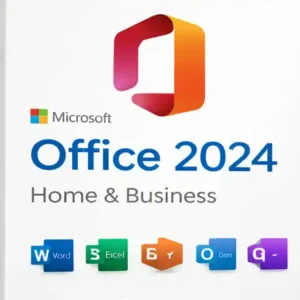
Microsoft Office 2024 Home & Business for Mac
Microsoft Office 2024 Home & Business for Mac offers everything you need to enhance your productivity at home or work. This suite includes the latest versions of essential Office applications like Word, Excel, PowerPoint, Outlook, and OneNote, designed to make your daily tasks more efficient. Whether you're managing emails, creating stunning presentations, or analyzing data, Office 2024 is equipped with powerful tools to help you perform at your best.
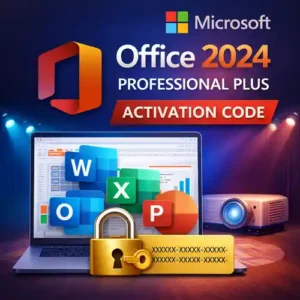
Microsoft Office 2024 Professional Plus | lifetime Activation Code
Microsoft Office 2024 Professional Plus is a comprehensive suite of productivity tools that has been designed to meet the needs of businesses, professionals, and individuals looking for the most advanced and reliable software for their work. With its latest iteration, Microsoft has enhanced its Office suite with even more powerful features, greater integration, and cloud compatibility. The Activation Code for Microsoft Office 2024 Professional Plus ensures you receive a one-time payment solution, giving you access to all the essential applications you need to perform at your best.
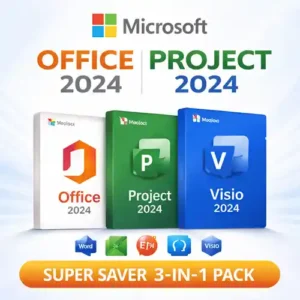
Microsoft Office 2024, Project 2024 & Visio 2024 | 3-in-1 Super Savings
Microsoft Office Home and Business 2024 | Lifetime Activation Code
Microsoft Office Home and Business 2024 is the ultimate productivity suite for small businesses, freelancers, and home users. With AI-powered tools, enhanced security features, and cloud integration, you can stay organized and productive. Get your Lifetime Activation Code for a one-time payment and unlock the full power of Office 2024!
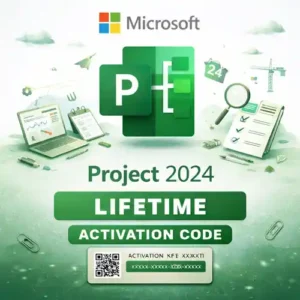
Microsoft Project 2024 | Lifetime | Activation Code
Project management has always been an essential element of success in both business and personal endeavors. With the constant need to meet deadlines, manage resources, and ensure smooth operations, using the right project management software can make a significant difference in efficiency and results. Microsoft Project 2024 is the latest version of the industry-leading project management software, providing a comprehensive suite of tools designed to help you plan, execute, and track projects of all sizes.
The Lifetime Activation Code for Microsoft Project 2024 offers an excellent alternative to subscription-based models like Microsoft 365, providing you with a one-time payment for perpetual access to all the features of Project 2024. Whether you’re managing a small team, large organization, or a personal project, this version of Microsoft Project is designed to meet your needs and help you stay organized and on track.
Windows 11 Pro | For 5 PC Best Choice for Multiple Device Setups
Windows 11 Pro is the perfect solution for small businesses, power users, and tech enthusiasts who need advanced features and enhanced security across multiple devices. This multi-device license allows you to install Windows 11 Pro on up to five PCs, making it ideal for teams or households that require a robust and secure operating system for everyday tasks, creative work, and professional environments.
Windows 11 Pro is packed with powerful tools designed to maximize productivity and improve your computing experience. With support for virtual desktops, Windows Subsystem for Linux (WSL), and powerful security features like BitLocker and TPM 2.0, it provides a seamless and secure environment for both work and play. Integrated Microsoft Teams functionality enables easy communication and collaboration, while advanced multitasking tools like Snap Layouts and Snap Groups ensure a clutter-free workspace.