

Blog
How to Activate Outlook 2024 Bind – Complete Activation Guide

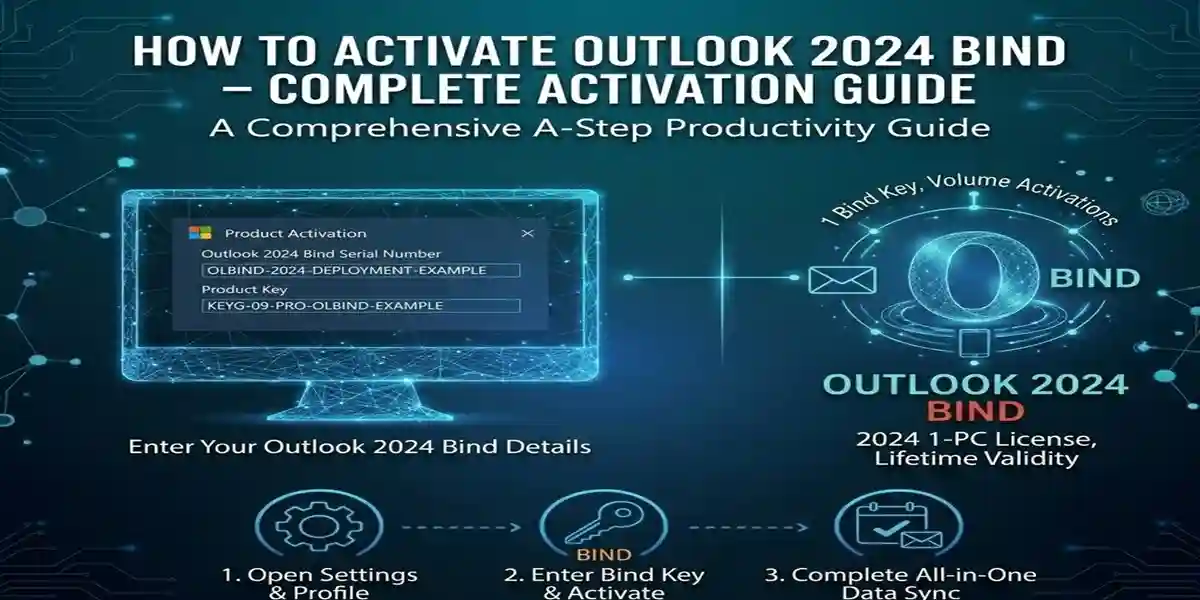
Introduction:
Outlook 2024 Bind is the latest release of Microsoft’s widely used email client and calendar system. The activation process ensures that you can access all of its powerful features. However, many users can encounter difficulties during this process, especially when using activation keys, linking their Microsoft accounts, or dealing with errors. This guide aims to explain the various activation methods, features, common errors, and provide fixes to help you get started with Outlook 2024 Bind quickly and efficiently.
Key Features of Outlook 2024 Bind:
-
Seamless Integration with Microsoft 365:
Easily sync your emails, calendars, and contacts with Microsoft 365, allowing you to stay organized and collaborate more effectively. -
Enhanced Security:
Outlook 2024 Bind comes with advanced security features like multi-factor authentication (MFA) and phishing protection, ensuring your email and data remain safe. -
AI-Powered Features:
Outlook 2024 Bind offers AI-driven insights, such as auto-sorting of emails and suggested replies, improving your productivity and reducing time spent on email management. -
Improved Calendar and Task Management:
You can now manage meetings, appointments, and tasks more efficiently with a more intuitive calendar interface and task reminders. -
Customizable User Interface:
The interface has been updated to offer a cleaner, more customizable experience, giving users more control over their email settings and calendar views.
Common Errors and Fixes During Outlook 2024 Bind Activation:
-
Error: “The Product Key You Entered Is Invalid”
-
Cause: Incorrect or expired product key.
-
Fix: Double-check the product key, ensure you’re using the correct version (Home, Business, etc.), and verify it hasn’t already been used for activation.
-
-
Error: “Can’t Connect to Microsoft’s Activation Servers”
-
Cause: Network connectivity issues or temporary Microsoft server downtime.
-
Fix: Check your internet connection, restart your computer, or try again later. You can also use phone activation if online activation fails.
-
-
Error: “Activation Failed – Contact Support”
-
Cause: The product key has reached its maximum activation limit.
-
Fix: Contact Microsoft support for assistance or to request a new key if your existing key is exhausted.
-
-
Error: “You’ve Reached Your Device Limit”
-
Cause: Microsoft limits the number of devices for certain plans.
-
Fix: Deactivate Outlook on an old device via your Microsoft account or upgrade your plan for more devices.
-
Methods to Activate Outlook 2024 Bind:
-
Using a Product Key:
-
Open Outlook 2024 Bind.
-
Select Activate when prompted.
-
Enter the 25-character product key and click Next.
-
Complete the activation by following the on-screen instructions.
-
-
Using Your Microsoft Account:
-
If you have an Office 365 or Microsoft 365 subscription, sign in with your Microsoft account to automatically activate Outlook 2024 Bind.
-
Ensure your subscription is active and linked to your account to avoid activation issues.
-
-
Phone Activation (For Offline Devices):
-
If you’re unable to connect to the internet, choose the Activate by Phone option during activation.
-
Follow the on-screen instructions and enter the installation ID provided to receive a confirmation ID.
-
Formulas for Licenses:
-
Single User License:
A single-user license allows Outlook 2024 Bind to be activated on one device. This is ideal for personal use or small business owners. -
Volume License (for Businesses):
This license type is used by businesses and enterprises to activate multiple devices with a single key. It provides centralized management for multiple installations across a company. -
Subscription License:
If you’re using Microsoft 365, Outlook 2024 Bind is activated via a subscription license, providing continuous updates and cloud features.
Conclusion:
Activating Outlook 2024 Bind is a straightforward process, but errors can sometimes occur. Whether you’re using a product key, a Microsoft account, or opting for phone activation, this guide ensures you have the necessary steps to activate Outlook and start using it with all its features.
The advanced security, AI-powered productivity tools, and seamless integration with Microsoft 365 make Outlook 2024 Bind a must-have tool for anyone looking to streamline their email and task management. With the right activation method, you’ll be ready to enhance your productivity and communication.
FAQs:
-
How do I activate Outlook 2024 Bind without a product key?
-
You can activate Outlook 2024 Bind using your Microsoft account if you have a valid Microsoft 365 subscription.
-
-
Can I activate Outlook 2024 Bind on multiple devices?
-
Yes, but the number of devices depends on your Microsoft 365 or Office 365 plan. You can manage devices through your Microsoft account.
-
-
What should I do if my product key doesn’t work?
-
Double-check the key for errors, ensure it’s for the correct version, and verify it hasn’t been used before. If the issue persists, contact Microsoft support.
-
-
Is there a way to activate Outlook 2024 Bind offline?
-
Yes, you can use phone activation if you’re not connected to the internet.
-
-
Can I use the same activation key for different Microsoft accounts?
-
No, each product key is tied to a specific Microsoft account or device. To use on multiple devices, consider a volume license.
-