

Blog
How to Activate Microsoft Project Professional 2016 Key | Step-by-Step Guide

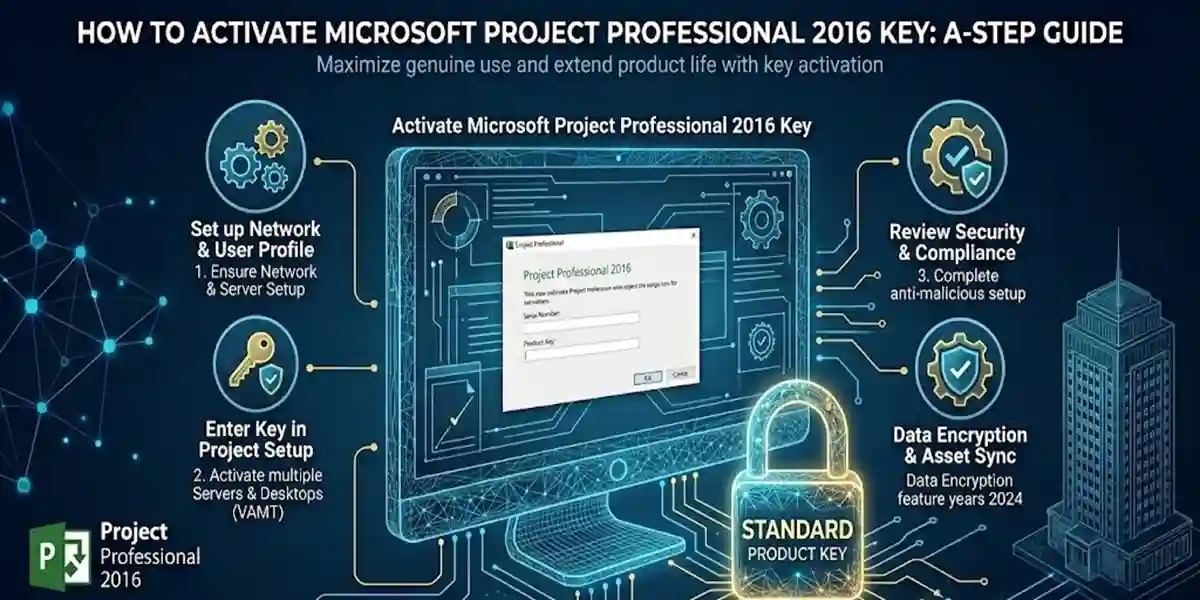
Introduction
Project management is the backbone of successful business operations. Whether you are managing small projects or large portfolios, staying organized, tracking progress, and ensuring deadlines are met is critical. Microsoft Project Professional 2016 is one of the most powerful and widely used tools in project management, enabling managers to plan, execute, and monitor projects efficiently.
The software offers advanced tools like Gantt charts, resource allocation, portfolio management, automated reporting, and collaborative features. However, the full potential of the software is only unlocked after activation using a genuine Microsoft Project Professional 2016 key.
Features of Microsoft Project Professional 2016
Microsoft Project Professional 2016 is designed to help teams plan, schedule, and complete projects effectively. Let’s explore each key feature in detail:
1. Gantt Charts
Gantt charts allow project managers to visualize tasks, timelines, dependencies, and milestones.
- Easily spot delays or conflicts.
- Drag-and-drop functionality allows real-time adjustments.
Microsoft Project Professional 2016
- Perfect for reporting to stakeholders and team members.
2. Task Scheduling
Microsoft Project allows you to:
- Assign tasks to team members.
- Set start and end dates.
- Manage task dependencies to prevent bottlenecks.
- Automatically reschedule tasks if dependencies or deadlines change.
3. Resource Management
Track and allocate human, financial, and material resources:
- Avoid over-allocation of team members.
- Track resource utilization across multiple projects.
- Optimize budget and resource planning.
4. Portfolio Management
Microsoft Project 2016 enables managers to oversee multiple projects simultaneously:
- Prioritize projects based on strategic goals.
- Align tasks with organizational objectives.
- Track progress across all projects using dashboards.
5. Advanced Reporting
Generate custom reports and dashboards:
- Visualize project health and KPIs.
- Export reports in PDF, Excel, or online formats.
- Monitor milestones, timelines, and team performance.
6. Collaboration Tools
Seamless integration with:
- Microsoft Teams for team chat and meetings.
- SharePoint for document management.
- Outlook for notifications and task reminders.
- Enables real-time collaboration, even across remote teams.
7. Multiple Project Views
Switch between different views for better project oversight:
- Gantt charts for timeline tracking.
- Task Board for Agile project management.
- Calendar View to visualize deadlines.
- Timeline View for high-level progress tracking.
8. Cloud Integration
Work from anywhere using OneDrive or SharePoint:
- Share project files securely.
- Access latest project versions.
- Collaborate in real-time across multiple devices.
9. Customizable Dashboards
Focus on KPIs, critical milestones, and tasks:
- Tailor dashboards for project priorities.
- Visual indicators highlight delayed tasks or risks.
10. Automation Features
Use Power Automate to automate:
- Repetitive tasks and reminders.
- Approval workflows.
- Notifications for milestones and deadlines.
Common Activation Errors and How to Fix Them
Even legitimate keys may face activation errors. Here’s a detailed guide to common problems:
1. Invalid Product Key
- Cause: Mistyped, counterfeit, or non-genuine key.
- Solution: Double-check the key or purchase from esoftwarestore.
2. Activation Limit Reached
- Cause: Keys are limited to a number of activations.
- Solution: Deactivate older installations before activating new ones.
3. Network Connection Issues
- Cause: Online activation requires stable internet.
- Solution: Disable VPN or firewall temporarily; retry with stable connection.
4. Microsoft Account Mismatch
- Cause: Activation key is linked to a different account.
- Solution: Log in with the account associated with the key.
5. Activation Server Unavailable
- Cause: Microsoft servers may be temporarily offline.
- Solution: Retry later or use phone activation.
Methods to Activate Microsoft Project Professional 2016
1. Online Activation via Microsoft Account
- Open Microsoft Project Professional 2016.
- Navigate to File → Account → Activate Product.
- Enter the 25-character product key.
- Sign in with your Microsoft account.
- Follow prompts to complete activation.
2. Phone Activation
- Go to File → Account → Activate Product → Activate by Phone.
- Select your country/region.
- Provide the installation ID to Microsoft support.
- Enter the confirmation ID received.
3. Volume Licensing (for Businesses)
- Large organizations can use Volume Licensing Keys (VLK).
- Admins can deploy via the Volume Activation Management Tool (VAMT).
- Activates multiple devices simultaneously.
License Types for Microsoft Project Professional 2016
Retail License
- Single device, one-time purchase.
- Ideal for freelancers or small teams.
Volume License
- For multiple devices.
- Managed centrally, perfect for organizations.
Subscription License
- Monthly or yearly subscription.
- Includes updates and cloud services.
OEM License
- Pre-installed on a device.
- Non-transferable, usually tied to hardware.
Troubleshooting Tips
- Double-check key entry for errors.
- Deactivate old installations to free up activations.
- Ensure internet stability during online activation.
- Use phone activation if online fails.
- Keep Microsoft Support contact handy.
Conclusion
Activating Microsoft Project Professional 2016 unlocks full features for project management, enabling teams to manage tasks, resources, and timelines efficiently. With Gantt charts, portfolio management, collaboration tools, and automation, teams can streamline workflows, reduce delays, and increase productivity.
Using proper activation methods and understanding license types ensures uninterrupted software access. Whether a retail, volume, or subscription license, Microsoft Project Professional 2016 is a must-have for professionals and businesses.
Frequently Asked Questions (FAQ)
Q1: Can I use the same key on multiple devices?
- Retail keys: one device only
- Volume Licensing: supports multiple devices
Q2: My product key is invalid. What should I do?
- Verify the key or contact esoftwarestore
Q3: Do I need internet to activate?
- Online activation requires internet; phone activation works offline
Q4: Can I switch accounts after activation?
- No, the key is tied to the Microsoft account used
Q5: How long does activation take?
- Online: instant
- Phone: 5–10 minutes
Q6: Can I reinstall after activation?
- Yes, on the licensed device
Q7: What if activation fails repeatedly?
- Contact Microsoft Support