

Blog
How to Activate Windows Server 2022 Datacenter | Step-by-Step Guide

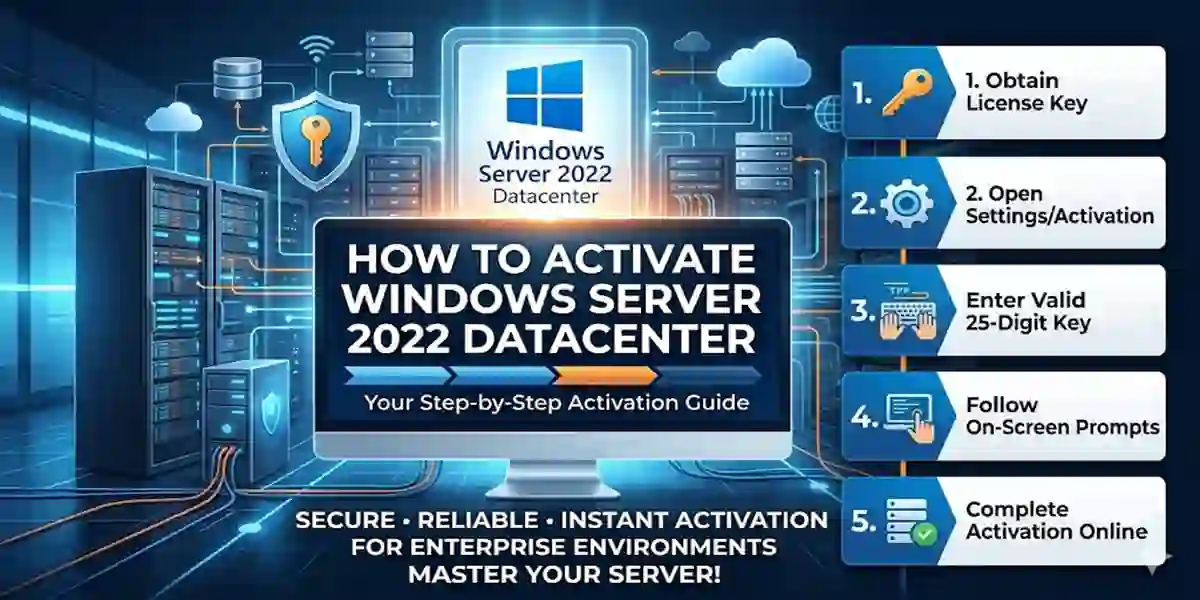
Introduction
Windows Server 2022 Datacenter is Microsoft’s most advanced server operating system, designed for enterprises that require maximum performance, security, and virtualization capabilities. Activation is an essential step to ensure all features are available, security updates are delivered, and the server complies with Microsoft licensing policies. Whether you’re deploying on-premises or in hybrid cloud environments, proper activation allows businesses to run workloads efficiently, protect sensitive data, and integrate seamlessly with modern IT infrastructure.
Key Features of Windows Server 2022 Datacenter
- Unlimited Virtualization – Run an unlimited number of Hyper-V virtual machines.
- Secured-Core Server – Protects against firmware-level and advanced cyberattacks.
- Hybrid Cloud Integration – Seamless connectivity with Microsoft Azure and hybrid cloud services.
- Advanced Storage Solutions – Storage Spaces Direct, SMB compression, and tiered storage for faster access.
- Enhanced Networking – Encrypted traffic, low latency, and improved TCP performance.
- Windows Admin Center – Browser-based centralized server management.
- Shielded Virtual Machines – Encrypt sensitive workloads for added security.
- Long-Term Servicing Channel (LTSC) – Security updates and support for 10+ years.
- Application Compatibility – Supports legacy and modern apps for smooth business operations.
- High Scalability – Optimized for multi-core servers and large memory configurations.
For full enterprise solutions, check esoftwarestore’s Windows Server Datacenter page.
Common Activation Errors and Fixes
Activating Windows Server 2022 Datacenter can result in some errors if not done correctly. Here are the most common ones and solutions:
1. Error 0xC004F074 – KMS Host Not Available
- Cause: Server cannot connect to KMS host.
- Fix: Ensure internet connectivity, allow firewall exceptions, and run
slmgr.vbs /atoas admin.
2. Error 0xC004F210 – Invalid Product Key
- Cause: Wrong edition key or typo.
- Fix: Verify the key matches Datacenter edition and re-enter it via Settings → Update & Security → Activation.
3. Activation Limit Reached
- Cause: Key has been used on the maximum allowed devices.
- Fix: Contact Microsoft Support or use a Volume Licensing key.
4. Server Reports “Not Genuine”
- Cause: Key not recognized or expired.
- Fix: Check for typos, use authentic Microsoft or trusted reseller licenses like esoftwarestore.
5. Cannot Connect to Activation Server
- Cause: Firewall, proxy, or DNS issues.
- Fix: Ensure server can access Microsoft activation servers and retry activation.
Methods to Activate Windows Server 2022 Datacenter
Method 1: GUI Activation
- Navigate to Settings → Update & Security → Activation.
- Click Change product key.
- Enter your Datacenter product key.
- Click Activate and restart if prompted.
Method 2: Command Prompt Activation
- Open Command Prompt as Administrator.
- Install your key:
slmgr.vbs /ipk XXXXX-XXXXX-XXXXX-XXXXX-XXXXX- Activate Windows:
slmgr.vbs /ato- Verify activation:
slmgr.vbs /dlvMethod 3: KMS (Key Management Service)
- For volume licensing:
slmgr.vbs /skms kms.server.domain
slmgr.vbs /ato
Method 4: MAK (Multiple Activation Key)
- For fixed number of servers: enter MAK online or via phone activation using Microsoft Activation Wizard.
Windows Server 2022 Datacenter Licensing
Core-Based Licensing
- Minimum: 16 cores per server.
- Additional cores: Purchase extra core licenses if needed.
- Client Access Licenses (CALs): Required for every user or device accessing the server.
License Types
- Retail License: One-time purchase for smaller enterprises.
- OEM License: Pre-installed on hardware; non-transferable.
- Volume License (KMS/MAK): For medium and large enterprises, allowing multiple activations.
Buy authentic licenses at esoftwarestore to ensure proper activation and updates.
Conclusion
Activating Windows Server 2022 Datacenter is essential for enterprise operations, security, and compliance. Using proper activation methods—GUI, CMD, KMS, or MAK—ensures full functionality and uninterrupted Microsoft updates. With unlimited virtualization, advanced security, and hybrid cloud integration, Datacenter edition empowers businesses to run critical workloads efficiently.
FAQ (Frequently Asked Questions)
Q1: Can I use a Windows Server 2019 key for 2022 Datacenter?
A1: No. Each version requires a unique product key.
Q2: How do I check activation status?
A2: Use slmgr.vbs /dlv or Settings → Update & Security → Activation.
Q3: Can I activate offline?
A3: Yes, via phone activation with MAK keys.
Q4: What happens if I don’t activate?
A4: Limited functionality, security risks, no official updates.
Q5: Which method is best for enterprises?
A5: KMS for large-scale deployment; MAK for fixed numbers of servers.