

Blog
How to Activate Visual Studio Professional 2026 | Complete Guide

Introduction:
Visual Studio Professional 2026 is packed with cutting-edge features designed for software developers. Whether you are creating web applications, mobile apps, or enterprise software, Visual Studio www.esoftwarestore.com offers an integrated environment to streamline the coding process. Before you can start using its powerful tools, you’ll need to activate it. In this guide, we’ll walk you through the activation process, explore key features, and discuss troubleshooting tips for common activation errors.
Features:
-
AI-Powered Code Assistance: With IntelliCode, Visual Studio Professional 2026 suggests context-aware code completions, saving you time and boosting productivity.
-
Cross-Platform Development: Create applications that run on Windows, Linux, macOS, and mobile platforms.
-
Enhanced Debugging Tools: Get advanced debugging features that allow you to track down and fix bugs quickly.
-
Git Integration: Streamline version control and manage your repositories directly within the IDE.
-
Cloud Collaboration: Share your code and collaborate in real-time with cloud-based tools.
-
Performance Improvements: Experience faster load times and smoother workflows, even with large projects.
Common Activation Errors and Fixes:
Error 1: “Product Key Invalid”
Fix: Double-check the product key for any typos. Make sure it’s the correct version for Visual Studio Professional 2026. If it’s purchased online, verify it with the vendor.
Error 2: “Activation Server Unavailable”
Fix: Ensure you have a stable internet connection. If you’re behind a firewall or using a proxy, ensure that it’s not blocking the activation servers.
Error 3: “Visual Studio Can’t Connect to the Server”
Fix: Try running Visual Studio as Administrator or disable your antivirus software temporarily to allow the connection.
Error 4: “Activation Failed”
Fix: Restart your computer and retry the activation. If unsuccessful, use the offline activation method by contacting Microsoft Support for assistance.
Methods to Activate Visual Studio Professional 2026:
-
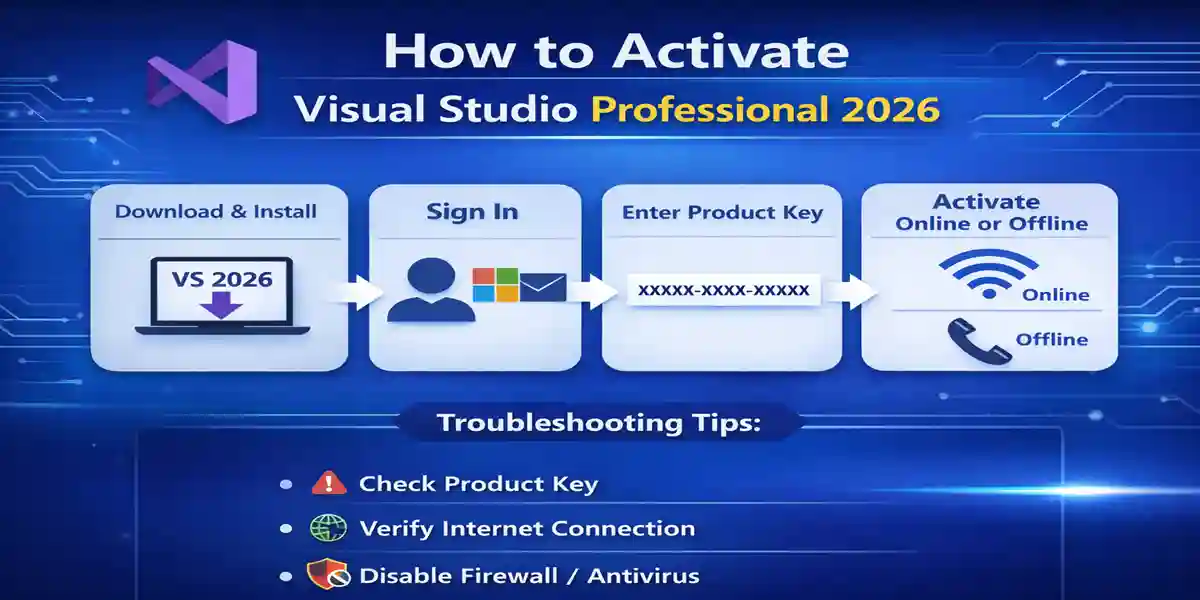
Download and Install: Go to the official Visual Studio weebsite to download the installer.
-
Sign In: Open the installer and sign in using your Microsoft account.
-
Enter Product Key: After installation, enter your product key when prompted, or use your linked Microsoft account if activated.
-
Activate Online or Offline:
-
Online: Ensure your internet connection is stable for automatic activation.
-
Offline: If you can’t connect, use the offline method, which involves calling Microsoft support for activation.
-
Formulas:
-
Activation Formula (Online):
Internet Connection → Enter Product Key → Activate Automatically -
Activation Formula (Offline):
No Internet Connection → Call Microsoft Support → Activate via Phone
Conclusion:
Activating Visual Studio Professional 2026 is essential for unlocking the powerful tools it offers to developers. By following the steps in this guide, you can easily activate your product, fix common errors, and get started with coding in no time. Whether you’re a first-time user or upgrading from an older version, Visual Studio Professional 2026 offers an intuitive, feature-rich environment that boosts your development capabilities.
FAQ:
-
How do I activate Visual Studio Professional 2026?
-
Download and install Visual Studio Professional 2026. Sign in with your Microsoft account and enter your product key when prompted to activate.
-
-
What if my activation key doesn’t work?
-
Double-check the key for accuracy. If it’s still not working, contact the vendor or Microsoft support for verification.
-
-
Can I activate Visual Studio without an internet connection?
-
Yes, you can use offline activation. Contact Microsoft Support to get a phone-based activation code.
-
-
How can I resolve activation errors in Visual Studio 2026?
-
Troubleshooting tips include checking your internet connection, verifying the product key, and ensuring no firewall or antivirus software is blocking activation.
-
-
What features come with Visual Studio Professional 2026?
-
AI-powered code assistance, cross-platform development, Git integration, advanced debugging, and more to improve productivity.
-