

Blog
How to Activate Windows 8.1 Pro – Genuine Retail Key Activation for Maximum Productivity

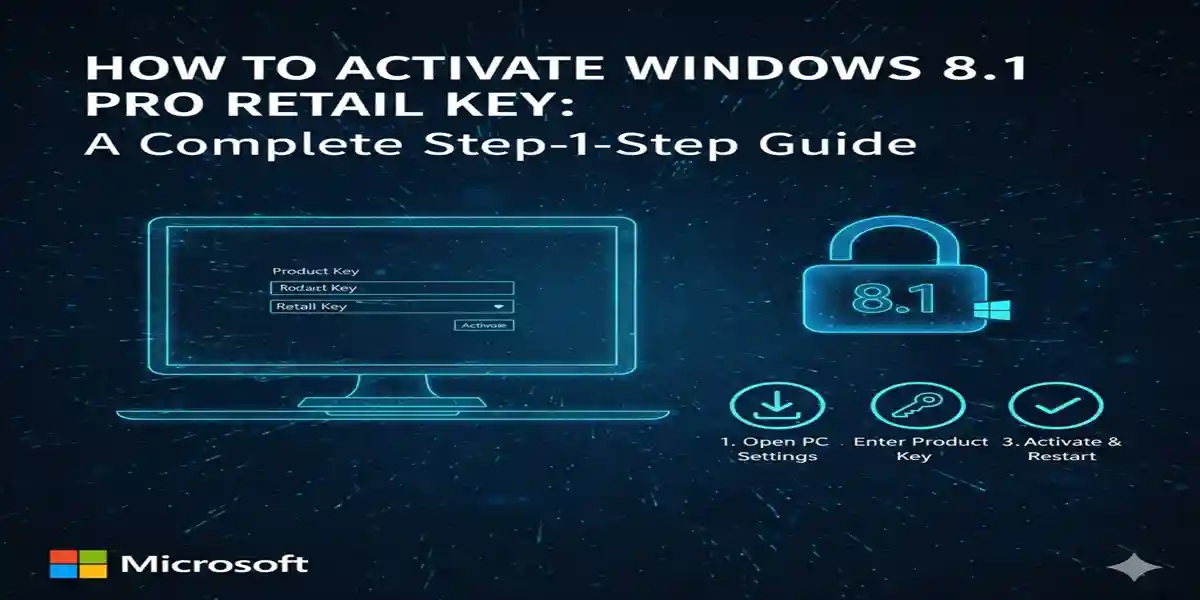
Introduction
Windows 8.1 Pro is a powerful operating system designed for both professional and personal use, offering a range of advanced features that enhance security, performance, and usability. Whether you’re a business owner, a student, or a professional, activating your copy of Windows 8.1 Pro is the first step toward optimizing your computer for work, play, and productivity.
Activation of Windows 8.1 Pro ensures that you are using a legitimate copy of the operating system and can access all the premium features it offers. Without activation, certain features will be disabled, limiting your ability to customize your system or access security updates. In this article, we will walk you through the steps to activate your Windows 8.1 Pro Retail Key, explore common errors and fixes, and discuss the benefits of activating Windows 8.1 Pro for your system.
Key Features of Windows 8.1 Pro
Before diving into the activation process, it’s essential to understand the features that Windows 8.1 Pro brings to the table. By activating your Windows 8.1 Pro Retail Key, you unlock these benefits:
1. Enhanced Security Features
-
Windows 8.1 Pro offers robust security tools such as BitLocker encryption, secure boot, and Windows Defender, ensuring your data is protected from unauthorized access. BitLocker is particularly useful for encrypting your entire hard drive, providing an extra layer of security in case of theft or data breaches.
2. Remote Desktop
-
Windows 8.1 Pro includes Remote Desktop, which allows you to connect to other computers remotely, making it ideal for businesses or users who need to access their desktop from different locations. This feature is not available in the standard Windows 8.1 version.
3. Domain Join and Group Policy Management
-
Windows 8.1 Pro allows users to join a corporate domain and use advanced Group Policy Management tools. This feature is essential for businesses and organizations, providing better control over network resources and security.
4. Multi-Tasking and Improved Interface
-
The Snap View feature enables you to multitask by displaying multiple apps side-by-side. With Windows 8.1 Pro, you get a more productive workspace with a touch-friendly interface and more control over how your apps and tasks are arranged.
5. Windows Media Center
-
Windows 8.1 Pro includes Windows Media Center, which enables you to watch TV, listen to music, and play DVDs directly on your computer, offering a comprehensive media experience.
6. Support for Virtual Machines (Hyper-V)
-
Hyper-V is a feature in Windows 8.1 Pro that allows you to create and run virtual machines on your PC. This is useful for software testing or running different operating systems without the need for separate physical hardware.
Common Errors and Fixes When Activating Windows 8.1 Pro Retail Key
During the activation process, users may encounter various issues. Below are some of the most common activation errors and their fixes:
Error 1: Activation Error: “The Product Key You Entered Didn’t Work”
-
Cause: This error typically occurs if the product key is incorrect, invalid, or has been used on more devices than allowed by the license.
-
Fix: Double-check the product key for any typographical errors. If the key is valid but still not working, you may need to contact Microsoft Support to confirm that the key is legitimate and hasn’t been used elsewhere.
Error 2: “Windows Can’t Activate Right Now”
-
Cause: This error can happen when your computer cannot connect to the activation server due to internet issues or server downtime.
-
Fix: Make sure your device is connected to the internet. Try restarting your computer and attempting activation again. If the problem persists, use the Phone Activation method to activate Windows offline.
Error 3: “The Activation Server Is Unavailable”
-
Cause: This error occurs when the activation server is down for maintenance or there is a temporary issue with Microsoft’s servers.
-
Fix: Wait for a few hours and try again. Alternatively, try the phone activation method by following the prompts from the activation error screen.
Error 4: “This Product Key Is Already in Use”
-
Cause: This message appears when the product key has already been activated on the maximum number of devices allowed.
-
Fix: You will need to deactivate Windows on another device before you can activate it on the current one. Log into your Microsoft account and manage your devices to deactivate a previous installation.
Methods to Activate Windows 8.1 Pro Retail Key
There are several ways to activate Windows 8.1 Pro using a genuine retail key. Here’s how you can activate it:
1. Activation via Internet (Online Activation)
Steps:
-
After installing Windows 8.1 Pro, click on the Start button and go to Settings.
-
Select Change PC settings and then click on Activate Windows.
-
Enter your Windows 8.1 Pro Retail Key when prompted.
-
If your system is connected to the internet, Windows 8.1 Pro will automatically validate the key and complete the activation process.
Advantages:
-
Quick and easy if you have an internet connection.
-
Automatic online verification.
2. Activation via Phone (Offline Activation)
Steps:
-
If online activation fails or you’re unable to connect to the internet, select Activate by Phone during the activation process.
-
Follow the on-screen instructions to obtain a confirmation ID.
-
Call the provided phone number and provide the confirmation ID to Microsoft’s automated system.
-
Once you receive the activation code, enter it to complete the activation process.
Advantages:
-
Useful if you have no internet connection.
-
Great for situations where online activation fails.
3. Activation via Microsoft Support (Troubleshooting Method)
Steps:
-
If you continue to experience issues with activation, you can contact Microsoft Support directly.
-
They will guide you through troubleshooting steps, and if necessary, provide you with an alternative method to activate your Windows 8.1 Pro.
Advantages:
-
Direct assistance from Microsoft to resolve any activation-related issues.
Formulas for Common Windows 8.1 Pro Settings
Here are some commonly used formulas and calculations for managing Windows 8.1 Pro:
1. Disk Usage Calculation
-
Formula:
Disk Usage = Total Disk Space - Free Disk Space -
This helps calculate how much storage is used on your hard drive after installation of the operating system and applications.
2. Energy Efficiency Formula
-
Formula:
Energy Efficiency = (Power Consumption / Time) * Efficiency Factor -
This formula is useful for understanding how Windows 8.1 Pro can optimize power settings, saving energy while maintaining system performance.
3. RAM Utilization Formula
-
Formula:
RAM Usage = Total RAM - Available RAM -
This formula helps monitor the efficiency of Windows 8.1 Pro in managing system resources, especially when running multiple applications.
Conclusion
Activating your Windows 8.1 Pro Retail Key is an essential step to unlocking the full potential of your system. Whether you’re looking for enhanced security features, greater productivity tools, or seamless multitasking capabilities, Windows 8.1 Pro has everything you need. The activation process is simple and can be done online or offline, depending on your internet connectivity.
While errors may occasionally arise during activation, knowing how to troubleshoot and fix these issues ensures a smooth setup process. With this guide, you should have no problem activating your Windows 8.1 Pro and enjoying the full range of features that come with it.
Frequently Asked Questions (FAQ)
Q1: How do I activate Windows 8.1 Pro with a retail key?
-
A1: You can activate Windows 8.1 Pro by entering your retail key during the installation process. You can activate online or through phone activation if the internet method fails.
Q2: What should I do if my Windows 8.1 Pro key is not working?
-
A2: If your key is not working, verify that it is entered correctly. If the problem persists, contact Microsoft Support for assistance.
Q3: Can I activate Windows 8.1 Pro without an internet connection?
-
A3: Yes, you can activate Windows 8.1 Pro offline via phone activation. The process involves getting a confirmation ID and entering it into an automated system.
Q4: How do I fix the “This product key is already in use” error?
-
A4: This error occurs if your key has already been activated on the maximum allowed number of devices. You can deactivate Windows on another device to free up the key or contact Microsoft for further assistance.
Q5: How can I upgrade to Windows 8.1 Pro from Windows 8?
-
A5: You can upgrade to Windows 8.1 Pro by purchasing the retail key and entering it during the upgrade process. You’ll need to download the Windows 8.1 Pro update via the Microsoft website or use the Windows Store.