

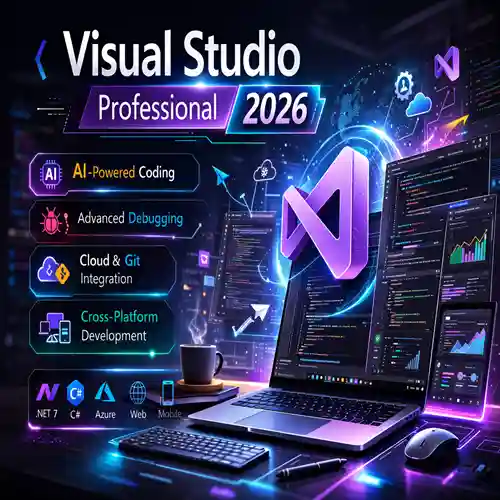
Visual Studio Professional 2026 | AI-Powered Development at Its Best
Original price was: Rs8,010.00.Rs5,660.00Current price is: Rs5,660.00.
1 in stock
Platform
- MacOS
Windows - Graphics
- MAC: Minimum requirement: 1280 x 800 High resolution screen: 2880 x 1800 with Retina display / Recommended: native installed graphics cards for Mac ; WINDOWS: Conventional screens: 1920 x 1080 with 16.8 million colors High resolution and 4K screens: Resolutions up to 3840 x 2160 (with compatible video card)
- Processor
- WINDOWS: Basic requirement: 2.5-2.9 GHz processor. ARM processors are not supported. Recommended: processor of at least 3 GHz (basic), at least 4 GHz (turbo) / MAC: 64-bit Intel CPU Apple M-series CPUs.
- Hard disk
- WINDOWS: 10 GB free disk space for download and installation MAC: 6 GB free disk space for download and installation
- RAM
- WINDOWS: Basic requirement: 8 GB Recommended: 32 GB; MAC: Minimum requirement: 4 GB Recommended: at least 8 GB
- Operating system
- WINDOWS: Windows 11 64-bit and Windows 10 version 1809 or later / MAC: macOS Ventura v13, Monterey v12, Big Sur v11
- Other requirements
- Internet connection for license registration and prerequisite component download
If you want to buy commercial license at best price kindly contact us - info@esoftwarestore.com or WhatsApp +16315053545
Buy 1 Year Student Get 1 Year Free . For more detail Email us at - info@esoftwarestore.com or WhatsApp +16315053545
Product details
✓ Genuine license key for a Civil 3D subscription
✓ Official download of the software from Autodesk website
✓ Free technical support for installation and activation
Available versions: 2023, 2024, 2025, 2026.
Safe Payment and Buyer Protection
Your order is protected by Trusted Shops Buyer Protection for up to €2,500, plus we offer a 30-day money-back guarantee.
All transactions are secured with SSL encryption. We accept payments via Stripe, Apple Pay, Google Pay, and other trusted methods to ensure a safe checkout.
Get your Autodesk Civil 3D software in 3 easy steps
- Buy a license key – Purchase Civil 3D at a discounted price from Esoftwarestore and receive your product key via email, along with step-by-step installation instructions.
- Download & install software – Follow the provided instructions for your Civil 3D download from the official Autodesk website and install it.
- Activate software – Use your purchased license key to activate the software and start your infrastructure design workflow.

Save more – buy Autodesk Civil 3D as part of a bundle
Autodesk AEC Collection - is a powerful suite tailored for professionals in architecture, engineering, and construction. It provides advanced tools for BIM modeling, visualization, coordination, and documentation, making it ideal for building design, infrastructure projects, and construction workflows.
AEC Collection includes: Civil 3D, Revit, AutoCAD, Inventor Pro, Recap Pro, Navisworks Manage, 3ds Max and Insight.
Products You Might Also Find Useful
If you’re working in civil engineering, infrastructure design, or land development, these complementary tools can enhance your project workflow—and they’re all available through Esoftwarestore with savings up to 70%:
Civil & Infrastructure Design Tools
- AutoCAD – foundational drafting software that integrates seamlessly with Civil 3D for base plans, survey data, and detailed design documentation.
- Revit – ideal for multidisciplinary collaboration on building and site projects, especially when coordination between civil and architectural models is required.
- Navisworks Manage – used for model aggregation, clash detection, and coordination across large infrastructure teams; particularly helpful in BIM-enabled environments.
Productivity & Collaboration
- Microsoft 365/ Office suite (Word, Excel, Teams) – for scheduling, quantity takeoffs, design documentation, and seamless team communication.
- Adobe Acrobat Pro – for reviewing, annotating, and securely sharing civil design documents, plan sets, and permit applications in professional PDF format.
Autodesk Civil 3D software overview
When you're designing infrastructure projects like roads, bridges, or utility networks, Civil 3D is the go-to software for civil engineers and surveyors worldwide. It's built specifically for infrastructure design, so you get tools that actually understand how roads connect, drainage flows, and survey data integrates into your workflow.
What makes Civil 3D different is its dynamic modeling approach. Instead of drawing static lines like traditional CAD, Civil 3D creates intelligent objects that update automatically. Design a road alignment, and the cross-sections, profiles, and quantities update in real-time—which is honestly a game-changer for complex projects with tight deadlines.
The software handles everything from survey data processing to final construction documentation, whether you're working on highway design, site development, or water management systems.
Civil 3D vs AutoCAD: Which One to Choose?
Autodesk Civil 3D is purpose-built for civil infrastructure design and engineering workflows. It provides dynamic, object-based modeling for corridors, grading, pipe networks, surfaces, and alignments—with real-time updates across plan, profile, and section views. Civil 3D includes parametric subassemblies, automated corridor modeling, stormwater and sanitary drainage design, earthwork volume calculations, and integrated survey data processing. It supports BIM workflows, enables data shortcuts for multi-user collaboration, and connects seamlessly with tools like InfraWorks, ReCap, and Navisworks. Ideal for professionals working on transportation systems, land development, utility networks, and municipal infrastructure projects.
AutoCAD, by contrast, is a general-purpose CAD platform suited for 2D drafting and basic 3D modeling across a wide range of disciplines—including architecture, MEP, mechanical design, and entry-level civil projects. It offers a flexible environment for custom block libraries, LISP/VBA automation, and industry-standard DWG compatibility. Choose AutoCAD when your focus is on precise drafting, documentation, and CAD standards implementation without the need for specialized civil engineering tools or dynamic modeling.
Esoftwarestore – Your Trusted Source for Original Software at the Best Prices
At Esoftwarestore, we deliver authentic software licenses with exceptional value and dedicated customer service. Here's why thousands of professionals choose us:
✓ 100% Genuine Software: All licenses come directly from official vendor platforms, ensuring security and compliance.
✓ Certified by Industry Leaders: As official partners of Adobe, Microsoft, McAfee, Parallels, and Kaspersky, we offer expert guidance and reliable assistance.
✓ Free Technical Support: Our experienced support team is available 7 days a week to assist you at every step.
✓ Trusted by Thousands: With an average rating of 4.9/5 on Trustindex our customers speak for us..
FAQ
How do I receive my license key after purchase?
Once your purchase is complete, we will send the license activation key to your email, along with step-by-step instructions for downloading, activating, and installing the software.
What should I do if I can't activate my subscription?
No worries! We're here to help. If you're unable to activate your license, contact our free technical support and provide details of the issue along with relevant screenshots. Our team will quickly assist you in resolving the problem.
Installation Guide and download link will be send to you by email, valid for 2 month only .
Related products
Autodesk Alias Studio | High-Precision Class-A Surfacing for Automotive Designers
Autodesk Alias Studio is a premium industrial design and Class-A surface modeling software trusted by professionals in automotive design, product styling, transportation, and advanced concept development. It is widely used by designers who require exceptional surface quality, precise control, and seamless workflows from early sketches to production-ready surfaces.
Alias Studio specializes in freeform surface modeling, allowing designers to create, refine, and validate complex shapes with extreme accuracy. Its advanced curve and surface tools help ensure smooth, continuous geometry that meets both aesthetic and engineering standards. This makes it especially valuable in industries where surface quality directly impacts performance, manufacturability, and brand perception.
Autodesk Alias AutoStudio Student License For 1 Year Get 1 Year FREE . Claim Now
Autodesk AutoCAD | Comprehensive Software for Precision Drafting and Design
Autodesk AutoCAD is a cutting-edge computer-aided design (CAD) software that enables architects, engineers, and construction professionals to create precise 2D and 3D drawings and models. As an industry leader in design and drafting tools, AutoCAD 2026 comes with advanced features that increase productivity and streamline the design process for both novice and experienced users.
Whether you're designing buildings, creating mechanical parts, or drafting electrical circuits, AutoCAD offers the tools you need to bring your ideas to life. With its precise drafting tools, seamless integration with other Autodesk software, and the ability to work with complex geometries, AutoCAD ensures your designs are accurate and efficient.
Autodesk AutoCAD Student License For 1 Year Get 1 Year FREE . Claim Now
Autodesk AutoCAD MEP 2026: The Most Advanced MEP Design Platform
Autodesk Flame | High-Performance VFX and Color Grading Software
Autodesk Flame is a professional, high-end visual effects (VFX) and finishing software designed for demanding film, television, commercial, and broadcast production environments. Built for speed, accuracy, and creative control, Flame combines real-time node-based compositing, advanced color grading, timeline editing, and GPU-accelerated performance into a single, powerful post-production solution.
Trusted by Hollywood studios, leading VFX houses, and broadcast post-production teams, Autodesk Flame enables artists to create cinematic-quality visual effects with exceptional precision, even on complex, high-resolution projects. Its real-time workflows allow faster iteration and client-attended sessions, while its professional finishing tools ensure broadcast-safe, visually polished results. Whether used for feature films, episodic TV, OTT content, or high-end commercials, Autodesk Flame delivers the performance, reliability, and creative flexibility required to meet the highest standards of modern post-production.
Autodesk Flame 2025 Edition maCos Student License For 1 Year Get 1 Year FREE . Claim Now
Autodesk Forma | AI: Smarter Site Analysis & Concept Design for Architects
Autodesk Forma is a next-generation, AI-powered design platform created to transform how architects, urban planners, and designers approach early-stage architectural decision-making. Developed by Autodesk, Forma focuses on the most critical phase of any project—the moment when design ideas, site constraints, sustainability goals, and feasibility decisions are first explored.
Unlike traditional architectural tools that rely heavily on manual assumptions, Autodesk Forma uses real-time data, artificial intelligence, and cloud computing to provide instant insights during concept and pre-design stages. Architects can analyze site conditions such as sunlight, wind, noise, climate data, zoning constraints, and surrounding context before committing to detailed modeling. This allows teams to evaluate multiple design scenarios quickly and make informed decisions with confidence.
Autodesk Forma Student License For 1 Year Get 1 Year FREE . Claim Now
Autodesk Media & Entertainment Collection – End-to-End Creative Suite for Digital Content Creation
The Autodesk Media & Entertainment Collection is a powerful, all-in-one software suite designed for professionals working in 3D animation, visual effects (VFX), game development, and cinematic production. Built for studios, freelancers, and creative teams, this collection delivers industry-leading tools that streamline production pipelines from concept to final render.
At the core of the collection are world-class applications such as Autodesk Maya for advanced character animation and rigging, Autodesk 3ds Max for high-end modeling and environment creation, and Autodesk Arnold, a production-proven renderer trusted by top VFX and animation studios worldwide. Together, these tools enable artists to create photorealistic visuals, complex simulations, and immersive digital worlds with exceptional precision and performance.
Autodesk Media & Entertainment Collection Student License For 1 Year Get 1 Year FREE . Claim Now
Autodesk Mudbox Software | Advanced 3D Sculpting & Texturing Tool
Autodesk Mudbox is a professional 3D digital sculpting and texture painting software designed for artists working in game development, film, animation, and visual effects. Known for its intuitive sculpting tools and seamless integration with Autodesk Maya and 3ds Max, Mudbox allows artists to create highly detailed characters, environments, and assets with precision.
This guide covers everything you need to know about Autodesk Mudbox, including its core features, real-world use cases, subscription pricing, and popular alternatives such as ZBrush and Blender Sculpt Mode. Whether you are a beginner exploring digital sculpting or a professional artist evaluating the right tool for production-level work, this overview helps you decide if Autodesk Mudbox fits your creative and technical requirements.
Autodesk Mudbox Student License For 1 Year Get 1 Year FREE . Claim Now
Autodesk Plant 3D 2026 | Best 3D Plant Design Software for Engineers & Designers
Autodesk Plant 3D is a powerful 3D plant design software widely used by engineers, designers, and industrial professionals to create detailed and accurate plant layouts. With its intelligent modeling tools, Plant 3D simplifies the design of piping, equipment, structural components, and instrumentation while ensuring compliance with industry standards.
This software integrates seamlessly with AutoCAD and the Autodesk ecosystem, enabling smooth workflows between design, documentation, and collaboration. Users can generate precise isometric drawings, orthographic layouts, and 3D models, significantly reducing errors and design time.
Autodesk Plant 3D Student License For 1 Year Get 1 Year FREE . Claim Now