

Blog
Autodesk Mudbox for Beginners: Everything You Need to Know

Introduction: What Is Autodesk Mudbox?
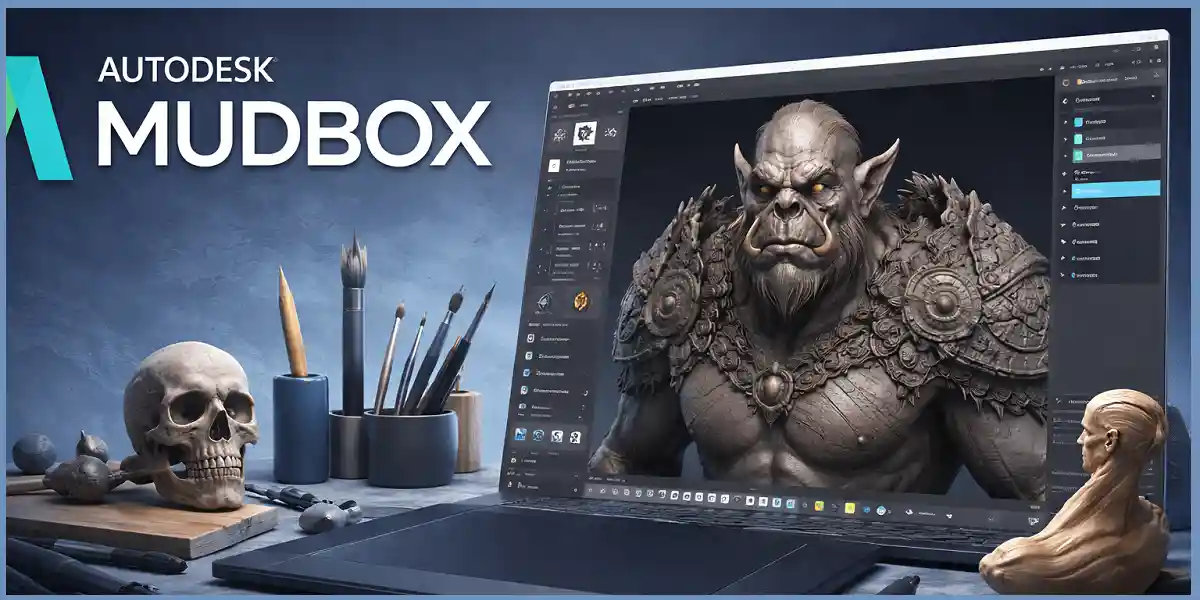
Autodesk Mudbox is a professional 3D digital sculpting and texture painting software designed for artists who want to create highly detailed characters, environments, and assets. It is widely used in game development, film production, animation, VFX, and product visualization.
Mudbox focuses on intuitive sculpting workflows, allowing beginners to start shaping models quickly while still offering the precision and depth required by professionals. Unlike complex node-based systems, Mudbox emphasizes brush-based sculpting, making it especially approachable for artists transitioning from traditional clay sculpting or drawing.
This beginner’s guide explains what Mudbox is, how it works, its features, benefits, pricing, system requirements, and real-world use cases, along with comparisons and buying guidance.
What Makes Autodesk Mudbox Beginner-Friendly?
Mudbox is designed with simplicity and clarity in mind. Beginners are not overwhelmed with unnecessary technical steps before they can start sculpting.
Key beginner advantages:
-
Clean and uncluttered interface
-
Brush-based sculpting similar to real clay
-
Minimal setup before sculpting
-
Seamless workflow with Maya and 3ds Max
This makes Mudbox an excellent entry point into digital sculpting.
Core Features of Autodesk Mudbox
1. Digital Sculpting Tools in Autodesk Mudbox
Autodesk Mudbox provides a powerful yet beginner-friendly digital sculpting environment that closely replicates the experience of sculpting with real clay. At its core, Mudbox is designed to let artists focus on shape, anatomy, and surface detail without being distracted by complex technical workflows. Using intuitive push, pull, smooth, pinch, flatten, and inflate tools, artists can manipulate geometry in real time with immediate visual feedback, making the sculpting process feel natural and fluid.
One of Mudbox’s most important strengths is its subdivision-based sculpting workflow. Artists can work across multiple subdivision levels, starting with a low-resolution mesh to block out major forms such as proportions, posture, and silhouette. As the sculpt develops, higher subdivision levels can be added to refine muscles, facial features, wrinkles, pores, and micro-details. Because Mudbox preserves all subdivision levels, artists can always return to lower levels to adjust the overall form without losing fine details. This non-destructive approach is especially valuable for beginners, as it encourages experimentation without fear of permanently damaging the model.
Mudbox’s brush system is highly customizable while remaining easy to understand. Artists can control brush size and strength to switch seamlessly between broad sculpting strokes and precise detailing. Falloff settings determine how smoothly a brush blends into surrounding geometry, helping achieve organic transitions. Symmetry sculpting allows both sides of a model to be sculpted simultaneously, which is essential for faces, characters, and anatomical accuracy. Pressure sensitivity support for drawing tablets adds another layer of realism, enabling artists to control stroke intensity naturally through hand pressure.
2. High-Resolution Texture Painting in Autodesk Mudbox
Autodesk Mudbox offers a robust and artist-friendly texture painting system that allows creators to paint directly onto 3D models with precision and confidence. Instead of working in flat 2D texture space, artists paint directly on the surface of the model itself, making the entire process far more intuitive—especially for beginners. This direct painting approach eliminates the confusion often associated with traditional UV-based workflows, where artists must constantly switch between 2D texture maps and 3D previews.
Mudbox supports high-resolution texture painting across multiple map types, including color (diffuse or albedo), roughness, metallic, specular, and displacement maps. Artists can build rich, physically believable surfaces by layering paint data across these channels, ensuring materials respond realistically to light in downstream applications such as rendering or real-time engines. Because Mudbox handles very high texture resolutions, fine details like scratches, dirt buildup, fabric grain, or skin variation remain crisp even in close-up shots.
A major advantage of Mudbox’s painting system is real-time visual feedback. As artists paint, changes appear instantly on the model, allowing them to judge color balance, surface wear, and material consistency without guesswork. This live preview significantly speeds up the learning process and reduces trial-and-error, making it easier to understand how textures affect the final look.
Mudbox also supports multiple UV tiles (UDIMs), enabling artists to work on complex models with large texture sets while maintaining high detail across the entire surface. This is particularly important for film-quality characters, detailed props, and large assets where a single texture map would not be sufficient.
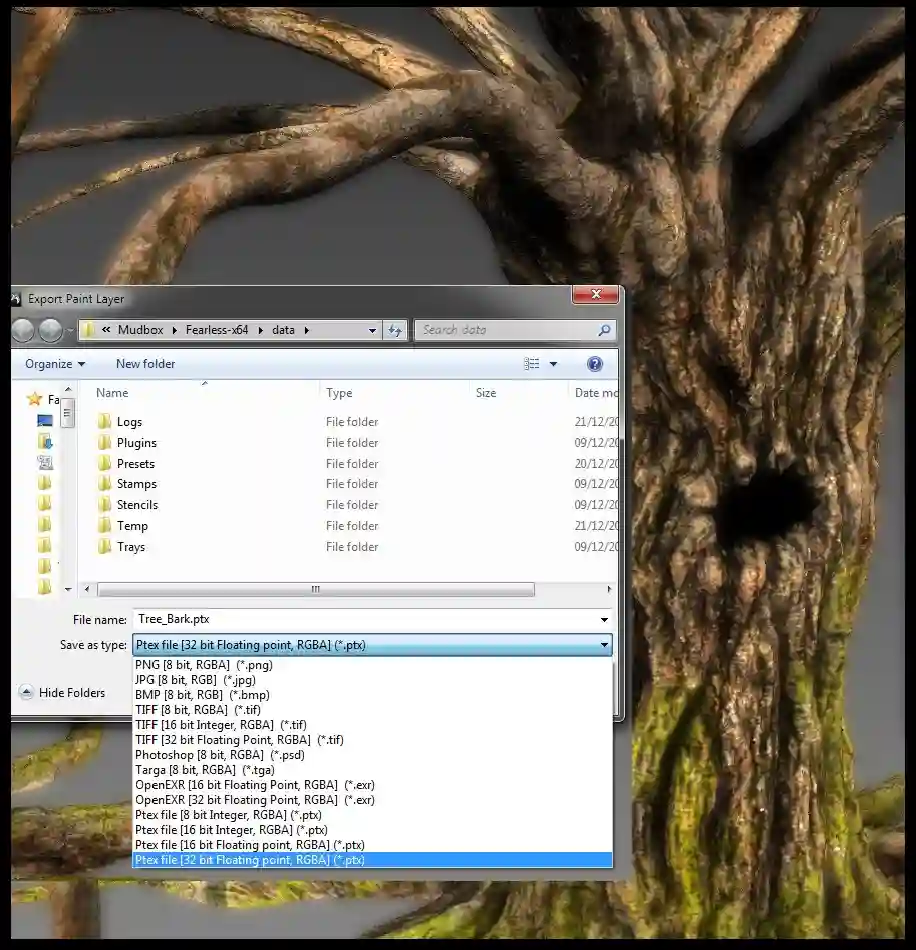
Once painting is complete, Mudbox provides clean and reliable texture exports that integrate seamlessly with other Autodesk tools such as Maya, 3ds Max, and Arnold, as well as third-party engines. This ensures a smooth transition from sculpting and texturing to animation, rendering, or real-time production—making Mudbox a powerful link in a professional 3D pipeline.
3. Seamless Integration with Maya and 3ds Max
Autodesk Mudbox is designed from the ground up to work seamlessly with Autodesk Maya and Autodesk 3ds Max, making it an excellent choice for professional, pipeline-based 3D workflows. Rather than trying to be an all-in-one solution, Mudbox focuses specifically on high-quality sculpting and texture painting, while Maya and 3ds Max handle modeling, rigging, animation, lighting, and rendering. This clear separation of roles results in a cleaner, more efficient production pipeline.
In a typical workflow, artists begin by creating a clean base mesh in Maya or 3ds Max. These applications are well-suited for precise polygon modeling, topology control, and edge flow—critical elements for animation-ready assets. Once the base mesh is prepared, it is sent directly to Mudbox for sculpting and detailing. Because all three applications are part of the Autodesk ecosystem, file exchange is smooth and reliable, with minimal risk of broken geometry or data loss.
Inside Mudbox, artists add high-resolution details such as wrinkles, muscle definition, surface wear, and fine textures without altering the original base mesh. Mudbox uses subdivision levels, allowing artists to sculpt millions of polygons while preserving the low-resolution mesh needed for animation. When sculpting is complete, Mudbox generates displacement maps and normal maps that capture all the high-frequency detail in lightweight texture files.
These maps are then exported back to Maya or 3ds Max, where they are applied to the original base mesh. During rendering, the displacement and normal maps recreate the sculpted detail visually, while keeping the geometry efficient for animation and simulation. This approach ensures high visual quality without sacrificing performance.
For studios and teams, this integration is especially valuable. Multiple artists can work in parallel—modelers refining topology in Maya or Max, sculptors enhancing detail in Mudbox, and look-dev artists preparing materials—without workflow conflicts. The result is faster production, better collaboration, and a pipeline that scales from small projects to full studio productions.
4. Layer-Based Sculpting in Autodesk Mudbox
One of the most powerful and beginner-friendly features of Autodesk Mudbox is layer-based sculpting, which allows artists to work in a completely non-destructive way. Sculpting layers function much like layers in image-editing software, giving artists full control over how and when sculpted details are applied to a model. This approach encourages experimentation while maintaining flexibility throughout the creative process.
With sculpting layers, every major set of changes—such as wrinkles, folds, muscle definition, or surface noise—can be placed on its own independent layer. Artists can adjust the intensity of each layer, toggle visibility on and off, or delete a layer entirely without affecting the base sculpt. This means you never “bake in” changes too early, which is especially helpful for beginners who are still learning anatomy, proportions, and form.
For example, an artist can create one layer specifically for facial wrinkles, allowing fine aging details to be controlled separately from the main facial structure. Another layer might focus on muscle definition, enhancing anatomy while still allowing easy refinement later. Additional layers can be used for skin pores, scars, or stylized details. Because each layer is isolated, artists can fine-tune the strength of individual elements until the sculpt looks balanced and natural.
Layer-based sculpting is also ideal for creative experimentation. Artists can test bold or unusual ideas—such as exaggerated expressions or dramatic surface textures—on a separate layer without any risk. If the result doesn’t work, the layer can simply be removed or toned down. This freedom significantly reduces creative pressure and encourages learning through trial and error.
From a production standpoint, sculpting layers improve collaboration and revision workflows. Directors or clients may request changes, such as making a character look older or more muscular. With layers, these adjustments can be made quickly by modifying existing layers instead of re-sculpting from scratch.
Overall, layer-based sculpting in Mudbox provides flexibility, safety, and creative confidence. It supports both beginners and professionals by making complex sculpting workflows easier to manage while preserving full artistic control.
5. Performance and Stability in Autodesk Mudbox
Autodesk Mudbox is widely recognized for its strong performance and stability, particularly when working with high-resolution models containing millions of polygons. From the ground up, Mudbox was engineered to support professional digital sculpting workflows where responsiveness and reliability are critical. This makes it especially appealing to both beginners and experienced artists who need smooth performance without constant technical interruptions.
Mudbox efficiently leverages modern GPUs to accelerate viewport rendering, sculpting operations, and texture painting. Even when working on dense meshes with multiple subdivision levels, navigation remains fluid, allowing artists to rotate, pan, and zoom around their models without noticeable lag. This smooth interaction is essential for maintaining creative focus, as artists can sculpt continuously without waiting for the software to catch up.
Stability is another key strength. Mudbox is designed to handle complex sculpting sessions that may last for hours, reducing the risk of crashes or data loss. Artists can confidently work on large characters, environments, or assets without worrying about performance degradation as detail levels increase. This reliability is particularly important in professional pipelines, where losing work due to instability can be costly.
Mudbox also manages memory efficiently when switching between subdivision levels. Artists can move seamlessly from low-resolution forms to extremely fine surface details, such as wrinkles, pores, or micro surface noise, without overwhelming system resources. This adaptive performance ensures that even modest workstations can handle detailed sculpting tasks effectively.
For beginners, Mudbox’s performance optimization removes a major learning barrier. New users can focus on understanding anatomy, form, and sculpting techniques instead of troubleshooting lag or crashes. For professionals, it ensures predictable behavior when pushing models to production-ready detail.
Overall, Mudbox’s optimized performance and rock-solid stability create a stress-free sculpting environment. Whether you are blocking out a basic form or refining millions of polygons for final output, Mudbox delivers a responsive, dependable experience that supports creative momentum and professional-quality results.
Benefits of Using Autodesk Mudbox
Autodesk Mudbox provides a powerful yet approachable environment for digital sculpting and texture painting, making it an excellent choice for both beginners and experienced professionals. One of its greatest strengths is the balance it strikes between simplicity and professional-grade capability. Rather than overwhelming users with complex technical settings, Mudbox allows artists to focus on creativity, form, and detail—while still delivering production-ready results.
One of the most notable benefits of Mudbox is its fast learning curve. The interface is clean, intuitive, and purpose-built for sculpting. New artists can begin sculpting almost immediately without needing extensive technical knowledge. Tools behave in a predictable, natural way, closely mimicking real-world clay sculpting. This makes Mudbox ideal for students, hobbyists, and beginners who want to build strong sculpting fundamentals without frustration.
Mudbox also offers a clean and focused sculpting workflow. Unlike all-in-one 3D applications that combine modeling, rigging, animation, and rendering, Mudbox is dedicated specifically to sculpting and texture painting. This specialization eliminates unnecessary distractions and allows artists to stay fully immersed in the creative process. The result is a smoother workflow and greater artistic confidence.
For professionals, Mudbox excels in character sculpting and fine detailing. Artists can create high-resolution models with realistic skin details, wrinkles, muscle definition, and surface textures. Layer-based sculpting and high-resolution texture painting make it easy to iterate and refine designs, which is essential in character development for film, games, and visualization.
Despite its simplicity, Mudbox delivers professional-grade output suitable for production pipelines. Sculpted details can be exported as displacement and normal maps for use in Autodesk Maya, 3ds Max, and other industry-standard tools. This makes Mudbox a trusted component in many professional workflows.
Ultimately, Autodesk Mudbox empowers artists to think creatively rather than technically. By removing unnecessary complexity and emphasizing artistic control, Mudbox remains a reliable, efficient, and inspiring tool for digital sculptors at any skill level.
3D character sculpting in Autodesk Mudbox software
Real-World Uses of Autodesk Mudbox
Autodesk Mudbox is a versatile digital sculpting and texture painting tool used across multiple creative industries. Its ability to handle high-resolution detail while maintaining a simple, artist-focused workflow makes it valuable in real-world production environments where quality, speed, and flexibility matter.
1. Game Development
In game development, Mudbox is commonly used to sculpt characters, creatures, armor, weapons, and environment assets at very high resolutions. Artists begin by creating detailed sculpts that capture fine surface elements such as skin pores, fabric folds, scratches, and wear. These high-resolution details are then baked into normal maps and displacement maps, which are applied to low-polygon game-ready models. This process allows games to achieve visually rich assets while maintaining real-time performance. Mudbox’s stability with dense meshes makes it ideal for AAA and indie game pipelines alike.
2. Film & Visual Effects (VFX)
Film and VFX studios rely on Mudbox to produce cinematic-quality characters, creatures, and props. The software is especially useful for adding lifelike detail to digital doubles, monsters, and fantasy characters. Artists sculpt subtle facial details, skin imperfections, and organic textures that hold up under close-up shots and high-resolution rendering. Mudbox integrates smoothly with Autodesk Maya, making it a natural fit for film production pipelines where sculpted assets are later rigged, animated, and rendered.
3. Animation
In animation workflows, Mudbox is used to refine facial expressions, anatomy, clothing folds, and stylized details before rigging. Sculpting these details early ensures characters deform more naturally during animation. Layer-based sculpting allows animators and modelers to adjust expressions or body details without altering the base mesh, making iteration faster and safer.
4. Product & Concept Design
Beyond entertainment, designers use Mudbox for concept sculpting of products, vehicles, and industrial designs. Its intuitive sculpting tools allow rapid exploration of form and surface detail, helping designers visualize ideas before moving to precise CAD or modeling tools.
Overall, Autodesk Mudbox plays a critical role wherever high-quality digital sculpting and surface detail are required, from games and films to animation and concept design.
Autodesk Mudbox Pricing (2025)
Autodesk Mudbox is offered exclusively through a subscription-based licensing model, which gives users flexible access to the software while ensuring they always have the latest updates, security patches, and compatibility improvements. This approach makes Mudbox suitable for individuals, studios, and enterprises with different budget and usage needs.
Monthly Subscription
The monthly subscription option is ideal for short-term projects, freelancers, and artists who need Mudbox for a limited period. It allows users to pay only for the time they actively use the software, making it cost-effective for contract work, specific character projects, or learning phases. Monthly licensing provides full access to all Mudbox features, including high-resolution sculpting, texture painting, and integration with other Autodesk tools—without a long-term commitment.
Annual Subscription (Discounted)
The annual subscription is the most popular choice for professionals and studios that use Mudbox regularly. By committing to a full year, users benefit from a significantly lower effective monthly cost compared to paying month-to-month. This option is well-suited for game developers, VFX artists, animators, and design teams who rely on Mudbox as a consistent part of their production pipeline. Annual subscriptions also simplify budgeting and license management while ensuring uninterrupted access.
Included in Autodesk Collections
In some cases, Autodesk Mudbox is available as part of select Autodesk collections. These bundles are designed for studios and professionals who use multiple Autodesk tools, such as Maya or 3ds Max, alongside Mudbox. Collections offer better overall value by combining several industry-standard applications under a single subscription, making them ideal for pipeline-based workflows.
Buying Genuine Licenses
To ensure authenticity, updates, and official Autodesk support, users are strongly advised to purchase genuine licenses through authorized channels. Many professionals prefer trusted software resellers such as esoftwarestore, which provide legitimate Autodesk licenses, secure purchasing options, and customer support—helping users avoid risks associated with unofficial or unauthorized software.
Overall, Autodesk Mudbox’s flexible pricing in 2025 makes it accessible for beginners while remaining scalable for professional and studio environments.
Autodesk Mudbox vs Alternatives
When beginners start exploring digital sculpting, choosing the right software can significantly affect how quickly they learn and how enjoyable the process feels. Autodesk Mudbox is often compared with two popular alternatives—ZBrush and Blender Sculpt Mode. Each tool is powerful, but they differ greatly in complexity, learning curve, and workflow focus.
Mudbox vs ZBrush
From a beginner’s perspective, Mudbox is widely regarded as simpler, cleaner, and more intuitive. Its interface closely resembles traditional 3D software layouts, making it easier to understand for users who are new to sculpting or already familiar with basic 3D concepts. Tools behave predictably, brush settings are easy to adjust, and sculpting feels natural—much like working with real clay.
ZBrush, on the other hand, is extremely powerful but has a steep learning curve. Its interface is highly customized and unconventional, which can feel overwhelming for beginners. While ZBrush offers deeper sculpting tools, advanced detailing options, and industry-leading features, new users often spend significant time just learning navigation and workflows before they can sculpt confidently.
For beginners who want to focus on learning anatomy, form, and basic sculpting techniques without technical overload, Mudbox provides a gentler and more encouraging starting point.
Mudbox vs Blender Sculpt Mode
Mudbox also differs from Blender’s Sculpt Mode in terms of focus. Mudbox is a dedicated sculpting and texture painting application, meaning every tool and workflow is optimized specifically for sculpting. This focused environment helps beginners stay immersed in the creative process without distractions from unrelated tools.
Blender, while free and extremely powerful, is a multi-purpose 3D suite that includes modeling, sculpting, animation, rendering, simulation, and more. While Blender’s sculpting tools have improved significantly, the sheer breadth of features can feel complex and overwhelming for newcomers. Beginners may find themselves navigating menus and settings unrelated to sculpting, which can slow learning.
In summary, Mudbox is ideal for beginners who want a clean, sculpting-first experience. ZBrush suits users seeking maximum depth and are willing to invest time learning it, while Blender offers incredible value but requires navigating greater complexity.
Final Verdict: Is Autodesk Mudbox Good for Beginners?
Yes—Autodesk Mudbox is an excellent choice for beginners, especially those who want to learn professional digital sculpting without being overwhelmed by unnecessary complexity. It strikes a rare balance between ease of use and production-level capability, making it one of the most approachable entry points into high-quality 3D sculpting.
One of Mudbox’s biggest strengths for beginners is its clean, intuitive interface. The tools are clearly laid out, easy to understand, and behave in a predictable way. New artists can focus on learning the core fundamentals of sculpting—such as form, anatomy, proportion, and surface detail—rather than struggling with confusing menus or unconventional workflows. This lowers the learning barrier significantly and helps beginners build confidence quickly.
Mudbox also supports a non-destructive workflow through features like subdivision levels and sculpting layers. Beginners can experiment freely, refine details gradually, and make mistakes without fear of permanently damaging their work. This encourages exploration and learning through practice, which is essential when developing artistic skills.
Despite being beginner-friendly, Mudbox does not limit growth. It delivers professional-grade output, including high-resolution sculpts, texture painting, and export-ready displacement and normal maps. This means that skills learned in Mudbox translate directly to real production environments in game development, animation, film, and design. Beginners don’t need to “outgrow” the software quickly—it scales with their skill level.
Another major advantage is Mudbox’s seamless integration with Autodesk tools like Maya and 3ds Max. For learners who plan to enter professional pipelines, this compatibility provides a smooth transition from sculpting to animation, rendering, and final production.
In conclusion, Autodesk Mudbox is ideal for beginners who want a focused sculpting experience, professional-quality results, and a stress-free learning curve. It removes technical distractions and puts creativity first, making it a reliable, long-term choice for anyone starting their digital sculpting journey.
1. What is Autodesk Mudbox used for?
Autodesk Mudbox is a professional 3D digital sculpting and texture painting software used to create highly detailed characters, creatures, environments, and assets. It is commonly used in game development, film, animation, VFX, and concept design. Mudbox focuses on intuitive, brush-based sculpting, making it ideal for artists who want to focus on creativity rather than technical complexity.
2. Is Autodesk Mudbox good for beginners?
Yes, Autodesk Mudbox is considered one of the most beginner-friendly professional sculpting tools. Its clean interface, simple brush controls, and non-destructive sculpting layers allow beginners to start sculpting quickly without feeling overwhelmed. It is especially suitable for artists transitioning from traditional clay sculpting or drawing.
3. Do I need Maya or 3ds Max to use Mudbox?
No, Mudbox can be used as a standalone sculpting and painting application. However, it integrates seamlessly with Autodesk Maya and 3ds Max, making it easier to import base meshes and export detailed displacement or normal maps for animation and rendering workflows.
4. What is the difference between Mudbox and ZBrush?
Mudbox focuses on simplicity, clarity, and ease of use, making it ideal for beginners and artists who prefer a straightforward sculpting workflow. ZBrush offers more advanced and complex tools but has a steeper learning curve. Mudbox is often chosen for cleaner pipelines and easier onboarding.
5. Can Mudbox handle high-resolution models?
Yes, Autodesk Mudbox is optimized to handle millions of polygons smoothly, especially on systems with a dedicated GPU. Artists can sculpt fine details such as wrinkles, pores, and surface textures while maintaining stable performance.
6. Does Autodesk Mudbox support texture painting?
Yes. Mudbox includes powerful high-resolution texture painting tools that allow artists to paint directly on 3D models. It supports multiple texture maps and UV tiles, making it suitable for professional production pipelines.
7. What file formats does Mudbox support?
Mudbox supports common 3D formats such as OBJ, FBX, and others commonly used in Autodesk workflows. This ensures smooth compatibility with industry-standard tools and game engines.
8. What are the system requirements for Autodesk Mudbox?
Autodesk Mudbox requires:
-
Windows 10 or Windows 11 (64-bit)
-
Multi-core processor
-
Dedicated GPU (recommended)
-
At least 16 GB RAM
-
Pen tablet (recommended for best sculpting experience)
9. How much does Autodesk Mudbox cost?
Autodesk Mudbox is available through subscription-based licensing, including monthly and annual plans. Pricing may vary by region and reseller. For a genuine license, secure checkout, and official support, many users choose trusted sellers such as esoftwarestore.
10. Is Autodesk Mudbox still relevant in 2025?
Yes. Autodesk Mudbox remains relevant for artists who want a focused sculpting and painting workflow, especially within Autodesk-based pipelines. While newer tools exist, Mudbox continues to be valued for its stability, simplicity, and professional output.
11. Can Mudbox be used for game development?
Absolutely. Mudbox is widely used in game asset creation, where high-resolution sculpts are baked into normal and displacement maps for real-time engines like Unity and Unreal Engine.
12. Does Mudbox support non-destructive workflows?
Yes. Mudbox supports layer-based sculpting and painting, allowing artists to edit, adjust, or remove details without permanently affecting the base model. This is especially helpful for beginners experimenting with forms and details.
13. Is Mudbox better than Blender Sculpt Mode for beginners?
Mudbox offers a simpler and more focused sculpting environment, while Blender provides a broader all-in-one toolset. Beginners who want a dedicated sculpting experience often find Mudbox easier to learn, while Blender appeals to users who prefer a free, multi-purpose solution.
14. Can I use Mudbox for professional film or VFX work?
Yes. Autodesk Mudbox has been used in film, animation, and VFX pipelines for character detailing, creature sculpting, and texture painting. It produces production-quality assets suitable for high-end workflows.
15. Where can I learn Autodesk Mudbox as a beginner?
Beginners can learn Mudbox through:
-
Autodesk official documentation
-
Online tutorials and courses
-
Industry forums and artist communities
-
Structured training guides included with licensed versions