

Blog
AutoCAD Map 3D 2026: The Ultimate GIS & Civil Engineering Software by Autodesk

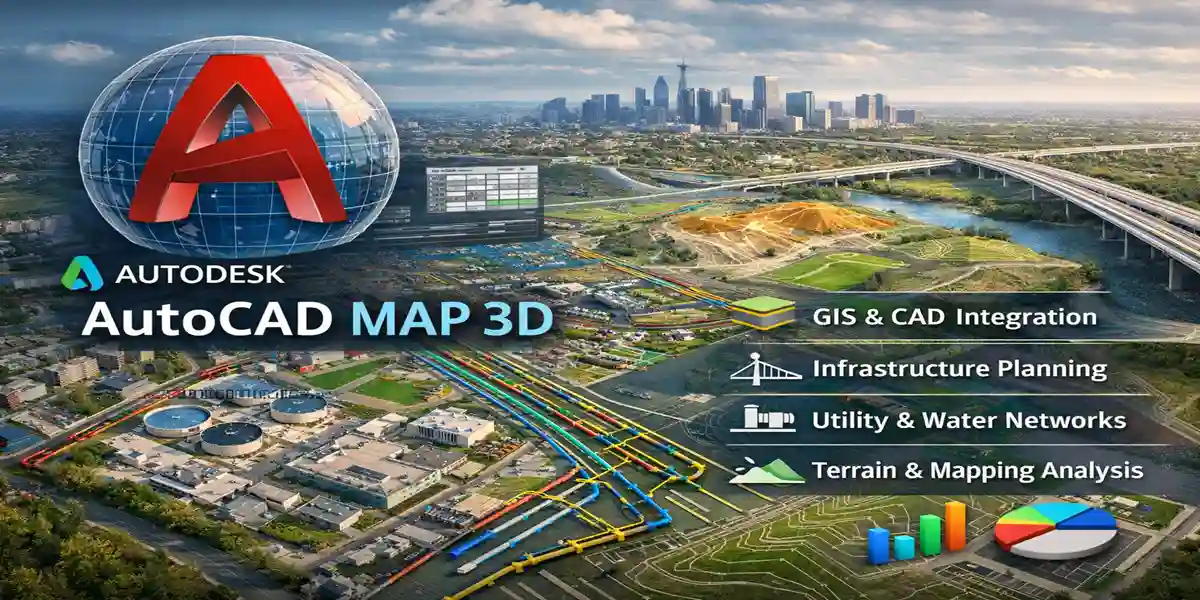
AutoCAD Map 3D by Autodesk: Complete Guide for 2026
Modern infrastructure, utilities, and GIS (Geographic Information System) projects require intelligent software capable of combining mapping, analysis, and design in a single environment. Autodesk AutoCAD Map 3D is designed to meet these demands, providing a powerful platform that merges CAD and GIS capabilities for urban planning, infrastructure design, utilities management, and environmental projects.
With AutoCAD Map 3D, organizations can leverage geographic data, automate workflows, improve collaboration, and reduce design errors. This comprehensive guide explores the features, uses, benefits, licensing options, FAQs, and best practices for AutoCAD Map 3D, helping professionals understand why it remains a top choice in 2026.
What Is AutoCAD Map 3D?
AutoCAD Map 3D is a specialized Autodesk software that integrates CAD (Computer-Aided Design) and GIS capabilities into one platform. It allows users to design, analyze, and manage spatial and engineering data in a single environment. Unlike traditional CAD software, Map 3D provides tools for connecting to databases, querying GIS data, and performing geospatial analysis while maintaining full 2D/3D CAD drafting capabilities.
The software is widely used by urban planners, civil engineers, surveyors, environmental consultants, and utility managers to streamline workflows and make data-driven decisions.
Key Features of AutoCAD Map 3D
AutoCAD Map 3D provides a range of features that combine mapping, design, and analysis capabilities. Below is an in-depth look at its most important features:
1. GIS Data Integration
Map 3D can connect to geospatial databases and GIS servers, including:
-
ESRI ArcSDE
-
SQL Server Spatial
-
Autodesk’s own FDO data sources
This allows engineers to work with live GIS data without manual imports or conversions. You can also query, edit, and analyze spatial data directly within the Map 3D environment.
2. Advanced Mapping Tools
The software includes advanced tools for creating and managing maps:
-
Topographic and thematic mapping
-
Layer management with dynamic updates
-
Coordinate system support
-
Map annotation and labeling
These tools help professionals visualize infrastructure projects, land use patterns, or environmental impacts in a precise and professional way.
3. CAD and BIM Interoperability
AutoCAD Map 3D integrates seamlessly with:
-
AutoCAD for drafting and design
-
Revit for BIM workflows
-
InfraWorks for conceptual planning
-
Civil 3D for civil engineering designs
This interoperability ensures that design, analysis, and planning workflows are fully synchronized.
4. Spatial Analysis and Query Tools
Map 3D allows users to perform spatial queries and analysis to support decision-making:
-
Buffer analysis for environmental studies
-
Network analysis for utilities and transportation
-
Querying attributes of GIS layers
-
Overlay analysis for land planning
Such capabilities help engineers and planners optimize designs and mitigate risks.
5. Automated Map Updates
Dynamic data connections allow Map 3D to automatically update maps when GIS or CAD data changes. This reduces manual work and ensures designs remain accurate and up-to-date throughout a project’s lifecycle.
6. Data Editing and Maintenance
Map 3D provides robust tools for editing GIS and CAD data:
-
Feature-level editing of maps and layers
-
Attribute table management
-
Object snapping and alignment tools
-
Version control for changes
This ensures data integrity and reduces errors during design, planning, or infrastructure management.
7. Geospatial Data Export and Import
Map 3D allows seamless import/export of geospatial data:
-
Shapefiles (.shp)
-
MapInfo files (.tab, .mif/mid)
-
SDF and SQLite
-
Raster images and terrain data
This flexibility allows integration with third-party GIS software, municipal databases, and cloud GIS platforms.
8. Customization and Automation
For organizations needing workflow automation:
-
Scripting with AutoLISP, .NET, or Python
-
Custom data workflows
-
Templates and reusable project setups
This reduces repetitive work and standardizes design and mapping processes.
9. Reporting and Documentation
Map 3D allows users to create maps, reports, and documentation quickly:
-
Annotated maps with scale, legend, and labels
-
Attribute tables and summary reports
-
PDF and DWG outputs
These features streamline communication with stakeholders, clients, or regulatory authorities.
10. Cloud Collaboration
Integration with Autodesk Construction Cloud and BIM 360 allows:
-
Centralized data sharing
-
Real-time collaboration with teams
-
Version tracking and access control
Cloud-based collaboration improves coordination for large infrastructure projects and multi-location teams.
Uses of AutoCAD Map 3D
AutoCAD Map 3D is widely used in civil, environmental, and municipal projects. Its applications include:
1. Urban Planning and Land Management
-
Site layout planning
-
Zoning analysis
-
Utility mapping
-
Land development projects
2. Transportation and Road Design
-
Road corridor design
-
Railway network planning
-
Traffic analysis
-
Road maintenance mapping
3. Utilities and Infrastructure Management
-
Water, sewer, and drainage networks
-
Electrical distribution and telecommunication mapping
-
Asset management for municipalities
4. Environmental and Hydrological Projects
-
Floodplain mapping
-
Watershed analysis
-
Environmental impact assessments
-
Terrain modeling
5. Surveying and Geospatial Data Management
-
Processing survey data
-
Topographic mapping
-
Point cloud integration
-
GIS database management
6. Disaster Management and Smart City Planning
-
Risk mapping
-
Emergency response planning
-
Smart city infrastructure planning
-
GIS-based simulations
Benefits of AutoCAD Map 3D
AutoCAD Map 3D offers multiple advantages for civil engineers, urban planners, and GIS professionals:
-
Improved Accuracy – Dynamic GIS and CAD integration ensures that spatial and engineering data is consistent and up-to-date.
-
Faster Project Delivery – Automated map updates and data-driven workflows reduce manual effort.
-
Enhanced Collaboration – Seamless integration with Autodesk tools and cloud services allows teams to work efficiently together.
-
Cost Efficiency – Reduces errors and rework, lowering project costs.
-
Advanced Analysis – GIS-based analysis helps in decision-making and scenario planning.
-
Future-Ready – Supports BIM, smart city initiatives, and cloud workflows.
-
Regulatory Compliance – Integrated tools ensure that designs comply with local, national, and international regulations.
AutoCAD Map 3D Licensing Options
Autodesk offers flexible licensing models:
1. Subscription-Based Licensing
-
Monthly subscription
-
Annual subscription
-
Multi-year subscription
-
Includes software updates, support, and cloud services
2. Single-User License
-
Ideal for individual professionals
-
Named-user access
3. Multi-User (Network) License
-
For organizations with shared usage needs
-
Centralized license pool
-
Optimized for team projects
4. Educational License
-
Free for students and educators
-
Non-commercial use only
-
Includes full functionality
5. Autodesk Collections
-
Map 3D included in Autodesk Infrastructure Design Suite
-
Allows access to multiple Autodesk software tools
Common Errors in AutoCAD Map 3D
| Error / Issue | Cause | Fix |
|---|---|---|
| Map 3D crashes on startup | Corrupted installation or profile | Repair install, reset user profile |
| GIS data not loading | Incorrect data source or projection | Verify FDO connection and coordinate system |
| Unable to save drawing | Insufficient permissions or disk issues | Check user permissions, free disk space |
| Performance lag with large datasets | Hardware limitations | Upgrade RAM, use SSD, simplify layers |
| Missing map tools or ribbon icons | Custom workspace or license issues | Restore default workspace, check license |
“AutoCAD Map 3D common errors and fixes table, GIS software troubleshooting, Autodesk Map 3D 2026 issues”
Frequently Asked Questions (FAQ)
Q1: What is AutoCAD Map 3D used for?
It is used for GIS mapping, civil engineering design, urban planning, and infrastructure management.
Q2: Is Map 3D better than AutoCAD?
For GIS and infrastructure projects, yes. AutoCAD Map 3D provides both CAD drafting and GIS capabilities.
Q3: Can Map 3D handle large GIS datasets?
Yes, it is optimized for large spatial datasets, point clouds, and topographic data.
Q4: Does Map 3D integrate with BIM tools?
Yes, it works with Civil 3D, Revit, InfraWorks, and Autodesk Construction Cloud.
Q5: Is AutoCAD Map 3D suitable for small firms?
Yes, subscription licensing makes it accessible to organizations of any size.
Q6: What file formats does Map 3D support?
Shapefiles, SDF, SQLite, MapInfo, DWG, and raster images.
Q7: Can Map 3D perform spatial analysis?
Yes, it supports buffer, overlay, network, and thematic analysis.
Q8: Is training required for AutoCAD Map 3D?
Yes, basic CAD skills help, but Autodesk provides tutorials and certifications.
Q9: Is Map 3D cloud-ready?
Yes, it integrates with Autodesk Construction Cloud and BIM 360 for collaboration.
Q10: Is AutoCAD Map 3D worth the investment?
For professionals managing GIS and infrastructure projects, the productivity gains, accuracy, and analysis capabilities justify the cost.
Conclusion
AutoCAD Map 3D by Autodesk is a powerful GIS and civil engineering software solution that bridges CAD and GIS workflows. From urban planning and utilities management to transportation, water resources, and environmental analysis, Map 3D offers a dynamic, data-driven platform for infrastructure projects of any scale.
Its key features, robust analysis tools, and integration with other Autodesk products make it indispensable for modern engineers and GIS professionals. With subscription-based licensing, flexible deployment, and cloud-ready collaboration, AutoCAD Map 3D remains a strategic choice for organizations aiming to improve efficiency, reduce errors, and future-proof their projects.