

Blog
How to Activate Office 2019 Professional Plus Key | Step by Step Guide

Introduction
Microsoft Office 2019 Professional Plus is one of the most powerful productivity suites available today, offering a full range of applications like Word, Excel, PowerPoint, Outlook, Publisher, and Access. It is widely used by businesses, educational institutions, and professionals who require reliable software for daily productivity.
However, installing Office 2019 Professional Plus is only the first step. To unlock all features and ensure your software is genuine and secure, you must activate it using a valid product key. Whether you’re a beginner or a seasoned user, this guide will help you get your Office 2019 fully activated quickly and safely.
Features of Office 2019 Professional Plus
Office 2019 Professional Plus comes packed with powerful features that enhance productivity and collaboration:
- Word 2019 – Advanced document creation tools, real-time collaboration, smart templates, and improved accessibility features.
- Excel 2019 – Powerful data analysis, enhanced formulas, charts, and new functions like CONCAT, TEXTJOIN, IFS, and more.
- PowerPoint 2019 – Stunning presentations with 4K support, new transitions, Morph, Zoom, and improved collaboration tools.
- Outlook 2019 – Email, calendar, and task management with improved search and integration with Teams and OneDrive.
- Publisher 2019 – Easy desktop publishing with professional-quality templates for brochures, newsletters, and flyers.
- Access 2019 – Manage and analyze large databases with improved templates and reporting tools.
- Security & Compliance – Improved security updates, compliance tools, and ransomware protection for business use.
Common Activation Errors and How to Fix Them
Even with a valid product key, users may encounter errors during activation. Below are common issues and solutions:
1. Error Code 0xC004F074
Cause: Office cannot contact the Key Management Service (KMS).
Fix:
- Check your internet connection.
- Ensure the system date and time are correct.
- Run Office as Administrator and try reactivating.
2. Error Code 0x8007007B
Cause: Product key is invalid or the software cannot locate a license.
Fix:
- Use a valid Office 2019 Professional Plus key.
- Reinstall Office using the correct installer from Microsoft.
3. Activation Wizard Error
Cause: Firewall or antivirus blocking activation.
Fix:
- Temporarily disable firewall or antivirus.
- Open Command Prompt as Administrator and run
cscript ospp.vbs /actin the Office installation folder.
4. License Already Used
Cause: The key has reached its activation limit.
Fix:
- Contact Microsoft Support to reset the activation count.
- Consider purchasing a new license if necessary.
Step-by-Step Methods to Activate Office 2019 Professional Plus
There are multiple methods to activate Office 2019, depending on your license type.
Method 1: Activation via Product Key (Online)
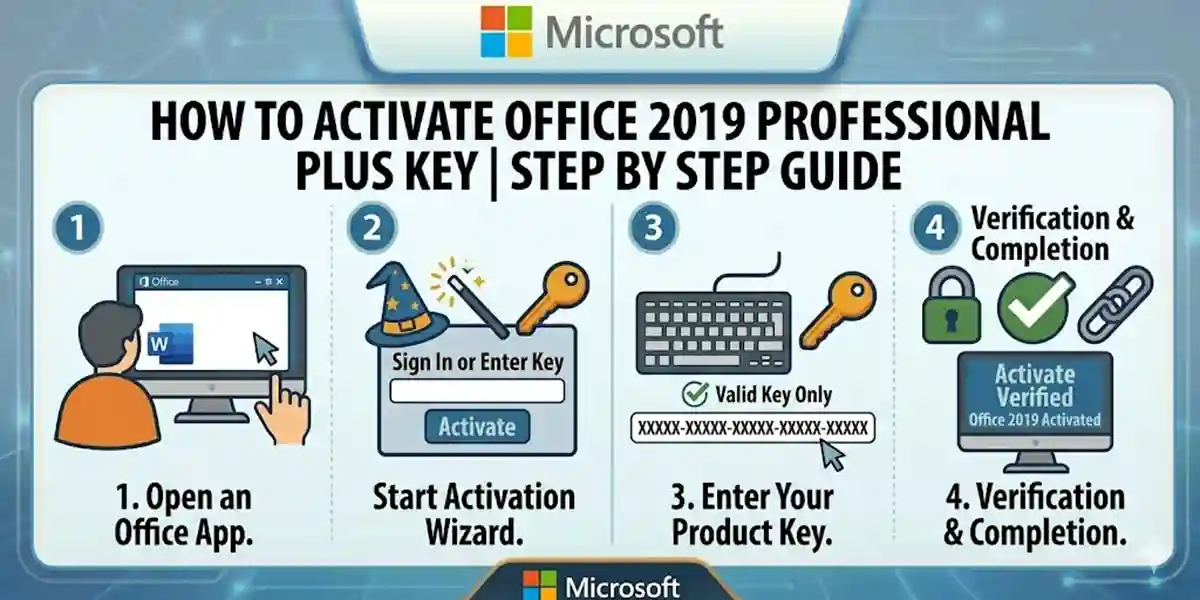
- Open any Office app (Word, Excel, PowerPoint).
- Click File > Account > Activate Product.
- Enter your 25-character product key.
- Sign in with your Microsoft account if prompted.
- Wait for confirmation: “Product Activated Successfully.”
Method 2: Activation via Phone
- Open an Office app and go to File > Account > Activate Product.
- Select Phone Activation.
- Call the Microsoft support number displayed.
- Provide the Installation ID from your system.
- Enter the Confirmation ID provided by Microsoft.
Method 3: Using Command Prompt (For Volume License/MAK Key)
- Open Command Prompt as Administrator.
-
Navigate to the Office installation folder, usually:
cd \Program Files\Microsoft Office\Office16 -
Enter the following command to install the key:
cscript ospp.vbs /inpkey:XXXXX-XXXXX-XXXXX-XXXXX-XXXXX -
Activate Office with:
cscript ospp.vbs /act -
Confirm the activation status with:
cscript ospp.vbs /dstatus
Understanding Office 2019 Professional Plus Licensing
Office 2019 uses a perpetual license, meaning it does not require recurring subscriptions like Microsoft 365. Key points include:
- Single PC License: Each key binds to one computer.
- Account Binding: Activation links your license to your Microsoft account for easy recovery.
- No Updates for New Versions: Office 2019 gets security updates but no new feature updates; Office 2021 or Microsoft 365 is required for future features.
- Volume Licensing: Available for businesses with multiple PCs; activation can be done via KMS or MAK keys.
- Genuine Activation: Only genuine keys ensure updates, security patches, and compliance with Microsoft policies.
Conclusion
Activating your Office 2019 Professional Plus Key is essential to unlock the full power of Microsoft Office. Following the step-by-step methods ensures smooth activation, whether online, via phone, or using command prompts for volume licenses. Troubleshooting common errors, understanding licensing, and proper installation make your Office experience secure and productive.
Investing in a genuine Office 2019 Professional Plus key not only ensures compliance with Microsoft licensing but also provides long-term stability and security for your PC.
Frequently Asked Questions (FAQ)
Q1: Can I use the same Office 2019 key on multiple PCs?
A: No, each Office 2019 Professional Plus key is valid for one PC. Volume licenses are required for multiple installations.
Q2: What should I do if my key is blocked?
A: Contact Microsoft Support to verify your key and request reactivation or replacement.
Q3: Can I transfer Office 2019 to a new computer?
A: Yes, uninstall from the old PC and use the same key to activate on the new one. Account binding helps with transfer.
Q4: Do I need an internet connection to activate Office 2019?
A: Online activation requires internet. Phone activation is an alternative if offline.
Q5: What happens if I don’t activate Office 2019?
A: You’ll have limited functionality, with notifications prompting activation and restricted editing capabilities.