

Blog
Remote Desktop Services (RDS) 2026 | Everything You Need to Know

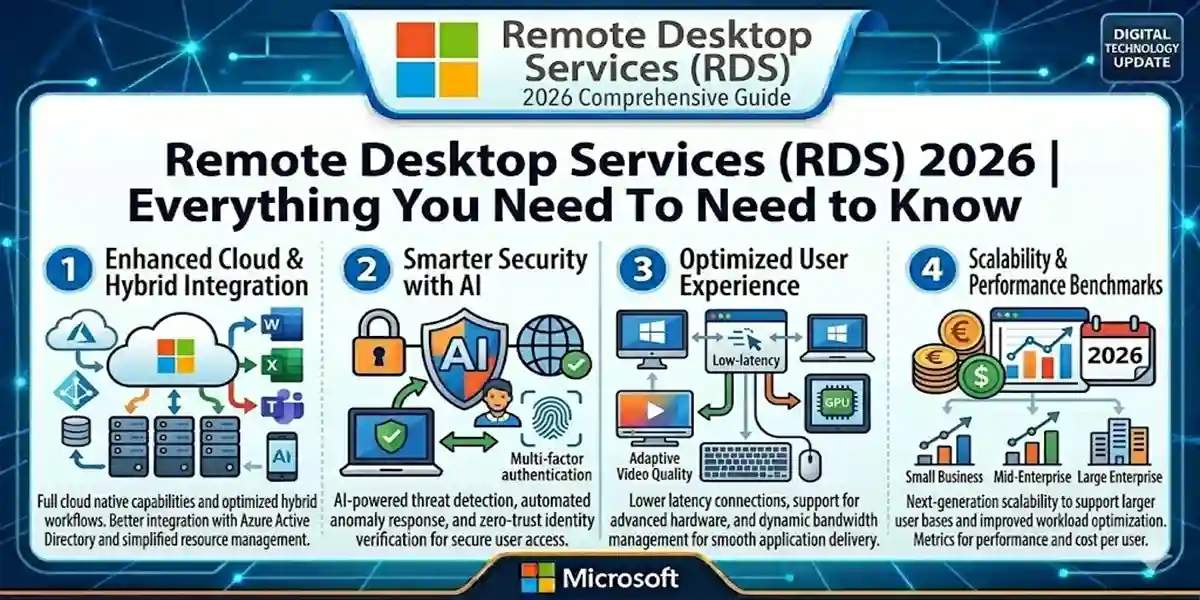
Introduction
With the rise of distributed and remote work, the importance of technologies like Remote Desktop Services (RDS) has increased significantly. But what exactly is RDS, and why is it crucial for businesses and professionals today?
In this guide, we provide a comprehensive overview of Microsoft’s Remote Desktop Services, including its components, benefits, uses, and licensing requirements. Whether you’re a small business, IT professional, or home user, this guide explains everything you need to know about RDS.
What is RDS?
Remote Desktop Services (RDS) is a suite of tools integrated into Windows desktop and server operating systems. In simple terms:
RDS allows users to remotely access applications and graphical desktops, providing seamless productivity from virtually anywhere.
RDS originated in 2008 as Terminal Services with Windows Server 2008 and has since evolved into a multi-purpose remote access solution designed primarily for business users. Home editions of Windows—like Windows 7, 8, 10, and 11—have limited support, although third-party clients on Android, iOS, macOS, and Linux can access RDS with some configuration.
Main Uses of RDS
RDS is versatile and can be applied in multiple scenarios depending on organizational needs:
- Access to Applications – Run RemoteApp applications from any device.
- Access to Remote Desktops – Connect to virtual or physical desktops, crucial for hybrid work setups.
- Access to Data – Securely access organizational data based on permissions.
Key Benefits of Remote Desktop Services
1. Centralized Applications
- Applications are not tied to a single machine.
- Cloud-based apps require no local installation.
- Updates are deployed centrally, saving time and money.
2. Cloud-Based Data Storage
- Provides secure access to sensitive information.
- Reduces risk if devices are lost or stolen.
3. Work From Anywhere
- Employees can access desktops and applications from any location, supporting remote and hybrid models.
4. Cost Reduction
- Centralized management reduces reliance on high-end devices.
- Minimizes IT overhead and software deployment costs.
Components of Remote Desktop Services
RDS comprises multiple integrated components:
- Remote Desktop Connection Broker (RDCB) – Manages incoming connections and balances server loads.
- Remote Desktop Session Host (RDSH) – Hosts applications and desktops, controlling user access.
- Remote Desktop Gateway (RDG) – Provides secure access from public networks.
- Remote Desktop Web Access (RDWA) – Allows users to connect via a web portal.
Remote Desktop Licensing
Every user or device using RDS requires a Client Access License (CAL):
- Device CAL – Grants access for a device regardless of the user.
- User CAL – Grants access to a specific user across multiple devices.
Summing Up
RDS is a versatile, secure, and cost-effective solution that has greatly facilitated the transition to remote and hybrid working models. Its integration with Windows platforms and support for multiple devices ensures seamless access to applications, desktops, and data.
As remote work continues to expand, Remote Desktop Services will remain an essential tool for organizations, enabling secure, efficient, and centralized management of IT resources.
Frequently Asked Questions (FAQs) About RDS
Q1: What is RDS (Remote Desktop Services)?
A1: RDS is a suite of Microsoft tools that allows users to remotely access applications, desktops, and data securely from any compatible device. It is designed to support business productivity and remote work.
Q2: Can I use RDS on home versions of Windows?
A2: Home editions of Windows have limited support for RDS. For full functionality, Windows 10/11 Professional or Enterprise versions are recommended.
Q3: Which devices are compatible with RDS?
A3: RDS works on Windows PCs, macOS, Android, iOS, and Linux (with some configuration for Linux).
Q4: What are Remote Desktop CALs?
A4: Client Access Licenses (CALs) are required for each user or device accessing RDS. Device CALs allow access per device, while User CALs allow access per individual user.
Q5: Can RDS improve security for remote work?
A5: Yes, RDS centralizes applications and data, reducing the risk of sensitive information being stored on individual devices.
Q6: What are the main benefits of RDS?
A6: RDS allows centralized application access, secure data storage, remote desktop access, cost savings, and supports hybrid/remote work models.