

Blog
How to Activate SQL Server 2025 Standard Retail Key | Step‑by‑Step Guide

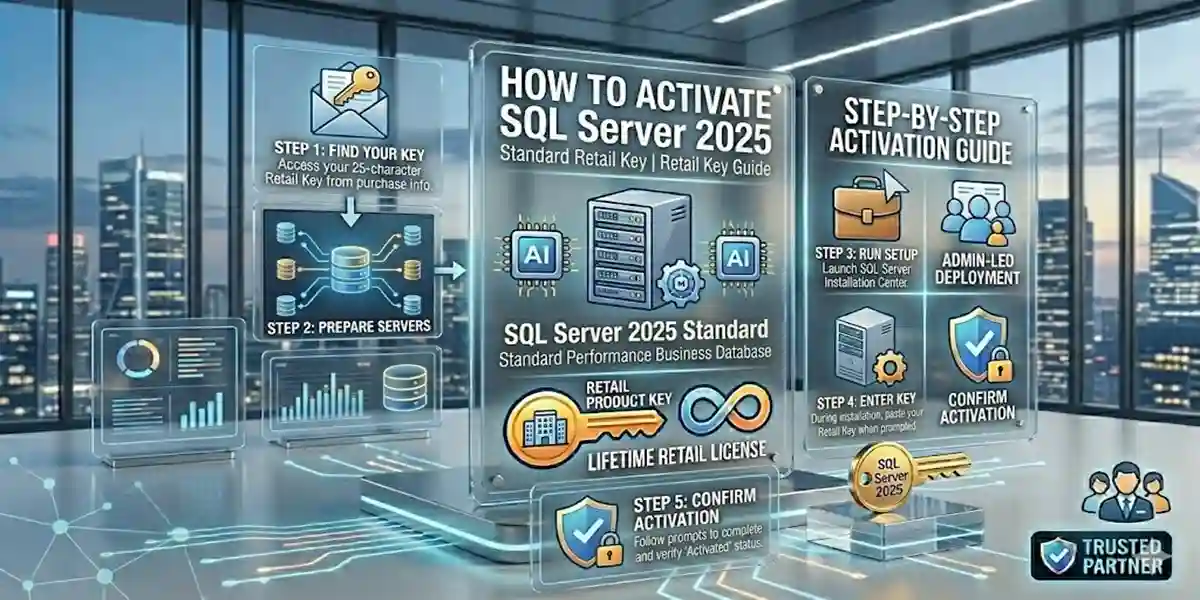
Introduction
SQL Server 2025 Standard is a powerful, reliable, and scalable relational database management system (RDBMS) designed for small to medium businesses, departmental applications, and transactional workloads. Proper activation of the SQL Server 2025 Standard Retail Key is essential to ensure your installation is fully licensed, compliant, and eligible for updates and support.
Whether you’re an IT administrator setting up your first SQL Server instance or an experienced database engineer planning a build‑out, this guide walks you through every step of activation, common errors and fixes, supported activation methods, and key licensing concepts.
If you purchased your retail key from a trusted marketplace like esoftwarestore, activating it correctly ensures legal compliance and access to the full feature set. You can find the key here: ⟶ esoftwarestore SQL Server 2025 Standard Retail Key
Before we dive into activation itself, let’s explore why SQL Server 2025 Standard remains one of the most widely deployed database engines for business workloads.
Why SQL Server 2025 Standard? – Key Benefits
SQL Server 2025 Standard is designed for organizations that need strong performance and core database features without the full enterprise overhead. Its balanced feature set makes it suitable for:
- Transactional processing (OLTP)
- Data reporting and analytics
- Small to medium business applications
- Workloads requiring reliability with limited licensing cost
SQL Server 2025 Standard Key Features
Here are the core features that make SQL Server 2025 Standard valuable:
1. Reliable Database Engine
At its foundation, SQL Server 2025 Standard provides a rock‑solid relational database engine with support for ACID transactions, consistent performance, and data integrity. Standard supports multiple simultaneous connections and provides concurrency controls ideal for business applications.
2. Security and Compliance
SQL Server 2025 Standard includes modern security features such as:
- Data encryption at rest and in transit
- Advanced authentication and authorization
- Row‑level security
- Dynamic data masking
These features help protect sensitive business information and assist in achieving compliance with regulatory frameworks.
3. Business Intelligence & Reporting
While the Standard edition does not include all enterprise analytics tools, it supports:
- Reporting Services
- Basic analytics functions
- Integration with visualization tools
4. High Availability and Scalability
Standard supports built‑in high availability features like:
- Basic failover clustering
- Database mirroring (deprecated but supported for compatibility)
These ensure uptime and protect against data loss in smaller environments.
5. Cloud and Hybrid Deployment Ready
SQL Server 2025 Standard can be deployed on‑premises, in Azure, or in hybrid environments, offering flexibility for modern architectures.
Common Errors & Fixes During Activation
Activation issues happen for many reasons. Here are the most common ones and how to resolve them.
Error: Invalid Product Key
Description:
The product key you entered is not accepted — often due to mistyping or using an edition‑specific key (e.g., a key meant for Datacenter instead of Standard).
Fix:
- Double‑check the product key characters
- Make sure the key specifically matches SQL Server 2025 Standard
- Confirm the key hasn’t already been reused beyond permitted activations
Error: Activation Server Unreachable
Description:
Network restrictions may block SQL Server from accessing Microsoft activation servers.
Fix:
- Open ports 80 (HTTP) and 443 (HTTPS) on your firewall
- Verify DNS resolution
- Temporarily disable proxy while activating
Error: License Already in Use
Description:
This indicates the key has exceeded activation limits.
Fix:
- Contact your vendor
- Request activation reset or guidance
Error: Edition Mismatch
Description:
This happens if the installed SQL Server version doesn’t match your key (e.g., installed Enterprise but key is for Standard).
Fix:
- Launch SQL Server Setup
- Choose “Edition Upgrade”
- Enter the correct retail key
Error: Insufficient Permissions
Description:
Activation requires local administrative privileges.
Fix:
Run the setup as Administrator or grant the installing account administrative rights.
How to Activate SQL Server 2025 Standard (Retail Product Key)
Below are the official and legal activation steps using different methods.
Method 1: Using SQL Server Setup (GUI)
- Insert the SQL Server 2025 install media or mount the ISO
- Run setup.exe as Administrator
- Select Maintenance > Edition Upgrade
- Choose your existing instance
- Enter the Retail Product Key
- Complete the setup wizard
- Restart the SQL Server services
Method 2: Command‑Line Activation
For automation or scripted deployments:
Replace “XXXXX…“ with your retail key.
Method 3: Phone Activation
Use this when network activation fails:
- Choose Phone Activation in setup
- Call the number shown
- Enter the installation ID
- Input confirmation ID provide
SQL Server 2025 Versions & Licenses
Understanding SQL Server licensing helps you choose the correct key and deployment.
SQL Server 2025 Editions
| Edition | Best For | Core / Memory Limits |
|---|---|---|
| Standard | SMB & departmental apps | Moderate |
| Enterprise | Large enterprise workloads | High |
| Developer | Dev & test only | Full features |
| Express | Free entry‑level | Small apps |
License Models
SQL Server licenses typically come in:
- Retail Product Key — Single installs, easy activation
- Volume Licensing — For enterprises and multi‑server use
- Subscription / Azure SQL — Cloud‑based
Conclusion
Activating SQL Server 2025 Standard Retail Key is a critical step in deploying a compliant, fully functioning SQL Server environment. Whether you choose the setup wizard, command‑line automation, or phone activation, following the official procedures ensures legal compliance and access to product updates, support, and performance enhancements.
By understanding common activation pitfalls and applying the fixes above, you can avoid downtime and reduce deployment friction.
As a reminder, if you’re still evaluating or procuring your SQL Server key, trusted sources like esoftwarestore provide secure retail keys with support and documentation.
Frequently Asked Questions (FAQ)
1. Can I reuse a retail key on another server?
Retail keys have activation limits. For multiple servers, consider volume licensing.
2. Is internet required for activation?
Online activation is best, but phone activation works too.
3. What if my product key is invalid?
Check for typos and correct edition. Contact your vendor if needed.
4. Can I upgrade from Express to Standard?
Edition upgrade is supported — use setup wizard.
5. Do I need SSMS?
SSMS is optional but recommended for database administration.
6. What’s the difference between Standard and Enterprise?
Enterprise offers advanced high availability and performance features.