

Blog
How Autodesk Fusion is Streamlining Design, Simulation, and Manufacturing

Introduction
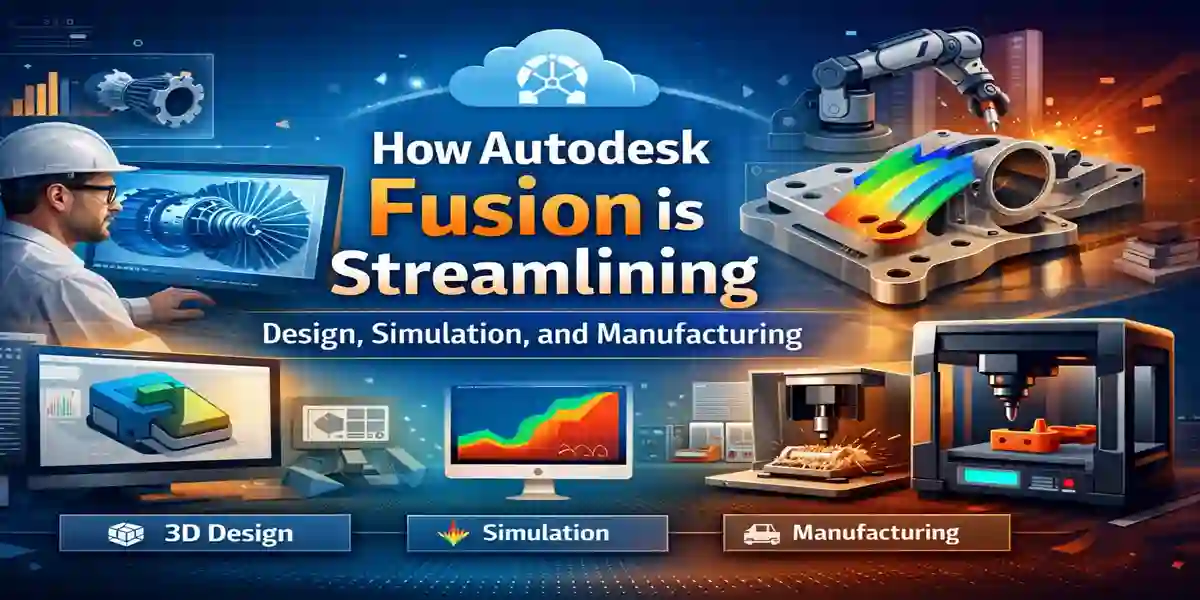
Autodesk Fusion 2024 is an all-in-one 3D design and engineering software that brings together powerful CAD (Computer-Aided Design), CAM (Computer-Aided Manufacturing), and CAE (Computer-Aided Engineering) tools into a single platform. Whether you’re designing innovative products, simulating performance, or preparing designs for manufacturing, Fusion provides a seamless workflow that integrates each stage of the design process. Fusion is used by engineers, designers, and manufacturers to create high-quality products faster and more efficiently. With a combination of advanced 3D modeling, real-time simulation, and collaboration features, Autodesk Fusion has become a leading tool in the world of product design and engineering.
Key Features of Autodesk Fusion 2024
1. Comprehensive 3D Design Tools
Fusion 2024 combines CAD, CAM, and CAE into one package, giving users a complete toolkit for designing, simulating, and manufacturing products. The robust 3D modeling capabilities allow you to create precise and detailed models, while the simulation tools help test and optimize your designs before manufacturing.
2. AI-Powered Insights
Autodesk Fusion includes built-in AI-driven insights that help you identify potential design flaws and suggest improvements. The software helps streamline workflows and reduces manual tasks, making design processes more efficient.
3. Cloud-Based Collaboration
Fusion 2024 allows users to collaborate in real time across teams, enabling seamless sharing of designs and feedback. Cloud-based tools like OneDrive ensure that your designs are stored securely and are accessible from anywhere.
4. Multi-Device Support
Fusion 2024 is designed to be compatible across multiple devices, including PCs, Macs, and even tablets. Whether you’re in the office or on the go, you can access and continue your work with ease.
5. Advanced Simulation and Testing
Fusion comes equipped with powerful simulation tools, enabling users to test their designs in real-world conditions. Whether you’re simulating stress, heat, motion, or vibrations, Fusion provides insights that help ensure your design is optimized before manufacturing.
6. Integration with Other Autodesk Products
Fusion integrates seamlessly with other Autodesk products like AutoCAD and Inventor, making it easy to move between applications and combine capabilities to meet the specific needs of your projects.
7. CAM Capabilities for Manufacturing
Fusion 2024 includes integrated CAM tools that support manufacturing processes like CNC (Computer Numerical Control) milling, turning, and 3D printing. This feature allows engineers and manufacturers to quickly move from design to production.
Uses of Autodesk Fusion 2024
Autodesk Fusion is an indispensable tool for a wide range of industries and professionals. Here are some of the primary use cases:
-
Product Design: Fusion is perfect for engineers and designers looking to create detailed 3D models for everything from consumer electronics to automotive parts.
-
Manufacturing: Fusion’s CAM tools enable direct translation of designs into CNC machine code, improving the efficiency of the manufacturing process.
-
Simulation and Testing: Professionals use Fusion to simulate product performance, test materials, and optimize designs before moving to physical prototyping.
-
Collaboration and Teamwork: Fusion is ideal for teams that need to collaborate remotely, ensuring all team members have access to the latest versions of a design.
Benefits of Using Autodesk Fusion
-
Improved Efficiency: By combining CAD, CAM, and CAE tools into one platform, Autodesk Fusion reduces the need for switching between different applications, saving both time and effort.
-
Faster Prototyping: With simulation tools that identify design issues before manufacturing, Fusion helps speed up the prototyping phase, reducing the number of physical prototypes needed.
-
Real-Time Collaboration: Cloud-based tools and real-time collaboration features ensure teams can work together effectively, regardless of their location.
-
Cost Savings: The integrated tools and simulation features reduce the likelihood of costly design errors and manufacturing mistakes, ultimately leading to reduced production costs.
-
Ease of Use: Fusion is known for its intuitive interface, which allows both beginners and experienced professionals to easily learn and use the software effectively.
Autodesk Fusion is cloud‑based design, engineering, and manufacturing software. Instead of one permanent license (“perpetual”), Fusion uses a subscription model that gives you legal access as long as it’s active.
1. Free 30‑Day Trial
-
Autodesk offers a 30‑day free trial with full access to all features.
-
This is a great way to try Fusion before committing to a paid plan.
2. Personal / Hobbyist License (Free or Low‑Cost)
-
A Personal Use license is available for non‑commercial projects.
-
It’s meant for hobbyists, makers, or home projects and has some feature limits (e.g., reduced CAM and documentation tools).
-
This license can often be renewed annually but does not include all commercial features.
3. Educational License (Free)
-
Students, educators, and academic institutions can get Fusion free for learning and classroom use.
-
You’ll need to verify your status (e.g., using a .edu email).
-
This version is not for commercial work.
4. Startup License
-
Autodesk offers a special low‑cost startup license (typically around $150 per year) if your business meets certain criteria (young company, limited revenue).
-
Designed to help small teams access full Fusion tools affordably.
5. Commercial Subscription
-
For professional or business use, Autodesk Fusion uses subscription licenses that are paid regularly, not permanently owned.
-
License terms are usually monthly, yearly, or multi‑year (e.g., 1‑year or 3‑year).
-
Each license is tied to a named user and their Autodesk account.
-
This option includes full access to all features, cloud services, collaboration tools, and technical support.
How Licensing Works
-
Fusion uses named user licensing — the software checks your Autodesk account to confirm your subscription status.
-
As soon as the subscription expires, access is restricted until renewed.
Quick Overview of Fusion Licensing Types
| License Type | Cost | Best For | Restrictions |
|---|---|---|---|
| Free Trial | Free, 30 days | Try everything | Time‑limited |
| Personal License | Free or low‑cost | Hobbyists / makers | Limited features, non‑commercial |
| Educational | Free | Students / teachers | Must verify education status |
| Startup License | ~$150/year | Qualifying startups | Must meet revenue/age requirements |
| Commercial Subscription | Paid | Professional / business use | Full access, recurring fee |
FAQ
1. What is Autodesk Fusion 2024?
Autodesk Fusion 2024 is a powerful 3D design software that combines CAD, CAM, and CAE tools into one platform, allowing users to design, simulate, and manufacture products in a seamless workflow.
2. Can I use Autodesk Fusion for 3D printing?
Yes, Autodesk Fusion 2024 supports 3D printing, making it easy to design models and generate 3D printing files directly within the software.
3. How do I activate Autodesk Fusion 2024?
To activate Autodesk Fusion 2024, simply purchase the software from an authorized reseller, enter your activation code, and follow the on-screen instructions to complete the activation process.
4. Is Autodesk Fusion cloud-based?
Yes, Autodesk Fusion 2024 offers cloud-based collaboration through OneDrive, allowing users to access and work on their designs remotely and share them with team members.
5. Is Autodesk Fusion available on Mac?
Yes, Autodesk Fusion 2024 is available for both PC and Mac, making it accessible to a wide range of users.
Conclusion
Autodesk Fusion 2024 is an all-in-one solution for engineers, designers, and manufacturers. By combining CAD, CAM, and CAE tools into a single platform, it streamlines the design process, reduces costs, and enhances collaboration. Whether you’re working on product design, manufacturing, or simulations, Fusion has the tools you need to optimize your workflow and deliver high-quality results faster.
Start using Autodesk Fusion 2024 today and take advantage of its powerful features to enhance your productivity and improve the quality of your designs.