

Blog
Autodesk Vault Basic: Complete Guide to Features, Benefits, and Use Cases (2025)

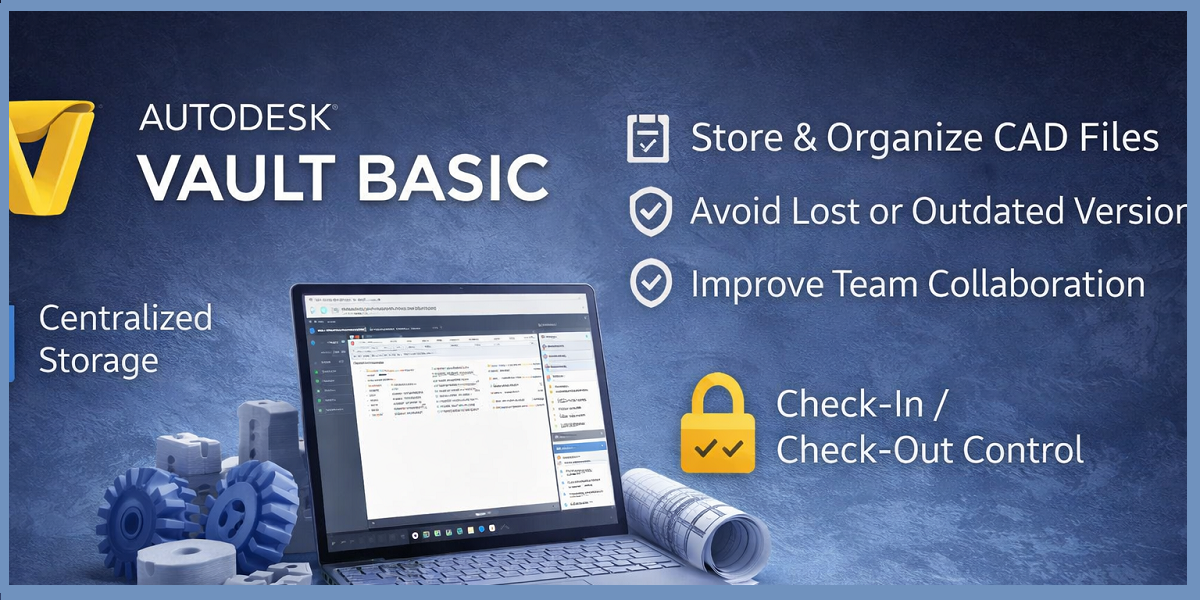
Introduction: Why Autodesk Vault Basic Matters in 2025
As design teams grow more distributed and projects become increasingly complex, managing CAD data has become one of the most critical challenges in engineering and product development. Lost files, overwritten designs, broken references, and inconsistent versions can quickly lead to costly errors, missed deadlines, and rework.
Autodesk Vault Basic addresses these challenges by providing a purpose-built data management solution designed specifically for CAD workflows. Unlike generic file-sharing platforms or cloud drives, Vault Basic understands how design data works—how parts, assemblies, drawings, and references depend on each other—and manages them accordingly.
In 2025, as organizations emphasize data integrity, traceability, and collaboration, Vault Basic continues to serve as the foundation of Autodesk’s Product Data Management (PDM) ecosystem. It is widely adopted by small to mid-sized teams looking to bring order, control, and reliability to their design processes without the complexity of full PLM systems.
This complete guide explains what Autodesk Vault Basic is, how it works, its features, benefits, real-world use cases, and pricing considerations—helping you decide whether it is the right solution for your organization.
What Is Autodesk Vault Basic?
Autodesk Vault Basic is a CAD-focused data management system that allows teams to securely store, organize, track, and control design files within a centralized database. It replaces uncontrolled network folders and manual naming conventions with a structured, rule-based system designed around engineering workflows.
At its core, Vault Basic provides:
-
A centralized repository for CAD data
-
Automated version control and history tracking
-
Secure access control and file locking
-
Intelligent management of CAD relationships
-
Native integration with Autodesk design tools
Unlike generic cloud storage solutions, Vault Basic is CAD-aware. It understands assemblies, parts, drawings, and references, ensuring that related files always stay connected. When a designer opens an assembly, Vault automatically retrieves the correct versions of all dependent files, preventing broken links and data inconsistencies.
Vault Basic is typically deployed on-premises or in a private environment and is included with many Autodesk design and manufacturing subscriptions, making it an accessible entry point into professional data management.
Core Features of Autodesk Vault Basic – Centralized Data Repository
1. Centralized Data Repository
The centralized data repository in Autodesk Vault Basic creates a single, secure source of truth for all design files used across an organization. Instead of relying on scattered storage locations such as personal computers, shared network drives, or email attachments, Vault Basic stores every approved CAD file in a controlled Vault database. This structure brings order and reliability to design data management.
Because all files reside in one centralized system, everyone accesses the same approved data. Designers, engineers, and reviewers no longer risk opening outdated or incorrect versions of files. When a file is updated and checked into Vault, the latest version becomes instantly available to authorized users, ensuring consistent and accurate collaboration.
Centralization also means no duplication of files across locations. Traditional folder-based systems often create multiple copies of the same file, leading to confusion and version conflicts. Vault Basic eliminates this problem by maintaining one authoritative version of each file while preserving its complete revision history.
Another key benefit is improved data integrity and consistency. Vault understands how CAD files relate to one another, ensuring that assemblies, parts, and drawings remain properly connected. This prevents broken references and missing dependencies.
Beyond daily workflows, centralization simplifies backups, disaster recovery, and IT governance, allowing administrators to secure, manage, and restore all design data efficiently from a single location.
2. Automated Version Control
Automated version control is one of the most valuable and time-saving features of Autodesk Vault Basic. Instead of relying on manual file naming conventions like “final,” “final-v2,” or “latest,” Vault Basic automatically manages versions every time a file is checked in. This removes guesswork and ensures complete traceability throughout the design lifecycle.
Each time a user saves changes and checks a file back into Vault, the system automatically creates a new version while preserving all previous versions. This means no work is ever overwritten or lost. Designers can confidently make changes knowing that earlier iterations remain safely stored and accessible.
Vault also records who made the change, creating clear accountability within the team. Managers and collaborators can easily see which team member modified a file, improving transparency and simplifying collaboration in multi-user environments.
In addition, Vault logs when the change occurred, providing a precise timeline of design evolution. This is especially useful for project tracking, audits, and understanding how a design progressed over time.
Finally, Vault tracks what file was modified, ensuring that every change is tied to a specific document within the system. Combined, these records form a complete audit trail.
Automated version control allows teams to review past designs, compare changes, restore earlier versions if needed, and maintain confidence that their design data is accurate, traceable, and fully protected at every stage.
4. CAD File Relationship Management
One of the most powerful advantages of Autodesk Vault Basic is its built-in CAD file relationship management, which ensures that complex design data remains accurate, connected, and reliable. Unlike generic storage systems, Vault understands how CAD data is structured and how different files depend on one another.
Vault recognizes how assemblies reference individual parts, ensuring that every component required for an assembly is correctly linked and available. This prevents situations where assemblies open with missing parts or incorrect versions, a common issue in unmanaged folder-based systems.
It also understands how drawings reference 3D models. When a drawing is opened, Vault ensures it is linked to the correct model version, maintaining consistency between 2D documentation and 3D design data. This reduces errors caused by drawings referencing outdated or mismatched models.
Another critical capability is tracking how changes to one file affect others. When a part is modified, Vault is aware of all assemblies and drawings that depend on it. This visibility helps designers understand the impact of changes before they are finalized, reducing downstream errors and rework.
When a designer opens an assembly, Vault automatically retrieves all referenced components in the correct versions. This automation prevents broken links, missing files, and incorrect references, allowing teams to focus on design work rather than troubleshooting file issues. As a result, Vault Basic delivers a more stable, predictable, and professional CAD data management experience.
5. Native Autodesk CAD Integration
One of the strongest reasons teams adopt Autodesk Vault Basic is its native integration with Autodesk CAD applications. Vault Basic is not a separate system that forces users to change how they work—instead, it is embedded directly into the design tools engineers already use every day. This tight integration significantly improves usability, efficiency, and adoption across teams.
Vault Basic integrates seamlessly with leading Autodesk products such as AutoCAD, AutoCAD Mechanical, and Autodesk Inventor. Because of this native connection, designers do not need to switch between multiple applications to manage files. Vault functionality appears directly inside the CAD interface, making data management a natural part of the design workflow rather than an extra administrative task.
From within their CAD software, users can open files directly from Vault. This ensures they are always working on the latest approved versions stored in the centralized database. There is no need to browse network folders or worry about selecting the wrong file copy.
Designers can also save and check in files without leaving the CAD environment. When work is complete, files are checked back into Vault with a single action, automatically updating version history, file status, and relationships. This reduces interruptions and keeps designers focused on design rather than file handling.
Another major advantage is the ability to search and reuse existing designs easily. Vault’s search tools allow users to find parts, assemblies, or drawings based on names, properties, or metadata—directly inside the CAD interface. This promotes design reuse, reduces duplicate work, and helps maintain consistency across projects.
Overall, this seamless CAD integration minimizes disruption, reduces training requirements, and encourages user adoption. Teams are far more likely to use data management tools when they fit naturally into existing workflows, making Vault Basic an efficient and practical solution for professional design environments.
6. Secure Access and Permissions
Secure access and permissions are critical in any professional design environment, and Autodesk Vault Basic provides administrators with precise control over who can access and modify design data. Rather than allowing unrestricted access to all files, Vault Basic uses role-based permissions to protect sensitive information while still enabling effective collaboration across teams.
Administrators can define user roles and permission levels based on job responsibilities. For example, designers may be granted full editing rights, while reviewers or managers may have view-only access. This structured approach ensures that users interact with design data only in ways that align with their role, reducing the risk of accidental or unauthorized changes.
Vault Basic allows administrators to control who can view files. This is especially important for proprietary designs, confidential projects, or early-stage concepts that should not be visible to everyone. By restricting visibility, organizations can protect intellectual property while maintaining internal security standards.
The system also controls who can edit designs. Editing permissions ensure that only qualified or assigned users can modify CAD files. This prevents unintended design changes, preserves design integrity, and ensures accountability within the team.
Additionally, administrators can manage check-in and check-out permissions, determining who is allowed to lock files for editing and submit new versions into the Vault. This helps regulate workflow ownership and prevents unapproved users from introducing changes into critical projects.
By combining secure permissions with Vault’s version control and audit tracking, organizations gain a controlled yet collaborative environment. Sensitive data remains protected, compliance requirements are easier to meet, and teams can collaborate confidently without compromising security.
Overall, Autodesk Vault Basic’s access control framework balances protection and productivity—ensuring the right people have the right access at the right time, while safeguarding valuable design data throughout its lifecycle.
Benefits of Autodesk Vault Basic – Improved Data Organization and Control
One of the most significant benefits of Autodesk Vault Basic is improved data organization and control, which directly addresses one of the most common pain points in engineering and design environments: unmanaged files and inconsistent storage practices. Traditional folder-based systems—whether on local machines, shared network drives, or cloud folders—often grow chaotic over time. Files are duplicated, naming conventions vary by user, and locating the correct version becomes time-consuming and error-prone.
Autodesk Vault Basic replaces this disorder with a structured data management system purpose-built for engineering data. Every design file is stored in a centralized Vault database and organized according to logical project structures rather than arbitrary folder paths. This ensures that parts, assemblies, and drawings are always stored in predictable locations, making navigation intuitive for both new and experienced team members.
Vault Basic also enables advanced search and metadata-based organization. Instead of searching only by file name, users can locate files using properties such as part number, description, author, project name, or custom attributes. This dramatically reduces the time spent hunting for files and allows teams to reuse existing designs instead of recreating them from scratch.
Consistency is another major advantage. Vault enforces standardized workflows for saving, versioning, and updating files, ensuring that data is handled the same way across the entire organization. This reduces human error, prevents accidental overwrites, and eliminates confusion about which file is current or approved.
From a management perspective, improved organization leads to better visibility and control over design data. Project leads and administrators can easily monitor file status, understand design progress, and ensure compliance with internal standards.
Ultimately, by bringing order, consistency, and traceability to design data, Autodesk Vault Basic helps teams work faster, collaborate more effectively, and maintain confidence that their data is accurate, secure, and always under control.