

Blog
Autodesk 3ds Max 2026 – The Industry-Leading 3D Modeling, Rendering & Animation Software

Autodesk 3ds Max (3D Studio Max)
Autodesk 3ds Max, originally known as 3D Studio Max, is one of the world’s most powerful and versatile 3D modeling, animation, and rendering applications. It remains a top choice for architects, game developers, product designers, and VFX professionals who rely on precision, photorealism, and high-performance tools.
This complete guide explores everything you need to know about 3ds Max — its features, benefits, industry applications, pricing, comparisons, and why it continues to dominate the 3D industry.
What Is Autodesk 3ds Max?
Autodesk 3ds Max is a professional-grade 3D modeling, animation, rendering, and visualization software widely used in:
-
✔ Architectural Visualization
3ds Max is widely used by architects and interior designers to create highly realistic 3D buildings, interiors, and landscapes. Its powerful rendering engines and material tools allow professionals to produce lifelike previews of projects before construction begins, helping clients understand designs with clarity.
✔ Game Development
Game studios rely on 3ds Max to build characters, weapons, environments, and other assets for modern game engines like Unreal and Unity. Its precision modeling tools and smooth export workflow make it ideal for creating detailed, optimized assets for both A
✔ Film & VFX
In the film and visual effects industry, 3ds Max is used to create CGI environments, particle simulations, explosions, and complex animations. Its robust simulation tools and plugin ecosystem allow VFX artists to produce Hollywood-quality effects for movies, commercials, and streaming productions.
✔ Industrial & Product Design
Manufacturers and product designers use 3ds Max to visualize products long before physical prototypes exist. The software allows teams to showcase realistic materials, lighting, and animations, making it easier to refine designs and produce high-quality marketing content.
✔ Engineering Visualization
Engineers use 3ds Max to turn technical models into interactive, easy-to-understand 3D presentations. Complex machinery, mechanical components, and industrial layouts can be animated to demonstrate how systems work, improving communication and problem-solving.
✔ VR/AR Development
3ds Max is a leading tool for creating assets for virtual reality and augmented reality experiences. Whether for training simulations, architectural walkthroughs, or product demos, its ability to produce detailed 3D models makes it ideal for immersive applications.
✔ Why It Excels
All these uses are supported by 3ds Max’s powerful modifier stack system, advanced modeling tools, extensive plugin ecosystem, and top-tier rendering engines like Arnold, V-Ray, and Corona. These features make it a central tool in modern 3D production pipelines across multiple industries.
-
AA and indie games.
It excels at creating high-detail models, photorealistic renders, and complex 3D animations. With its modifier stack system, robust modeling tools, large plugin ecosystem, and industry-standard rendering engines, 3ds Max remains a central tool in many production pipelines.
Why 3ds Max Is Important in Modern 3D Production
In an era where immersive visuals, digital prototypes, and realistic simulations shape industries, 3ds Max provides a complete toolkit for:
⭐ Realistic Architectural Renderings
Autodesk 3ds Max is widely trusted for creating photorealistic architectural renderings that help architects, interior designers, and real estate developers visualize spaces before construction. Its powerful Arnold Renderer, high-quality lighting tools, and advanced material editing features allow creators to produce lifelike interiors, exteriors, and walkthroughs, making it a top choice in architectural visualization and 3D design.
⭐ High-Impact Product Visuals
Brands and product designers rely on 3ds Max product visualization to turn ideas into stunning 3D prototypes. With its precision modeling tools and ultra-real textures, companies can showcase consumer products, industrial designs, and packaging in a visually compelling way—long before manufacturing begins. This results in faster approvals and more effective marketing.
⭐ Cinematic-Quality VFX
The film and entertainment industry uses 3ds Max for VFX to create blockbuster-level visuals. Its robust toolset supports particle effects, fluid simulations, explosions, crowd animations, and more. Combined with industry-standard plugins like Phoenix FD and V-Ray, artists produce cinematic visual effects that meet Hollywood-quality standards.
⭐ Advanced Game Assets
Game developers choose 3ds Max for game development due to its unmatched modeling efficiency and seamless integration with engines like Unity and Unreal Engine. Artists can create next-gen characters, environments, props, and animations optimized for both AAA titles and indie games. Its UV mapping, rigging, and texturing workflows make it an essential tool in the modern gaming pipeline.
⭐ Simulations for Engineering
Engineering teams use 3ds Max simulations to create accurate digital representations of machines, structures, and mechanical systems. From stress testing to motion studies and virtual prototypes, 3ds Max helps engineers identify flaws, improve designs, and test functionality without physical prototypes—saving time and reducing development costs.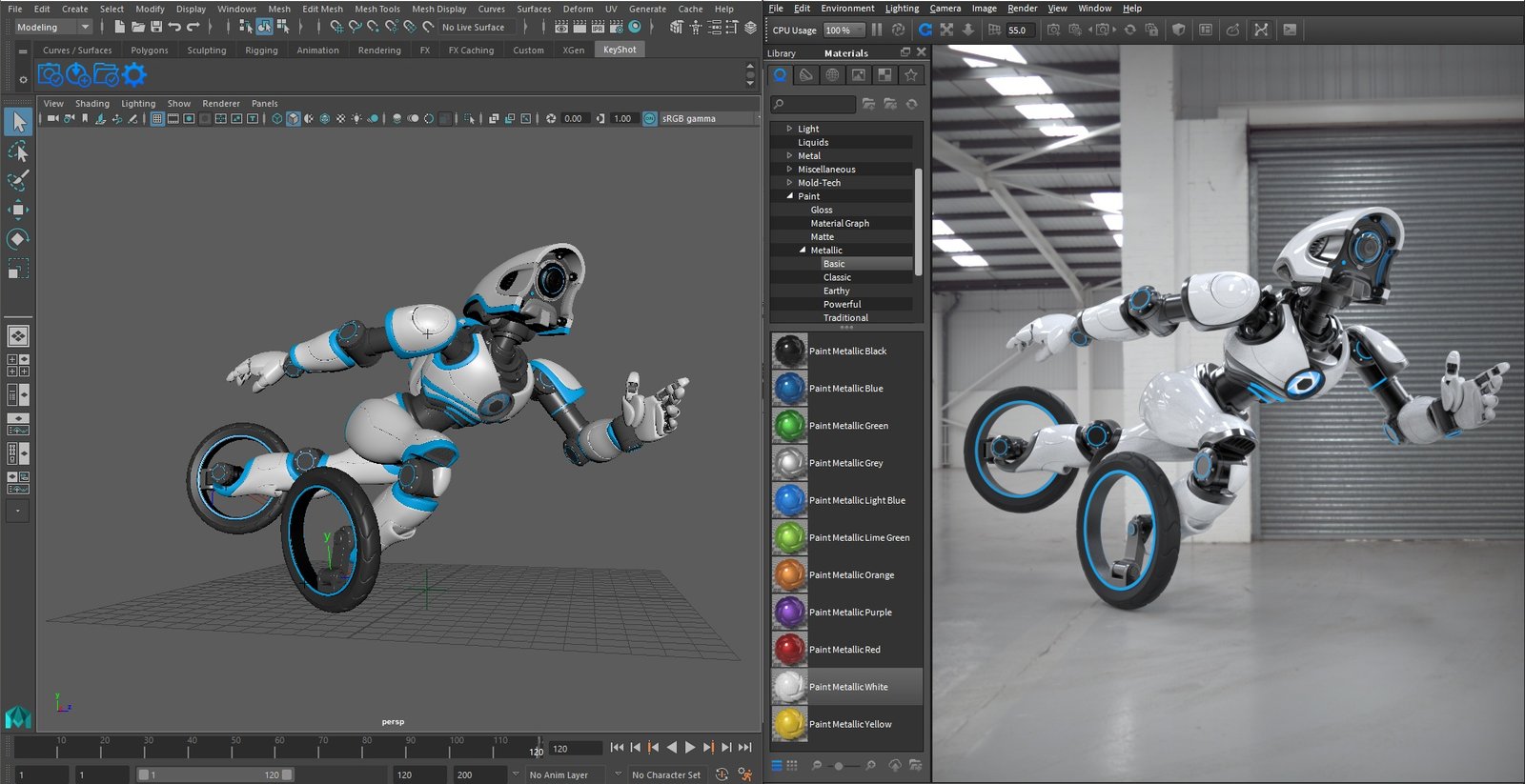
Key Features of Autodesk 3ds Max
Below are the core features explained in detail to highlight why 3ds Max stands out.
⭐ 1. Advanced Polygon & Spline Modeling Tools
✔ Polygon Modeling
Polygon modeling in Autodesk 3ds Max is preferred by 3D artists because it provides maximum control and precision when shaping characters, environments, vehicles, props, and game assets. With vertex, edge, and face-level editing, artists can sculpt both simple and highly detailed models, making it one of the most versatile modeling systems in modern 3D production.
✔ Spline & NURBS Modeling
When high accuracy and smooth curvature are required, spline and NURBS modeling in 3ds Max offers unmatched flexibility. This workflow is ideal for automotive designs, product visualization, architectural forms, and mechanical modeling, where mathematically perfect surfaces are essential.
✔ Modifier Stack Workflow
The modifier stack is one of 3ds Max’s greatest advantages. It allows: Non-destructive editing, Reversible actions, Layer-based modeling, Rapid design experimentation
Artists can test multiple design variations without losing previous work. This makes 3ds Max extremely efficient for iterative workflows, architectural design, and game production pipelines.
✔ Retopology Tools
3ds Max includes advanced retopology tools that automatically rebuild messy or dense geometry into clean, animation-ready meshes. This is crucial for: Optimizing high-poly models, Preparing game assets, Cleaning 3D scans, Creating low-poly versions for real-time engines like Unreal and Unity
✔ Where These Modeling Tools Excel
Because of its modeling versatility, 3ds Max is widely used for: Architectural visualization (interiors, exteriors, buildings), Game asset creation (characters, props, weapons, environments), Hard-surface modeling (tools, machinery, furniture), Automotive interiors and industrial design, 3D printing models and digital prototypes
⭐ 2. Photorealistic Rendering (Arnold, V-Ray, Corona)
Rendering Engines Supported by 3ds Max
3ds Max is compatible with the industry’s top renderers, making it a powerhouse in the CGI world: Arnold Renderer (built-in), V-Ray, Corona Renderer, Redshift, Octane Render
✨ Arnold Renderer
Arnold is known for producing cinematic-quality, physically accurate lighting. It’s ideal for: Film production, Product design, High-end advertising, Architectural rendering
Its intuitive workflow and GPU/CPU capabilities make it a favorite for photorealism.
✨ V-Ray & Corona Renderer
V-Ray and Corona dominate the architectural visualization industry due to their: Realistic global illumination, Fast rendering speeds, Accurate material reproduction, Easy lighting setup
They help architects produce life-like visualizations and immersive interior/exterior scenes with remarkable realism.
✨ Real-Time Rendering Support
With plugins and engine bridges, 3ds Max supports real-time rendering via: Unreal Engine, Unity, Chaos Vantage
This gives creators instant visual feedback, speeding up decision-making and presentation work.
⭐ 3. Animation & Rigging Tools
3ds Max includes a rich set of animation tools designed for both simple and complex workflows.
✔ Character Animation Toolkit (CAT)
CAT provides customizable rigs for characters, creatures, and mechanical objects. It’s ideal for game animations and quick rig setups.
✔ Biped System
The Biped system offers a pre-built humanoid rig, reducing setup time significantly. Animators can easily apply motion capture data or create custom animations.
✔ Motion Paths & Keyframe Animation
Artists can animate along paths, refine timing curves, and build smooth transitions using the intuitive graph editor and keyframing tools.
✔ Procedural Animation
3ds Max supports procedural animation techniques, enabling the creation of complex motion using automated rules—helpful for crowds, machines, or dynamic systems.
✔ Crowd Animations (Populate Tool)
The Populate feature automatically generates realistic crowd simulations, ideal for architectural walkthroughs or previsualization.
Where 3ds Max Animation Shines:
-
Architectural walkthroughs
-
Product animations
-
Motion graphics
-
Game cutscenes
-
Previsualization for films
⭐ 4. Dynamics & Simulation Systems
3ds Max includes a range of simulation tools essential for physics-driven animation.
✔ MassFX Physics
Simulates real-world physics for rigid bodies—perfect for dynamic scenes with falling objects, collisions, and mechanical motion.
✔ Particle Flow (PFlow)
PFlow is a powerful particle system used for creating: Sparks, Snow, Dust, Swarms, Sci-fi energy effects
It allows deep customization through event-based logic.
✔ Cloth Simulation
3ds Max accurately simulates cloth movement, folds, wind interaction, and collisions—useful for fashion, character capes, banners, and curtains.
✔ Hair & Fur System
Create realistic fur, grass, or hair with advanced grooming tools and physics.
✔ Fluid Simulations (Phoenix FD)
Phoenix FD allows artists to simulate: Fire, Smoke, Explosions, Liquids, Foam
These simulations are essential for VFX, commercials, and cinematic CGI.
⭐ 5. Integration & Pipeline Support —
3ds Max fits smoothly into professional pipelines, especially within the Autodesk ecosystem.
✔ Works Perfectly With:
-
AutoCAD (A-grade accuracy for architectural drafting)
-
Revit (BIM integration for architects and engineers)
-
Fusion 360 (manufacturing and product design synergy)
-
Maya (animation-heavy workflows)
-
Inventor (mechanical engineering projects)
✔ Why This Matters
This integration ensures seamless collaboration between: Architects, Engineers, 3D artists, Game developers, Visualization studios
3ds Max becomes a central tool in workflow pipelines requiring both artistic and technical precision.
⭐ 6. Plugins & Customization
3ds Max has one of the largest plugin ecosystems in the 3D industry.
✔ Popular Plugins
-
Forest Pack – creates forests, landscapes, vegetation
-
RailClone – procedural modeling for architecture
-
TyFlow – advanced particle simulation system
-
Phoenix FD – fluid, fire, smoke simulations
-
V-Ray + Corona – rendering engines for photorealism
These plugins dramatically expand 3ds Max’s capabilities.
✔ Custom Tool Development
Artists can automate tasks or build custom tools using: MAXScript – 3ds Max’s native scripting language, Python – universal, powerful scripting used across the 3D industry
This makes 3ds Max infinitely customizable for: Studios, Pipelines, Automation, Procedural assets, Custom workflows.
Benefits of Using Autodesk 3ds Max
✔ Industry-Standard for Architectural Visualization
Autodesk 3ds Max is the leading software for architectural visualization because it offers unmatched precision, realistic lighting tools, and photoreal rendering through engines like V-Ray and Corona. Architects and designers rely on 3ds Max to produce high-quality interior designs, exterior renderings, and immersive 3D walkthroughs, making it the top choice for ArchViz professionals worldwide.
✔ Perfect for Photoreal Product Rendering
For product visualization and commercial rendering, 3ds Max delivers stunning photorealistic results. Its advanced material editor, HDRI lighting, and ray-traced rendering capabilities allow brands to create true-to-life 3D product images, marketing visuals, and digital prototypes long before manufacturing. This reduces cost, speeds up approval, and improves presentation quality—ideal for eCommerce, advertising, and industrial design.
✔ Strong Modeling and Texturing Workflows
3ds Max provides one of the most powerful 3D modeling and texturing workflows in the industry. With advanced polygon modeling, spline tools, UV mapping, and the modifier stack, artists can create highly detailed characters, environments, vehicles, and hard-surface assets with total control. This makes it a top choice for game artists, product designers, and CGI studios.
✔ Large Community + Plugin Ecosystem
One of 3ds Max’s greatest strengths is its massive plugin ecosystem and global user community. Tools like Forest Pack, RailClone, TyFlow, Phoenix FD, and V-Ray significantly expand 3ds Max’s capabilities for vegetation, simulation, rendering, and procedural modeling. This extensive ecosystem ensures artists have endless creative possibilities—and plenty of learning resources, tutorials, and support.
✔ Ideal for Medium to Large Studios
Thanks to its scalability, automation tools, scripting support, and production-ready workflows, 3ds Max excels in medium to large studio environments. It supports complex pipelines, large scenes, collaborative team workflows, and integration with other Autodesk tools like Revit, Maya, and Fusion 360. This makes it a top pick for professional CGI studios, architectural firms, game developers, and VFX teams.
✔ Mature, Stable, and Predictable Workflow
3ds Max has been refined for decades, making it one of the most stable and reliable 3D production tools available. Its predictable workflow allows teams to consistently deliver high-quality results without unexpected software issues. This stability is crucial for studios working under tight deadlines, large budgets, and professional production pipelines.
✔ Works Well with Game Engines Like Unreal & Unity
3ds Max integrates smoothly with Unreal Engine and Unity, the two most widely used game engines in the world. Artists can easily export optimized assets, characters, environments, and animations directly into game engines with proper UVs, textures, and LODs. This seamless compatibility makes 3ds Max a top solution for game development, real-time rendering, VR/AR content, and immersive 3D experiences.
⭐ Pricing & Licensing for Autodesk 3ds Max
Autodesk 3ds Max follows a subscription-based licensing model, which provides users with continuous updates, new features, cloud services, and technical support. This flexible pricing structure ensures that freelancers, studios, and businesses can choose a plan that best fits their workflow and budget.
✔ 1. Monthly Subscription
A monthly 3ds Max subscription is ideal for: Freelancers working on short-term projects, Students or beginners testing the software, Studios with fluctuating project demands, Users who want maximum flexibility
At around $235 per month, this plan allows you to access the full version of Autodesk 3ds Max without long-term commitment. It’s perfect if you need the software for a one-off project, seasonal work, or evaluation before purchasing a longer subscription.
✔ 2. Annual Subscription — approx. $1,875
The annual plan offers significant savings compared to paying month-to-month. At approximately $1,875 per year, it is the most popular option for: Professional 3D artists, Game development studios, Architectural visualization firms, Product design companies
Choosing an annual subscription ensures: Lower cost per month, Access to all updates throughout the year, Better budgeting for studios, A full year of Autodesk support and cloud services
This plan is perfect for anyone who uses 3ds Max regularly and wants the best value for long-term productivity.
✔ 3. 3-Year Subscription — Discounted Rate
Autodesk offers additional cost savings when users choose a 3-year subscription, making this the most cost-effective option for long-term users. This plan is ideal for: Established studios, Large VFX and game development teams, Architecture and engineering firms, Businesses looking to lock in lower prices
A 3-year plan provides: The highest overall discount compared to monthly or annual plans, Price protection (no annual subscription increases during the term) A stable, predictable budget for multi-year production pipelines
Studios prefer this option because 3ds Max is a core tool in many professional workflows, making long-term access essential.
⭐ Comparison Table: 3ds Max vs Maya vs Blender vs Cinema 4D
| Feature / Category | Autodesk 3ds Max | Autodesk Maya | Blender | Cinema 4D |
|---|---|---|---|---|
| Best For | Architectural visualization, product rendering, hard-surface modeling | Character animation, VFX, film production | Beginners, freelancers, indie creators | Motion graphics, broadcast design |
| Modeling Tools | ⭐ Excellent for polygon & spline modeling; ideal for architecture & hard surfaces | Good for organic modeling; strong sculpting tools | Very good but less precise for ArchViz pipelines | Good modeling tools, favored for MoGraph |
| Animation Tools | Good for product animation & ArchViz walkthroughs | ⭐ Best-in-class character rigging & animation | Good general animation; improving annually | Suitable for motion graphics animation |
| Rendering Engines | Built-in Arnold, plus V-Ray, Corona, Redshift | Arnold, RenderMan, Redshift | Cycles, Eevee (free real-time engines) | Redshift, Physical Renderer |
| Learning Curve | Moderate; easier for modeling | Steep; requires advanced skills | Moderate; beginner-friendly | Easy; great for designers |
| Industry Use | Architecture, engineering, product design, 3D visualization, games | Hollywood films, AAA games, TV, VFX studios | Freelancers, indie developers, hobbyists | Advertising, broadcast, motion design |
| Simulation Tools | Particle Flow, MassFX, plugins like TyFlow & Phoenix FD | Advanced nCloth, nParticles, Bifrost | Good but less robust for VFX pipelines | Limited compared to Maya |
| Pipeline Integration | Excellent with AutoCAD, Revit, Fusion 360, Unreal | Excellent with motion-capture, film pipelines | Good but less standardized | Excellent with Adobe tools & MoGraph workflows |
| Cost | Premium (subscription) | Premium (subscription) | Free & open source | Premium (subscription/perpetual) |
| Strengths | Photorealism, modeling precision, ArchViz pipelines | Animation, rigging, complex VFX | Free, flexible, huge community | Motion graphics, ease of use |
| Weaknesses | Not ideal for complex character animation | Not ideal for architecture | Not widely used in large studios | Less suited for photoreal ArchViz |
⭐ Conclusion
Autodesk 3ds Max remains one of the most powerful and reliable 3D modeling software tools in the industry, trusted by architects, product designers, game developers, and CGI professionals worldwide. With its unmatched modeling precision, advanced rendering engines, and seamless pipeline integration, 3ds Max delivers photoreal architectural visualization, high-quality product rendering, and production-ready 3D assets faster and more efficiently than ever. Whether you’re building immersive environments, crafting cinematic visuals, or designing real-world products, 3ds Max offers the performance, stability, and creative freedom needed to stay ahead in today’s competitive 3D industry. For studios and professionals seeking realistic results, streamlined workflows, and industry-standard tools, Autodesk 3ds Max is a smart, future-proof investment.
Frequently Asked Questions (FAQ)
1. What is Autodesk 3ds Max used for?
Autodesk 3ds Max is used for 3D modeling, animation, rendering, and visualization across industries like architecture, gaming, VFX, product design, engineering, and VR/AR development. It helps creators produce photorealistic visuals, high-detail models, and cinematic animations.
2. Is 3ds Max good for beginners?
Yes. While 3ds Max is a professional-grade tool, its interface is more beginner-friendly than many other 3D programs. With a strong community and thousands of tutorials online, new users can learn modeling, rendering, and animation efficiently.
3. What industries use 3ds Max the most?
3ds Max is popular in architectural visualization, interior design, gaming, advertising, engineering visualization, film and VFX studios, product design, and virtual reality (VR) development.
4. What’s the difference between 3ds Max and Maya?
3ds Max excels in modeling, rendering, architectural visualization, and product design, while Maya is preferred for character animation, rigging, and high-end VFX. Studios often use both tools depending on pipeline requirements.
5. Does 3ds Max come with a rendering engine?
Yes. 3ds Max includes the Arnold Renderer by default and supports additional professional render engines like V-Ray, Corona Renderer, Redshift, and Octane for photorealistic output.
6. Can 3ds Max export models to game engines like Unreal or Unity?
Absolutely. 3ds Max provides smooth integration with Unreal Engine and Unity, allowing artists to export optimized models, textures, animations, and UV maps directly for game development or real-time rendering workflows.
7. Is 3ds Max good for architectural visualization?
Yes — it is considered the industry standard for archviz. Combined with V-Ray or Corona Renderer, 3ds Max produces ultra-realistic interior and exterior renderings, walkthrough animations, and real-estate visualizations.
8. What plugins work with 3ds Max?
Popular plugins include Forest Pack, RailClone, TyFlow, Phoenix FD, V-Ray, and Corona Renderer. These extend capabilities for vegetation, simulation, fluid effects, procedural modeling, and high-end rendering.
9. What are the licensing options for 3ds Max?
3ds Max is available through monthly, annual, and 3-year subscriptions. Users can purchase official licenses directly from Autodesk or through trusted sellers like Esoftwarestore.
10. Is 3ds Max better than Blender?
Blender is free and great for beginners, but 3ds Max offers more advanced modeling precision, industry-standard rendering capabilities, and stronger pipeline integration for professional studios — especially in architecture and product design.
11. Does 3ds Max support VR and AR development?
Yes. 3ds Max allows creators to build detailed assets for VR and AR applications, including architectural walk-throughs, training simulations, and interactive product demos.
12. Can I use 3ds Max for product design?
Absolutely. 3ds Max is widely used for creating photorealistic product prototypes, animation demos, and marketing visuals. Its materials, lighting tools, and precision modeling make it ideal for consumer products, automotive parts, and industrial design.
13. Is 3ds Max available for Mac?
No. 3ds Max is available only for Windows. Mac users may run it using Boot Camp or virtualization, but performance depends on system compatibility.